In my particular situation, my Plex instance did not have write privileges in /tmp. It was a bear to figure out!
Thank you for the update! Super helpful. One question though: what platform are you running your sever on? Just making sure I’m looking in the correct spot for the Mac equivalent of /tmp.
I am using a docker container (plexinc/pms-docker:plexpass) in CentOS 7 Linux and I had a bind volume to keep anything written to /tmp in memory. If that is Greek to you, don’t worry, it’s probably not relevant. Are you running Plex on Mac OS natively, or in a docker container?
@tankertux. This is promising! I know how to SSH and log into my Synology, but my Linux-foo isn’t much beyond that. Can you share a step-by-step for me to troubleshoot, change the perms and retry? I don’t use containers, but rather the traditional Synology DSM 6.0 installer directly through Package Center.
How do I determine whether the Plex process has access to \tmp?
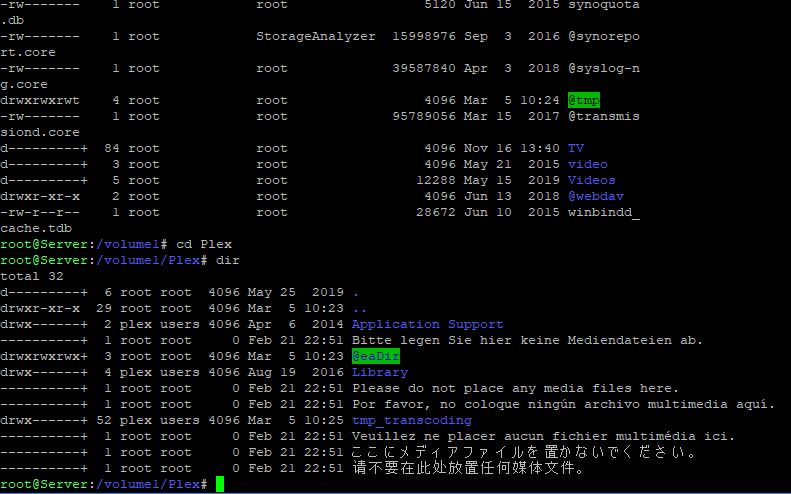
And I had to LOL when I saw these warnings in 6 different languages:
Native MacOS. Other than knowing the words “docker container” I literally have no idea what it is 
I don’t have access to a Synology NAS, but from what I gather on the interwebs is that /volume1/tmp might be your temp dir. Can you ls -la /volume1/tmp and post that?
and LOL @ the warnings, I’ve never seen that before!
From what I read here it seems that you might look under /private/tmp which should be linked to /tmp.
At the root directory, I’ve got a /tmp (which is at the same level as my /volume1 (Plex and all shared files) and /volume2 (a synology expansion until for backups). from that <root>/tmp directory, I get this long list:
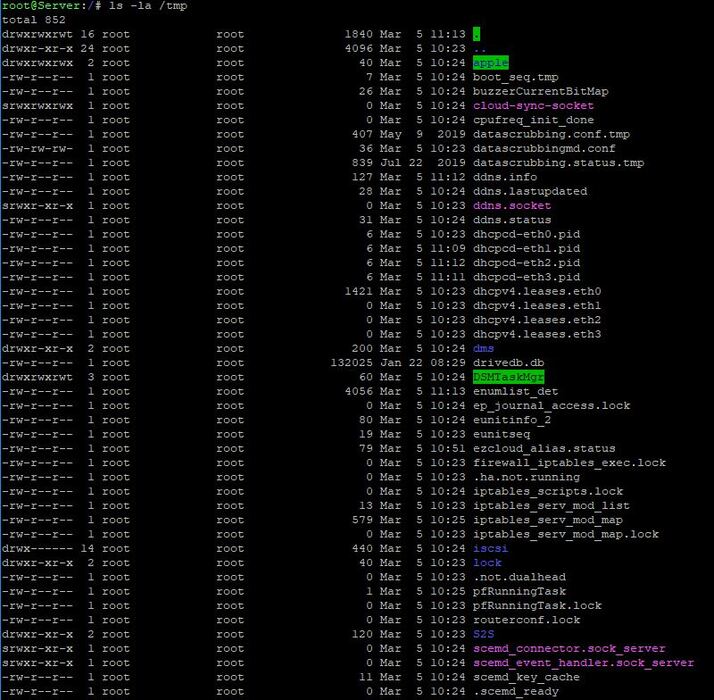
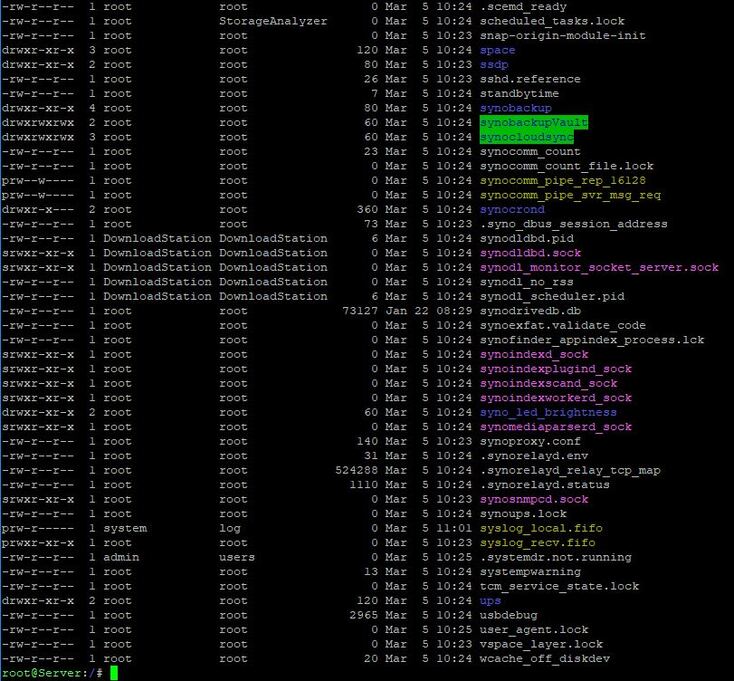
Going down to /volume1, I don’t have a /tmp,

but rather an @tmp, so I performed ls -la @tmp too with these few results:
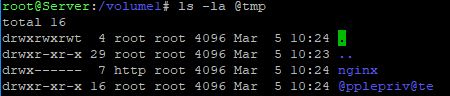
The permissions for the temp directories I see there seem ok. Could you open 2 tabs: One with the Settings->Console open, and another open where you go to Settings → Troubleshooting → Click Download logs.
If you filter the console view by the word log, you should see output similar to mine that will pinpoint the directory you will need to check.

Mine in this case (highlighted in red) is /tmp
That’s helpful, but I think I’m still broken. Looked through all of the logs and didn’t see references to /tmp nor any obvious errors. In fact, it looks like it’s getting the all metadata it needs - but failing to organize and display it.
Plex Media Server Logs_2020-03-05_13-26-48.zip (12.6 MB)
This is supremely disappointing.
I’m looking through your logs, but I was hoping that you would open the console, filter on the word “log”, and then in a separate tab Download the logs. Then, you might see a line saying something like
Content-length of /<temp dir here>/logs.zipxxxxxxxxxxxxxxxxxxx
Then we would know what Plex uses as the temp dir on Synology.
The very last line of your Plex log is:
Mar 05, 2020 13:26:39.643 [0x7f93a8576700] DEBUG - Diagnostics: Building logfile zip which means that the logs you sent don’t contain those next 2-3 very helpful lines.
1 Like
RIGHT! Nearly every player and system out there reads the tags, the cover shows up and you are all set - then I PAY for Plex and it chokes and pukes out an inaccurate list of my tunes with no album covers, or the same WRONG on on every album!
I don’t know who decided to fix what was never broken, but there is no way I am going to rename and reorganize 9000+ music files into separate folders. That’s insane.
2 Likes
Reviewed everything. No replies. Plex is irrevocably broken. Going to make a video and post it on YouTube detailing this and other serious Plex issues since it seems Twitter and YouTube are the only ways to get corporate eyes on these types of issues.
3 Likes
Hey guys, I just found this thread and yeah… finally I know that I’m not the only one with these metadata ISSUE from plex side.
About 2 years ago I remember that everything was working perfectly… then with an update (I can’t remember what) plex started to mess up EVERYTHING on music.
I’ve also opened a previous thread here, time ago:
@dugn you have another desperate man that have your same issue.
I’ve tried eveything as you, included a test with another OS on another PC, and issue on metadata persist…
2 Likes
How can we get visibility to the issue that Plex ceased to support the basic functionality it started with?
2 Likes
I too am having the same problem.
I had an old Plex server that died and I rebuilt a new one. The only music directory structure I used was by Artist name only and everything worked well before and I had no issues with music organization. it displayed the correct artists and albums.
I really am in no mood(and have no time) to start going through each artist directory and adding in new directories for each album when this used to work before with a basic directory structure.
Disappointed
1 Like
dugn, I’m having this exactly same problem right now. Decided to revert back to a previous version of Plex (1.14) I still had. Everything’s working like a champ now. All Plex did was create more work for the users by changing this.
I think the thing that is most ironic about this now is that the whole concept of “album” went out the window as soon as individual tracks could be purchased and downloaded from the internet. Clinging to this “old” way of organizing music is ridiculous … they had it right already, then they broke it by switching to a different matching provider. My guess is it had to do with money.
1 Like
My Hi-Fi Berry + RasPlex audio setup just became useless due to this.
To any Plex developers reading this, please put it back to when it was without all the bullsh*t with directories and crap like that.
Sad
1 Like
Not sure but believe it started when they started to implement the “premium” plex music library that uses gracenote. When given the option, I never selected that, but after looking back at some previous update it became the default and wasn’t even an option.
Bottom line, they aligned themselves with gracenote which doesn’t support a flat file structure.
Been playing around with 1.20 server. What I’ve been able to find out, so far, is that if you group your music by artist in folders whatever is the first album detected becomes the album for the rest of the files in that album. What this means is you do have to create an additional album directory structure for your music … Plex definitely screwed things up with this BIG TIME.
1 Like
