Hi. I am new to the Plex media server and confused.
I got a WD MyCloud 8TB server with OS 4. I am currently using MakeMKV to copy my DVDs over to this device. I have installed the Plex app on my Panasonic Fire TV.
The DVDs has been ripped over to 720 mps or so. I have had to turn Plex down to the lowest resolution to be able to view some of them without interruptions from the lags in transfer from MyCloud to TV. The picture quality is therefore poor and not acceptable.
I have been told Twonky may solve this problem. That cost $ 74 for the license and I am not in mood for wasting money. Will that make me able to view the movies and TV series on a 720 setting ?
Twonky has nothing to do with Plex and will not help with any Plex issues.
You should be able to play DVDs ripped with MakeMKV without issue.
Some quick questions:
Plex Media Server version? 1.42.2.10156, etc. FYI, it is not 4.152, etc. That is the version of the Plex Web app.
Plex app version on the Panasonic TV? Look in the Settings of the Plex app. If an Android TV, it will be an overlay in the lower right corner when you enter Settings.
Is this for local streaming? The server and the TV are on the same network, you’re not streaming to another location such as a friend’s house.
A quick description of your network. Just the ISP router or do you have others? How are the server & TV connected to the network - wired ethernet to the router, wireless, etc.? Don’t need make/model/etc. Just wondering how things are connected.
Let’s see if the Dashboard and log files show anything.
Please do the following:
Restore the bandwidth / quality settings to Maximum.
In Settings → server_name → Library, enable Scan my library automatically. This adds some additional information to the log files.
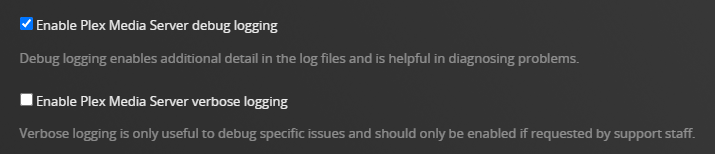
In Settings → server_name → General + Show Advanced, ensure Plex Media Server is configured for Debug level logs (default). Do not enable verbose logs.
Stop Plex Media Server, wait ~30 seconds, start Plex Media Server, wait two minutes for it to fully start (this bumps the log files).
Re-create the problem. Play one of the troublesome movies on the Panasonic TV. Do not enable subtitles.
Monitor Playback via Plex Dashboard → Now Playing + Expanded View.
The connection should be Local, not Remote or Indirect. If one of the latter two, then there is a network configuration issue. This will also show if the video and audio are direct playing, direct streaming,
Take a screenshot of the dashboard and post it to this thread (Drag the pic into the message window. It will insert at the cursor location).
Stop playback.
Download the server log files (Settings → Troubleshooting). Post the entire zip file to the thread.
Thank you for your answer. Thanx for saving me $ 74.
PlexMedia Server version 10.30.5.4094.
Local streaming, yes. I got both wlan and wireless on the same network. Works fine with Sky Sport, BBC etc etc.
One ISP router, local protected network with password.
The TV is 5 meters away from the MyCloud NAS drive and the TalkTalk router, latest model.
MyCloud NAS drive is from August 2024.
I followed your instructions. I think the settings are Local as I got only myself as user. Due to copyrigth issues, I am not sharing the DVDs to anyone else than myself.
Tried the TV series The Pacific, ripped at 720 mps. Lots of buffering. Then froze 20 seconds in.
I have enclosed screenshots and logfile for today after I followed the same procedure again. I have installed an Ethernet cable too… but that cable is a slow Ethernet cable and I can get a 10 meters long faster Ethernet cable. The connection to the My Cloud is a Ethernet to USB converter, attached to the My Cloud’s USB port.
The setting in Plex is Any instead of the Ethernet connection.