While this thread started as a feedback thread its become a cathartic rant and battle ground between the folks who don’t like what plex have done and the folks who do …
Plex themselves, while they maybe monitoring the thread are not engaging and are moving ahead regardless.
Also known as the “head in the sand” approach. Plex team are basically ostriches. I wager an actual ostrich leading the company would make better decisions.
I’ve had Jellyfin running as a backup for years, synced with Plex with JellyPlex-Watched, and while Jellyfin is amazing for what it is (fully open source) the problem is I and my family are already spoiled by using Plex for around 12 years. Actually Jellyfin server side is really good, but the problem is the client apps, the difference with Plex is day and night. Yes, you can play your videos, but there are multiple short-comings, the subtitles support is not great (and think that Plex’ is not great either, but Jellyfin is worse), the download functionality technically exist but in the practicality it does not (you can download stuff, but you can’t play it, you have to use an external player, so the watch status won’t be updated, plus you need to be online with your server, which defeats the purpose), there is no official app for tvOS (which is our main client), so we have to use Swiftfin, which is like in pre-alpha status, and that’s only what I can remember at the moment. So saying that Jellyfin gives you 99% of that Plex gives is really a stretch. Not even with Infuse + Jellyfin you will be there.
P.S., Just in case, I am not a hater. If Jellyfin was really usable 100% for our use case, I will move permanently to Jellyfin. For now, it is just a backup in case our Internet is broken for more than a few hours. And it is good to have it and I hope they improve with the time, but from what I’ve seen the server development is quite active but the apps development is a bit slow.
If you have to use Infuse as an AppleTV client with a Jellyfin server, then why not just use Infuse with a Plex server? It’s Plex client app on the AppleTV that is currently bad (still hoping they’ll be fixed one day). This does not apply to remote users, unless they pay for Infuse if they also use an AppleTV.
Because the whole idea of using Jellyfin is not using Plex at all, at least to me. Some people want to stay in the FOSS side, some people do not like how Plex handles privacy, some people do not like the direction Plex has been moving (ignoring core selfhosting functionality), some people do not like that signing on has to be via Plex’ servers (for full functionality), and so on.
And while the Plex Apple TV app has its problems, I don’t think it is that horrible and some things has been diligently fixed (i.e. the selfhosted material had very little exposure in the beginning, pushing for Plex’ own material, but now that is fixed). And Infuse UI is not as good as Plex’ (but better than Jellyfin’s).
I assume Plex will slowly fix their problems. But unfortunately I don’t think Jellyfin apps will catch with Plex in the near future, and that’s a shame. No proper subtitle support is a no go for me and the developers have said that’s low priority.
Same here. Also I’ve noticed JellyPlex-Watched can’t mark things as unwatched. So when I try and rewatch a series on Plex by marking the series as unwatched, it doesn’t match on Jellyfin and so my progress on the rewatch is not being tracked on that side then.
I’ve been playing around with the Jellyfin Android TV app and have found two issues regarding it. I’m getting a black screen/no audio with certain files using dual tracks of Dolby Digital audio. The files play fine everywhere else, including in Plex. I was able to fix the issue by remuxxing the files with mkvtoolnix, but we’re talking about 30+ TV series. Literally hundreds of episodes. The second issue is with subtitle handling. I recently made a set of files for a show with two ASS format tracks and two PGS subtitle tracks in each episode (so I could take advantage of the PGS direct play they recently added). But when I select a PGS track the player is playing an ASS track instead and ignoring the text font/styling in it. Selecting an ASS track plays fine (and gets transcoded, of course), but I can’t even use the PGS tracks in these files now.
I would post these issues as bugs but it seems the Jellyfin Android TV project is going through a major rewrite so I wonder if they would really be interested in fixing issues in the current player.
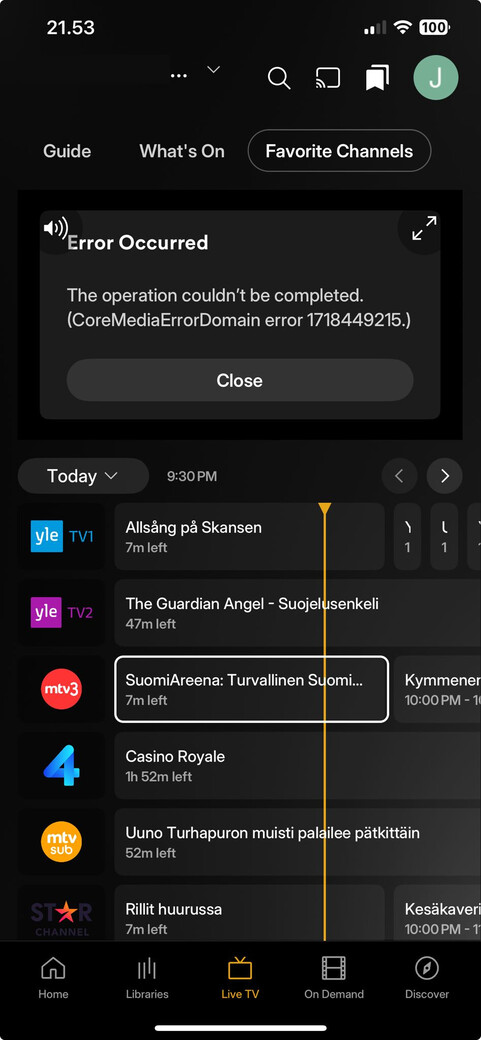
Months after release huge critical parts of the pvr functionality are still missing. What there is don’t work. No one from Plex has replied to the myriad of posts.
Because I’ve been using Plex for very long time and that’s their modus operandi. They do not officially offer any support, they are mostly silent all the time. But they slowly fix things. The apps before the “new experience” were actually very good, there were problems here and there, but they worked. I understand what they are doing, they are trying to unify the core of the apps in a single place, so that they do not have to develop everything multiple times, that’s not an easy task and I really hope they pull it on, because once that’s done, general development should become faster. But if they fail at this then they will be in serious problems.
My guess is that Plex knows it is going to be a long time before there is feature parity with the old app and they need people on the new app to enforce the new subscription changes.
I don’t understand why the CLIENT is responsible for enforcing the subscription. The server should be.
I thought Plex, inc. was also talking about opening their API to allow third party clients. That would require the server to handle subscription enforcement for client to server connections.
At the moment it seems that Plex is not bringing back other languages. It’s up to the community to translate the new experience (React Native). In Plex localization platform Transifex there are currently only seven different active languages under translation. On top of that there are five requested languages (Finnish, Catalan, Czech, Japanese and Unkranian). Hopefully someone will accept those request so community can start translating. It might be that Plex is not accepting any extra languages at the moment since the client app has major issues which needs fixing first.
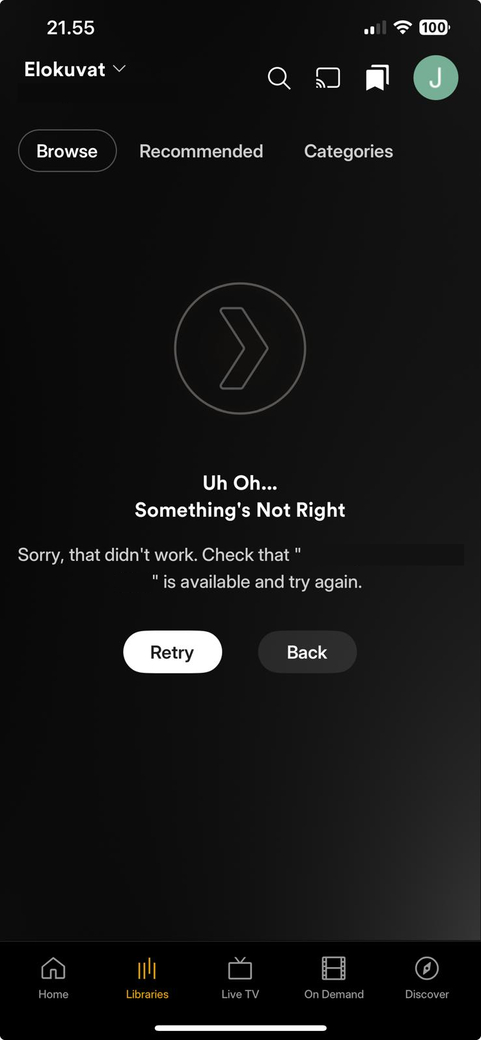
Browsing Movie library does not work. This issue does not reproduce with Plex iOS version 8.45. There are only 204 movies in my movies library. Web client does not have any issues.
On my ipad which accidentally updated to the new app, I’m on v2025.19.0 (1132). Does picture-in-picture not work anymore? If I minimize Plex it just stops playing.
Videos with 7.1 audio files are not playing in iOS/iPadOS. No issues on mac, windows, or even old android phone.
No visual feedback, no nothing. Just black screen and infinite loading screen until the app eventually crashes.
It works fine if users set it to transcode, but it can’t be streamed via direct play at all.
How is this issue not being reported more?
Ideally if the client can’t direct play the audio stream it should automatically transcode it. Or at the very least there should be a visual feedback / error message that says the client is unable to direct play the audio stream, instead of the infinite loader showing indefinitely before the app eventually crashes.
I’m not 100% sure but I don’t think I’ve had this issue in the past before the whole app rewrite thing a while back.