So i had this weird problem where the plex app on my tvs quality is always low no matter what setting i force onto it but my tv has a media server finder built in that picked up my plex media server and the files i can play from there (not everything because of not supported files) play in their proper 4k/ hdr setting i just cant change subtitles or audio languages etc with the tvs built in player.
I tried to play the plex app from my ps5 too but its the same problem, even if i set to play original quality it plays like 720p blurry or worse quality.
Any tips? Im using everything updated both on apps and my plex media server on windows.
I did not have this problem with my old tv (sony 900f)
When using the Plex DLNA server, PMS has no ide on what your device supports so it relies on the profiles provided by Plex. You’ll need to identify the name your TV is using then create a custom profile to tell PMS what it can support. Creating custom profiles has been discussed before so please do a search.
i tried looking into the profiles folder, but there isnt one of LG tvs? let alone ps5 profiles.
what do they default to when plex is used then?
Play a movie using the Plex app on the LG. No subtitles. Dolby Digital / AC-3 audio.
What is shown in Plex Dashboard → Now Playing?
Is the video or audio transcoding?
Does Plex show the connection as local, remote, or indirect?
Please attach a screenshot of the dashboard, like the one shown for The Princess Bride in the support article.

Thanks for the screenshot.
The problem is the indirect connection. The TV is connecting via Plex Relay. The stream is going over the Internet, through hosts at Plex and is limited to 1 Mbps.
Are you running a VPN on the Plex Media Server host? If so, shut down the VPN.
What is the local (not public) IP address of the Plex Server and of the TV (ex: 192.168.1.3). Just want to make sure they are on the same subnet.
Next, in the TV settings, disable IPv6 and set the DNS to a public server such as 8.8.8.8 (Google) or 1.1.1.1 (Cloudflare).
Shutdown the TV & remove it from power (pull the plug).
Shutdown your Plex server.
Reboot/restart your Internet router/gateway.
Once the router is completely back online, restart the Plex server.
Once the Plex server is back online, power on the TV
Try and play something and see what happens. Monitor in Plex Dashboard.
i did that and the dashboard says the same thing, the TVs ip 192.168.0.148 is and the plex 192.168.0.162
and no as far as i know i never had a VPN
Check the network settings on your Plex server. Make sure it is set for a private, not public network.
For Windows 10: Settings → Network & Internet → Properties
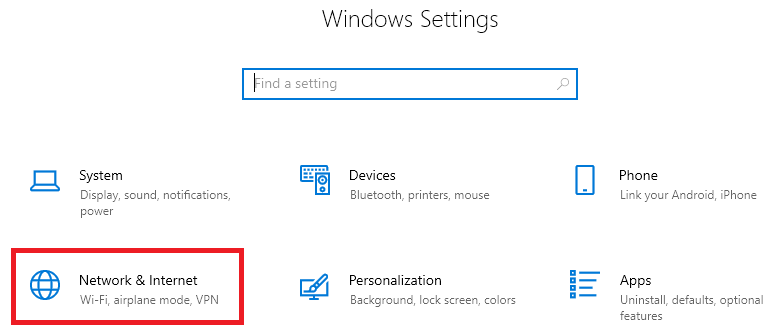


ok i got it to work, what i did to change was set the DNS to 1.1.1.1 and on Plex server options i changed Preferred network interface from Any to a Wifi Option they had.
now the movies play in 4k etc but just the HDR doesnt seem to be working now.
but since that is a different problem we can go ahead and close this thread.
Thank you!
This topic was automatically closed 90 days after the last reply. New replies are no longer allowed.
