Yes, they are different time zones. The shield players (and me) are in Central Time zone and the remote PMS is Eastern.
I have two different PMS in New York, one has the HDHomeRun Prime, the other one has a HDHomeRun Connect Quatro.
We only have LiveTV problems with the PMS that has the HDHomeRun Prime (Verizon FIOS CableCard).
We don’t have any LiveTV problems watching Live TV from the PMS with the HDHomeRun Connect (OTA signal).
@DaveBinM, @adutchman
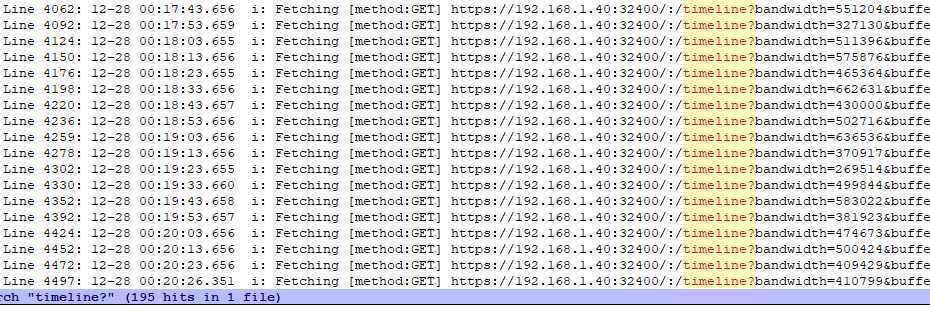
Looks like the same exact problem from the other thread. Your player app is not sending out the required GET /:/Timeline?.. requests. If the server doesn’t see these requests it times out after about 3 minutes.
You can see when it was playing CBS News Sunday Morning at 00:18 it was playing fine. It was sending out the Timeline requests exactly every 10 seconds. But later at around 18:50 never sent out any of these requests for some reason.
Scratch what I wrote before.
Yes, when it was playing CBS New Sunday Morning it was playing fine. That is because that was playing from a local PMS server and was playing back a previously recorded show.
I am having issues when playing Live TV from a remote PMS that has a HDHomeRun Prime as the source.
@adutchman @DaveBinM @daioio
There appears to be a bug in the Android app that is causing it to not send out the “timeline” requests to the server. These timeline requests tell the server what the app is playing, if it is playing or paused, the current time in the file that is playing, etc. It sends these requests out every 10 seconds. This is what causes the player to show up in Now Playing in your Plex PMS Dashboard. If your player app doesn’t send out these “timeline” requests then you won’t see anything playing in your Dashboard. Take a look while playing from your problem server, your activity icon will say something is transcoding but your PMS Dashboard will be empty. Also, if the Plex server doesn’t get any of these requests from the player app then it will stop transcoding and end the stream, causing the 404 errors you see in the logs.
Back in September, a lot of people were getting errors saying “Time value was negative, ignoring.” This was caused by the player sending out Timeline requests with a negative time position. See bold below. So Plex made changes to the Plex for Android app that cause the timeline requests completely fail to send, which is our current issue. I think this bug still has something to do with the previous negative time value issue.
Here is an older thread which give some backstory about this same issue.
Thanks for the detailed explanation and link to other thread.
Hi @DaveBinM,
Is there any way to enable debug logging in the Plex Fire Stick app? I’m guessing it supports it because one of the first thing it prints to the logs when it boots up is this:
12-17 08:13:59.293 i: Hello, Plex for Android world (debug: false)!
Thanks
JG
Debug logging is always enabled. That just says it’s not a debug version of the app, which is only used internally for development.
Ok thanks.
@DaveBinM Any update on this?
Nothing further at this time, most folks are still out for the holidays
I encountered the other issue I have been having with the New Player during yesterday’s NFL game.
The issue occurred while I was watching the New York Giants vs Dallas Cowboys game. The recording was scheduled from the guide with 30 minute extension.
I started play back some time after the game began (maybe 1 hour or 1.5 hours after, I don’t remember).
For the most part, fast forwarding through commercials was working fine, better then in the past, in fact. That is, until near the end of the 1st quarter, when this message appeared on the screen.
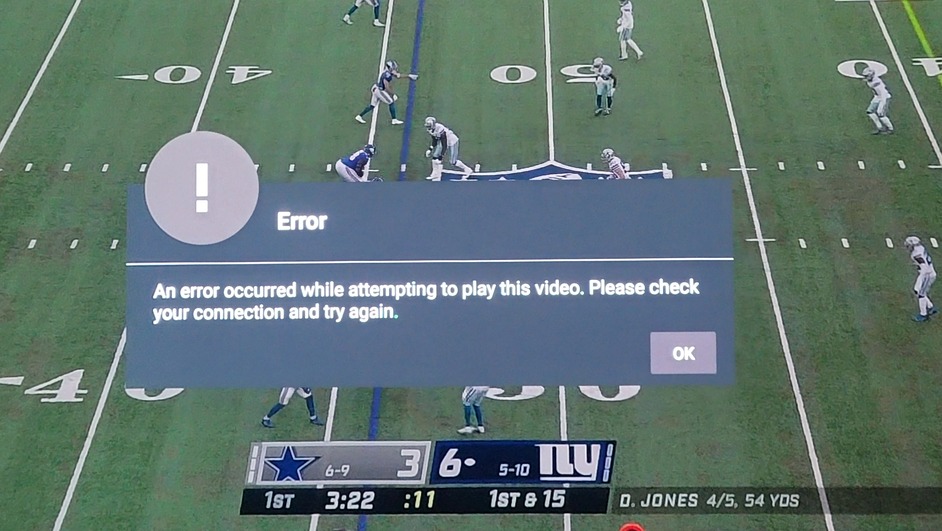
I immediately enabled network logging on the Shield and went to my computer to capture the data. The Shield player device is in Central Time Zone.
I also exported the logs from the Plex Media Server. The PMS is in the Eastern Time Zone.
Clicking on OK button ended the stream and I had to start over, but after I got the logs and went back, I was no longer able to fast forward at all.
Let me know if you want the logs, I would rather not post them here.
Can we revert the clearly poor decision to force the new player for Live TV, until this is fixed??
1 Like
This happened to me 3 times yesterday during the NFL Wildcard games while fast forwarding through commercials. Very frustrating that I had to restart the Live Stream and then attempt to fast foward to where I was. One time it happened after the scheduled event was past, so I had to wait until the recording completed before I could watch the rest of the game. I always schedule the recording to go 30 minutes beyond the end, should the games go into overtime.

I captured logs for this issue the other day, but was never contacted to get them. I would rather not post here since my authentication token may be in the logs.
I have all three NFL wildcard games scheduled to record today. These are all on my local Plex Media Server. They are all Over The Air broadcasts with HDHomeRun Connect Quatros.
So far, while watching the first game, this stupid error has happened about 3 or 4 times.
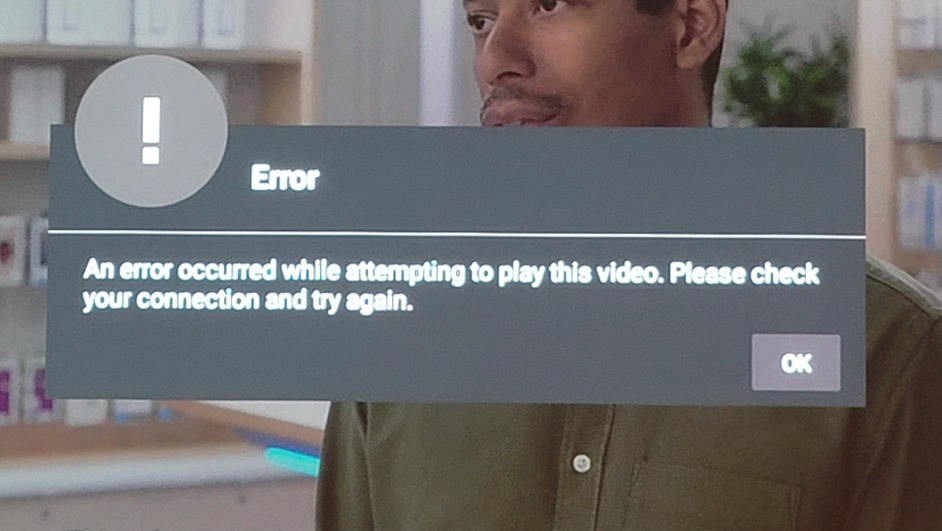
While frustrating, I was able to restart the game, but had to fast forward all the way back to where I was.
However, it happened again at about 3:10, and since the show ended at 3:00 pm on the guide, I have no way to get back to the game any more. So, now I have to wait until 3:30 pm to watch the rest of the game. This makes watching TV with Plex the most horrible experience!!!
Please, either fix these issues with the new player or allow us to use the old player again!!!
@DaveBinM I have logs from both the Shield Player and the Plex Media Server from when this happened. Let me know how best to get them to you.
Well Dave, holidays are over and still nothing. We’ve waited many months for a resolution to this. How hard can it be. We’ve been patient, sent logs from multiple users and yet this seems to have no priority. I think we need to be talking about refunds for lifetime Plex passes.
I do not agree with the refund idea at all. You should get Plex pass based on current functionality not functionality that might appear in some nebulous future. If you bought Plex Pass on the possibility of future enhancements then “Caveat emptor” seems to apply.
Plex uses delayed promised features to spread out or avoid complaints about feature and changes. But remember that Plex always does EXACTLY what Plex wants to do in total disregard of any user comments or complaints. It is always “The Plex way or the highway.”
I now have VERY low expectations from Plex and therefore I am almost never disappointed.
1 Like
@DaveBinM Please, please, please see that they fix the New Player and stop trying to shove it down our throats until they do!!!
For those that have been following along this thread, know this…
I downloaded the Plex for Android version 8.6.0.20351 from this forum post
Plex for Android - Announcements - Plex Forum
I removed the current version, you know the one that has all of these major issues and everyone is complaining about and installed the older version.
I enabled HDMI Audio passthrough and also set Enable New Video Player to off. I also set my Shield to NOT update apps automatically, which will prevent the Plex App from ever updating until I know that every issue has been addressed and fixed.
We are now able to view Live TV from our Remote Plex Server with HDHomeRun Prime without any interruptions. My wife will be so happy with me now that she can once again watch CNN Live from our Remote Plex Media Server for more than 3 or 4 minutes at a time!
I am happy that I can watch any Live TV channel from our Remote Plex Server again!
1 Like
@DaveBinM – and here we are 2 1/2 months later after all those pesky holidays took all of your resources away, and STILL no fix for this 3-4 minute timeout with Live TV. You continue to spam out email offers for $75 liftetime passes while continuing to ignore fixing basic bugs for those of us who have bankrolled you for years. Think about this: I’ve literally had a heart issue diagnosed and robotically repaired in less time than it has taken your devs to respond to what is likely a 20 line code fix – just ping your server in the expected interval so the server does not hang up on a transcoded stream. How difficult can this be? Yet, you ignore us with excuse after excuse for a time; and now, nothing but dead air).
We are aware of the issues, and have already fixed the problem however it’s caused an issue when switching audio streams in Live TV as such it’s been disabled in the beta.
It’s involved a major rewrite of how our playback stack works for HLS and isn’t a 20 line fix.
If you aren’t switching audio streams whilst playing Live TV, there is a build available here that you can can use: Fire Stick stops playing live tv every few minutes, exits to guide. ([FFmpeg] [ERROR] [tls @ 0x81b7e740] Error in the pull function.) - #233 by sixones
If you find the above build works for you, I would suggest you disable auto updates until we provide a new build that fixes the audio stream switching, once that is resolved we will be rolling the changes out ASAP.
