You have to have them both enabled and generated on the server.
If that’s your biggest complaint, then I’ll take that as a compliment overall, as neither of them are directly related to the new player 
Where would I find such a setting? 
Haha, well, that and the lack of Nerd Settings - but you’ve said those are coming, hopefully soon! Any chance the ugly background/“next episode” previews can be altered?

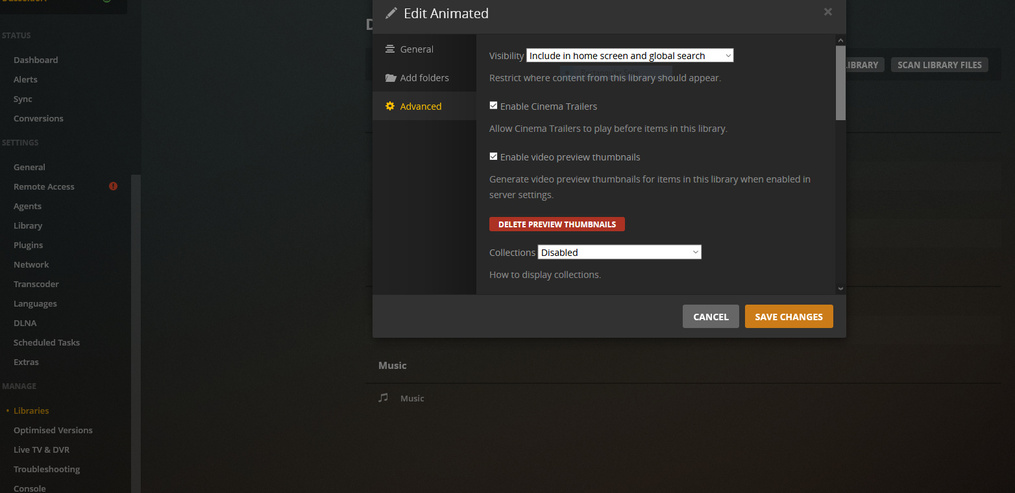
Then ‘generating’ them will be the next hurdle.
I’d set it to generate ONLY during scheduled maintenance and give maintenance another two hours per day to work on them - shouldn’t take that long.
Yeah I was gonna add that until @THGhost decides whether they are of interest to him then maybe stop all scheduled tasks to generate them and manually create them for a single episode/movie.
Try it out and see if there is any value in them. (You do this by clicking analyze on a single file in your library.)
Then go ahead and set the scheduled task with whichever option you prefer.
There are, of course, two possibilities:
Wonder what all the fuss is about
or
Be hopelessly hooked on them from now on - unable to do without them.
I’m late for my VPT Anonymous Meeting…
The PostPlay screen (as we call it) will be getting some updates (though I’ve not looked in a while to see exactly how much work there is to do), and I’d need more details on the “ugly background”
That’s great news. Back in the day in a discussion with one of the Android TV devs and why I hated almost everything about the UI/UX of the SHIELD, (and why I abandoned it for the Apple TV) I mentioned Postplay and player controls.
He told me Postplay would change but player controls probably wouldn’t.
It came as a pleasant surprise when the new player came along with much sleeker player controls.
So like I said, it’s great to hear postplay is now being looked at too.
It probably doesn’t come as a surprise, but with UNO, we’re aiming to make all platforms as similar as possible (where not totally violating platform conventions), including home screens, movie/TV Show Artists pages (PrePlays!), and the PostPlay screen. We want to eliminate “which device has the best Plex UI/UX”, so it just comes down to hardware
That’s what I hoped for.
I love the sleekness of preplay on all the devices already fully UNO-fied.
@JuiceWSA Keep your fingers crossed. We may finally see actor thumbs on Android TV. 
I actually like the way the new player handles fast forward, rewind, and pause (with the relative seconds). I find showing the actual position and time left to be a form of spoiler. So in that regard, the new player is great.
My only complaint is the complete lack of overlay for showing if I’m seeing a transcode, what resolution, and why. There have been promises of bringing it back in the new player for months, but it still doesn’t exist on my client. Additionally, the version I’ve seen in the screenshots here of the new overlay is so busy (way too much info). I just want a simple way to see that I am direct playing, or if I’m not, why. I like that the other info is available, but I wish there was more customization of the overlay so I don’t have to have my entire frame blocked with it (it’s huge in the screenshots posted). But again, right now, the new player has literally no overlay option that actually shows without navigating menus every time I want to see it.
Whether or not the new player works at all changes from update to update. Basically, when I play a file, it fails with the message:
An error occurred while attempting to play this video. Please try restarting both the Plex Media Server and this app.
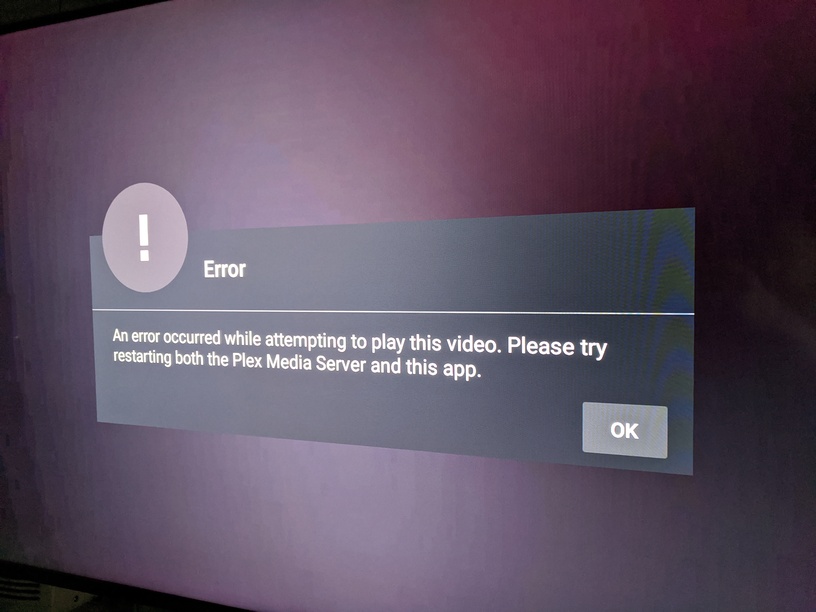
Restarting the PMS and the entire Android TV (and app) have no effect, but switching back to the old player fixes the issue 100%.
When the new player works, I usually stick to it though because the other benefits outweigh my annoyance to losing the overlay (I just end up using Tautulli on my phone to check the status of the stream).
Nothing is unwelcome as far as an upgrade, but my confidence in Plex on FireTV is so low - the meter that could possibly measure how low hasn’t yet been invented so let’s just say the levels are down into the Quantum and below.
The first hurdle will probably be when Display Information causes a major coronary event here at the homestead… and it’ll look much like that EKG the Doctor will be looking at and mean nothing to me.
lol
I can’t manage to take a picture of the ugly background because it goes by too quickly for my phone to take the picture  It’s basically a version of the TV show/movie’s current background picture, only it’s blurry and blocky-looking. I much prefer the black background with orange loading circle that the old player uses.
Hmm, I’ll ask about that background
@adayforgotten While there is more information shown, there is one box that contains all the information you’ve asked for, while also showing in different boxes other information that other people have asked for (it’s a balancing act). I usually just open the player, and toggle it on and off to see things (it can be turned on or off in player, like changing audio/subtitles). You don’t need to back out and go to settings like you had to with the old one There should be some improvements to stability with the new player in our 8.1 beta. If you’re still seeing issues, some details and logs would be much appreciated
I understand the balancing act. Why not make it configurable which groups/boxes show?
On my client, I still have no way to have the overlay just show. The overlay setting is enabled but nothing shows on the new player. There is no nerd settings exposed anywhere in my client as others have claimed.
The only person to claim it’s there is me, as an employee showing an in development feature early. We can’t make everything configurable, we’re not aiming to be Kodi
Once it’s available, try it out, and then let us know what you think
got it. the new player has ditched a single click fast forward for a 3 click scroll. that’s exactly my complaint! just give us the option turn on the old player’s single click functionality and I’d be happy to use the new player.
That new player, I just can’t get a handle on how it’s suppose to work…
If I’m play a episode and want to fast forward… I used to hit the FF button and watch it advance to where I wanted it.
Now it just gives me numbers in seconds and I’m to guess as to were I’m to wind up.
OR
I’m told to D-Pad UP and then I can advance like before, can’t get ti to work that way no mater what buttons I use… Not sure what button, but it will advance me to other episodes.
I think the Dev… look for way to make things more complicated and add clicks to the interface… I don’t look forward to having to explain this functionality over the phone to a non techie grandmother… who has trouble understanding what button on the remote is what.
I think Plex is going to need to put together videos that a user could play (simple one button help) to describe the use and functionality of it clients…
