Sorry for being slightly off-topic, but does this require any extra plugin/agent to be installed or a specific ordering of the agents or something else?
Will the same functionality be coming soon to the TV libraries too for TVDB IDs?
Sorry for being slightly off-topic, but does this require any extra plugin/agent to be installed or a specific ordering of the agents or something else?
Will the same functionality be coming soon to the TV libraries too for TVDB IDs?
Please use another thread for that - this one is specifically focusing on the new Movie scanner and agent.
No it just works like that by default. If you have a nfo file in the movie folder it will look for a matching imdb id (e.g. tt1234567) and we’ll always try match with that which should ensure a perfect match.
Yes, it will work for new the new TV scanner/agent when that comes.
I hope this new plex agent will have true support for pt-BR or else it’s just another update that almost nobody cares.
Also don’t take away themoviedb agent we can manually edit the python file to use pt-BR
I hope this new plex agent will have true support for pt-BR
This is something that we are tracking and should be improved before we launch. Something this new agent already supports is files that have non-english names and we will return metadata for them based on the library language. There are a few cases this doesn’t yet work and we are actively working on.
One thing I wish to stress is that this is a forum preview and not the final product. We are continuing to improve the matching and metadata returned and this will only get better over time.
I keep all my filenames in english and in standard to TheMovieDB or TheTVDB. That’s a fair thing to ask.
But not having pt-br, which is just a string you pass to these websites when requesting the metadata from the API makes no sense.
Plex has an history of doing things half-baked and then killing stuff that worked just fine before with even more features.
Like plugins & subzero for subtitles. I hope you guys are not thinking in killing the other agents any time soon.
Don’t make the metadata showed based on the filename language. Maybe add a settings to specify which language you use in your filenames so you don’t have to guess.
In fact, if you are serious about rewriting the agents and making metadata great again, why not just let the user selects a couple of languages, maybe even all and then you store that metadata locally in the database, and serve it based on the logged user language.
So I could have 1 library, and I could have people that prefer english, to see titles, sinopses, everything in english. Users with my local language would see the metadata in their language.
Sorry, that is not what I was getting at. My point is that our new filename parser and matching system can handle files that don’t match the language of metadata you want. We are still improving the ability to select which language you wish to be used for metadata in the library (regardless of your filename language)
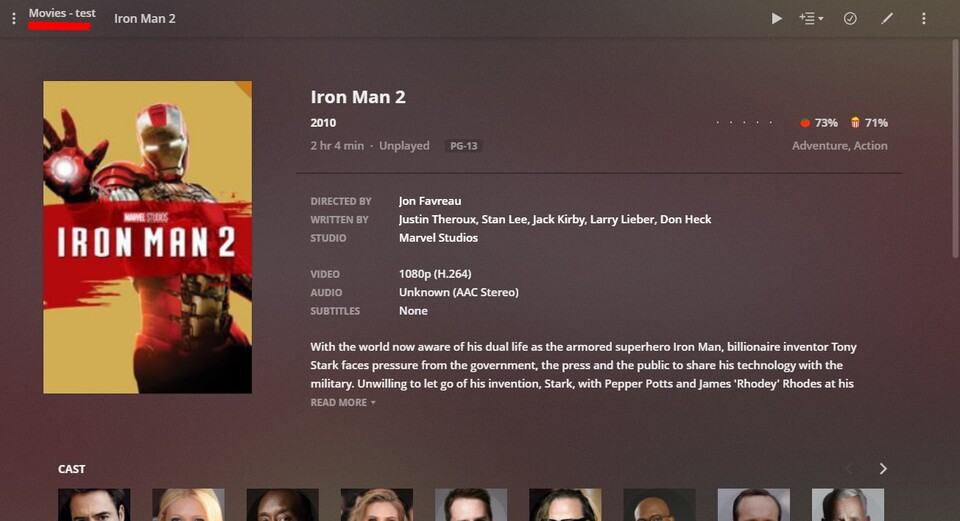
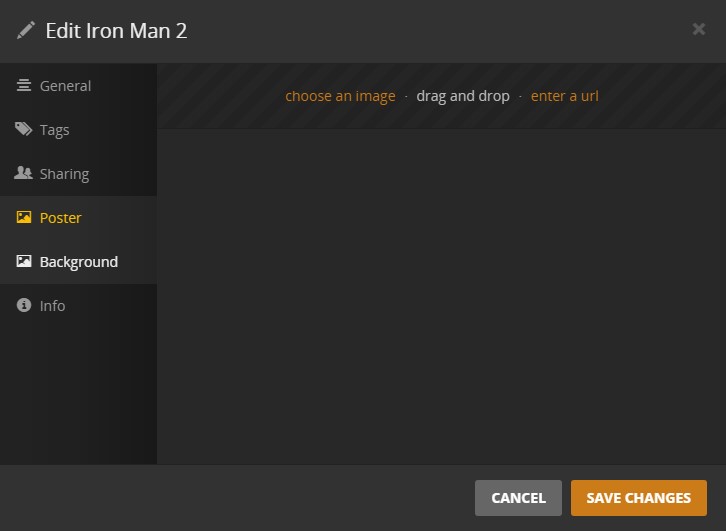
I made a library with 203 movies it was indeed really fast (9 minutes and 40 seconds  ) and there were only 2 movies that didn’t match properly: Iran Man 2 & Iron Man 3. I had forgotten to add the year to the file so I added them and clicked on library scan and then they matched correctly. The problem is that those 2 movies only have 1 picture the one that is being displayed on the movie overview page. When I click on edit you can’t even see that one picture and there are also no background pictures. I tried refreshing the metadata of those movies but nothing changed
I also saw that there are no automatic collections (I enabled that option before scanning). I don’t know if this is a bug or if you didn’t implement this yet.
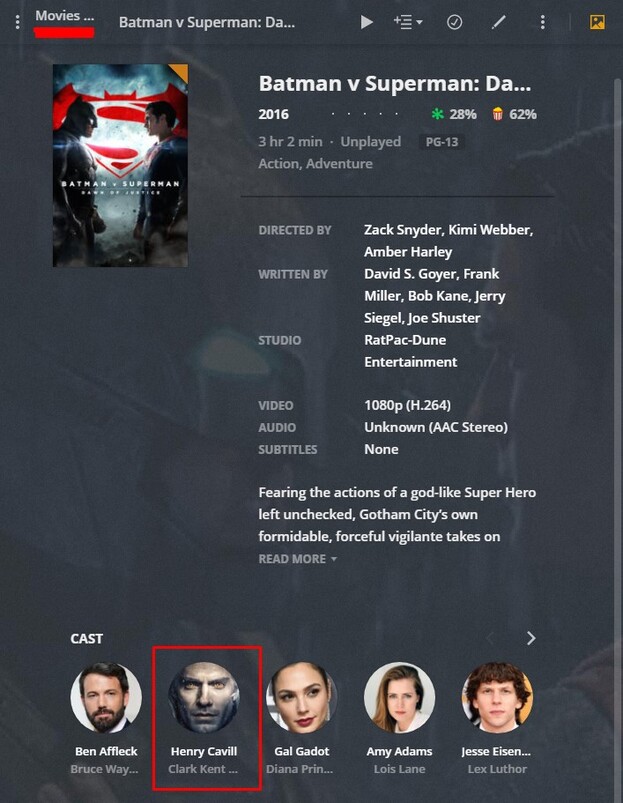
I was also wondering if you are going to change the way that actors pictures are being saved because now an actor can only have 1 picture and because plex only saves the last image drawn for every image for that actor it can lead to bad pictures for certain movies (for example when I refresh the metadata of The Witcher the picture from Henry Cavill is changed for each movie/TV show he has played in)
Incorrect match on https://www.imdb.com/title/tt2376386/ … folder name is “111 (2012)”. Can’t find movie using fix match.
Could you provide the full file path? eg; /path/to/movie/movie.mkv ?
That’s a short, not a full length movie. Those can’t be matched to IMDB. TheMovieDB also does not have that as a listing, so this won’t match.
This scanner is super fast! It matched most of my 1000+ movies. Watching it run through my library took me back to the early days of Plex.
I do have two kinds of movies that don’t match: shorts (not features) that appear on IMDB, and a handful of movies that don’t appear on IMDB or TMDB at all. I understand these aren’t going to match with the default scanner (although why IMDB listed shorts can’t be made to match is puzzling). In my main library I use the plug-in XBMCnfoMoviesImporter for these exceptions.
This plug-in isn’t working with the new setup. It grabs the titles, but fails to grab any metadata. I’m hoping this is only because this particular server version is only for testing the new scanner/agent, and not that XBMCnfoMoviesImporter’s compatibility been dropped from Plex completely. I don’t need any support for it, but I absolutely DO need it to work for these shorts and special-case movies. (It also works extremely well with my large collection of music videos and home movies.)
Finally, I’m having the same issue someone else reported about not seeing an actual poster on a good number of matches, and instead seeing a still from the movie. In my case, these stills are actually the local fanart for those movies. The poster info section is displaying the local fanart file before the local poster and online posters. So maybe the problem with that is the scanner is simply reading fanart.jpg as a poster?
I have few bad match like « Le Convoi (2016)/Le Convoi (2016) [Bluray-1080p] [8bit] [x264] [DTS-5.1] [FR].mkv » which match on tt4651410 instead of tt4117206.
I tried to set the imdb id but it doesn’t help for the match. What is the expected syntax for an hard matching ?
That is interesting. Does this happen for all movies or only the ones you had to match manually?
Not implemented yet, it’s noted in the first post.
We don’t actually save that image (except for caching it on the server), it’s just an online one we pull down. We can definitely try improve our quality here though - thanks for bringing this up!
We don’t handle shorts at the moment but it is something on our radar.
As for movies that don’t exist in IMDB, these you’ll have to provide your own metadata for via embedded tags. This new scanner doesn’t yet support that but it’s currently being worked on and will be included when this is released to the public.
Yep, this is a bug which I’ve already fixed. Just need to deploy a new build - thanks!
The manual matching is currently not great, I’m working improving this and will be adding support to pass the IMDB id via the name field like the current movie agent allows.
Thx. Is there a specific naming convention define to start to rename files like (ttxxxxxx) or [ttxxxxx] ?
Hi
Linux / Debian
Your Changes Could Not Be Saved
log:
Errors in PUT request: Bad Request
I have raised an internal issue to track this incorrect match. Thank you for the report.
Please make sure you are following step 2 and 3 in the original post.
you need to ensure you are creating a new test Movie library using the “ Plex Movie ” Scanner and “ Plex Movie (Preview) ” Agent.