New Plex Scanner Finds No Matches For Anything

Good grief… Sorry about that. I initially typed “http://” and literally kept running it from history.

*   Trying 2606:4700::6812:c2f:443...
* Immediate connect fail for 2606:4700::6812:c2f: No route to host
*   Trying 2606:4700::6812:d2f:443...
* Immediate connect fail for 2606:4700::6812:d2f: No route to host
*   Trying 104.18.12.47:443...
* Connected to vod.provider.plex.tv (104.18.12.47) port 443 (#0)
* ALPN, offering h2
* ALPN, offering http/1.1
* Cipher selection: ALL:!EXPORT:!EXPORT40:!EXPORT56:!aNULL:!LOW:!RC4:@STRENGTH
* successfully set certificate verify locations:
*  CAfile: /usr/local/share/certs/ca-root-nss.crt
*  CApath: none
* TLSv1.2 (OUT), TLS header, Certificate Status (22):
* TLSv1.2 (OUT), TLS handshake, Client hello (1):
* TLSv1.2 (IN), TLS handshake, Server hello (2):
* TLSv1.2 (IN), TLS handshake, Certificate (11):
* TLSv1.2 (IN), TLS handshake, Server key exchange (12):
* TLSv1.2 (IN), TLS handshake, Server finished (14):
* TLSv1.2 (OUT), TLS handshake, Client key exchange (16):
* TLSv1.2 (OUT), TLS change cipher, Change cipher spec (1):
* TLSv1.2 (OUT), TLS handshake, Finished (20):
* TLSv1.2 (IN), TLS change cipher, Change cipher spec (1):
* TLSv1.2 (IN), TLS handshake, Finished (20):
* SSL connection using TLSv1.2 / ECDHE-ECDSA-AES128-GCM-SHA256
* ALPN, server accepted to use h2
* Server certificate:
*  subject: C=US; ST=California; L=San Francisco; O=Cloudflare, Inc.; CN=plex.tv
*  start date: Mar 22 00:00:00 2021 GMT
*  expire date: Jun 19 23:59:59 2021 GMT
*  subjectAltName: host "vod.provider.plex.tv" matched cert's "*.provider.plex.tv"
*  issuer: C=US; O=Cloudflare, Inc.; CN=Cloudflare Inc ECC CA-3
*  SSL certificate verify ok.
* Using HTTP2, server supports multi-use
* Connection state changed (HTTP/2 confirmed)
* Copying HTTP/2 data in stream buffer to connection buffer after upgrade: len=0
* Using Stream ID: 1 (easy handle 0x803ad7800)
> GET / HTTP/2
> Host: vod.provider.plex.tv
> user-agent: curl/7.75.0
> accept: */*
>
* Connection state changed (MAX_CONCURRENT_STREAMS == 256)!
< HTTP/2 200
< date: Sat, 24 Apr 2021 13:45:39 GMT
< content-type: application/xml; charset=utf-8
< set-cookie: __cfduid=daabf955d54587671da8d6b1938c7bb261619271939; expires=Mon, 24-May-21 13:45:39 GMT; path=/; domain=.plex.tv; HttpOnly; SameSite=Lax
< access-control-allow-origin: *
< cache-control: max-age=86400
< content-language: en
< etag: W/"6e4-N2ZlYjxEhC7jSDSWajwULlEcO8o"
< strict-transport-security: max-age=31536000; includeSubDomains; preload
< vary: Accept, Accept-Encoding, X-Plex-Language, X-Plex-Provider-Version
< x-frame-options: SAMEORIGIN
< x-plex-timestamp: 1618410155
< x-plex-version: 55e2b80
< cf-cache-status: HIT
< age: 46255
< cf-request-id: 09a5ba0e0400005560bea2f000000001
< expect-ct: max-age=604800, report-uri="https://report-uri.cloudflare.com/cdn-cgi/beacon/expect-ct"
< server: cloudflare
< cf-ray: 644fc5f66b245560-EWR
<
* Connection #0 to host vod.provider.plex.tv left intact
<?xml version="1.0"?><MediaProvider icon="https://provider-static.plex.tv/icons/vod-560.svg" identifier="tv.plex.provider.vod" protocols="stream" version="1.3.0" sourceTitle="On Plex" title="Movies &amp; Shows"><Feature type="metadata" key="/library/metadata"/><Feature type="actions"><Action id="addToWatchlist" key="/actions/addToWatchlist" reverseKey="/actions/removeFromWatchlist"/><Action id="removeFromContinueWatching" key="/actions/removeFromContinueWatching"/><Action id="scrobble" key="/actions/scrobble" reverseKey="/actions/unscrobble"/></Feature><Feature type="continuewatching" key="/hubs/continueWatching"/><Feature type="search" key="/hubs/search"/><Feature type="timeline" key="/timeline"/><Feature public="1" type="imagetranscoder" key="https://images.plex.tv/photo"/><Feature flavor="universal" type="playqueue" key="https://play.provider.plex.tv/playQueues"/><Feature type="promoted" key="/hubs/promoted"/><Feature type="content" key="/library/sections"><Directory id="movies" icon="https://provider-static.plex.tv/icons/vod-560.svg" title="Movies &amp; Shows" type="movie" context="content.movies" hubKey="/hubs/sections/movies"><Pivot context="content.movies" key="/hubs/sections/movies" id="vod.recommended" symbol="star" type="hub" title="Movies &amp; Shows"/><Pivot context="content.watchlist" id="vod.watchlist" key="/library/sections/watchlist/all" symbol="watchlist" title="Watchlist" type="list"/><Pivot context="content.categories" id="vod.categories" key="/library/sections/categories/all" symbol="stack" title="Categories" type="list"/><Pivot context="content.channels" id="vod.channels" key="/library/sections/channels/all" requires="vod_channels" symbol="group" title="Channels" type="list"/></Directory></Feature></MediaProvider>

The Plex scanner still doesn’t find anything though… I looked into the web page result more and Firefox doesn’t show the XML by default. If I view the page source though, I can see the XML returned when I type in that URL.

So it seems that my Plex server can reach out to that service just fine, but the scanner still doesn’t work.
Any update on what’s next?

Is there any other input here? We’ve determined that the usual scapegoats (file naming, network setup) aren’t responsible, and I’ve heard nothing else on how to fix this.

I’m not really sure what’s going wrong with your network setup that’s causing requests to our servers to fail.

Have you tried installing PMS on a different computer to see if it does the same thing (try to eliminate a platform specific variable)?

Having the same issue. Using FreeNAS. Match was working, now seems to be broken for some reason.

Also having issues with the main Admin account on Xbox. It was working fine just a few days ago, now the admin account not seeing my local libraries, but other managed accounts see them. Seems oddly related, like some type of network issue, but nothing I know of has changed.

Any update with this? I have the same issue. After for example 3 matches the 4th will give me no matches and not even search. If I restart my container in OMV it will work for 3 matches and then it goes back to no matches.

I’ve gotten no further help. In my case the new plex scanners don’t even work for anything. I’m still stuck using the old TVDB and Movie Database scanners.

If I choose to “Upgrade Matching”, nothing will ever find metadata again.

I’ve given up trying to get help. I can open the metadata URL’s just fine so it’s not being blocked on my network, but the new scanner returns no results.

I’m just roadmapping myself towards another platform honestly. I like plex, but its focus has shifted to becoming a streaming service.

Steve

This was the last correspondence on this issue, did you manage to test this?

I don’t have another system to test on. It’s currently running on a NAS. We’ve established that plex only needs internet access, which it has. I would have to assume it IS platform specific since it works for most everyone else.

All the scanners use the same protocols to scrape metadata, right? If that’s true, then if scraping works for other agents, it should work for the new agents. And like numerous others have mentioned, it shouldn’t scrape the first few seasons, and then stop getting the rest.

And as for that issue with my Looney Tunes only scraping a few seasons then not doing more… that seems to have magically corrected itself. One day, it just scraped them all. No interaction on my part.

Can I just install plex server software on a laptop and just make a bogus “test” server under my account? I’ll try when I get home, if so.

Like I said, I like plex and I pay for it monthly to continually support it. The frustration with bugs always happens no matter the software you use. But basic features like being able to delete a user’s watch history, for example…. Those improvements have been getting lost to moving towards a streaming service.

I’ll try the temporary server tonight.

So I set up a test server on the laptop. Everything connects just fine; all the agents work. I will say that the content extracted by the new Plex Scanners is terrific. That’s why I’d like them to work on the NAS which is my primary system.

This does seem to be a specific platform issue, but just the same… I don’t see why it wouldn’t work? Is there a specific dependency for the new scanner on Linux/BSD systems that may not be installed by default? A python or database requirement?

Steve

It works great for me. TrueNAS Core in an otherwise empty jail.

You previously mentioned pfSense, squid, DNS BLs, etc. What all is involved?

Is this the TrueNAS plugin, or a manually created jail?
Is vnet enabled in the jail?

VNET is enabled for the jail. I created this jail waaaaay back in the Warden days and have kept chugging along with updates.

I am going to next try creating a plug-in jail fresh, but really hate the idea of having to reconfigure everything. Just to see if it works.

During troubleshooting, I disabled all that advanced firewall stuff and reset states. Made no difference at all.

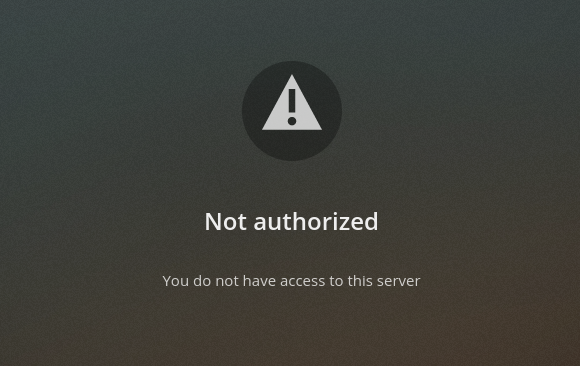
Creating a jail from the community plug-in works fine, but it tells me I’m not authorized to access the server when I try to log in. I’m not going down this road because it’s conflating the two servers on the NAS somehow. I’m not messing things up further.

I ran the curl tests, and they seem to get results back when running from a shell in the jail. Connectivity is working.

Perhaps we can post a list of the installed packages from the jails community plug-in, and I can inspect if the same stuff is installed on my continuously updated by older jail? Something didn’t migrate over time. Either a database or package… Something.

Of course, I have no idea what I’m talking about at this point. LOL I’m just trying not to break anything new.

Steve

I wonder if that’s a hint about what’s going on. If each jail is using VNET and individual addresses (no jail NAT) there shouldn’t be any “mixing” of the two.

I assume the plex data dir wasn’t mapped to the new plug-in instance?

Yah!

https://github.com/freenas/iocage-ix-plugins/blob/master/plexmediaserver.json

Plex is basically self-contained - no other package dependencies. The TrueNAS plugin spec is correspondingly simple - it installs plexmediaserver and ffmpeg (and it doesn’t need ffmpeg, Plex brings its own).

When I installed the test jail I shut down my original jail. I hadn’t mapped any data (mount points) yet… I let the plug-in install, and went to the management IP of the new plug-in jail and it offered me to select a user. I selected the Plex Pass user, and it said I wasn’t authorized to access that server.

Other people have that issue too, and I don’t want to start troubleshooting “new” issues.

My jail didn’t have FFMPEG installed like the plug-in, so I installed that. Will test more now that it’s in. I assumed Plex was a pretty self-contained thing, but I’m hoping that there is a reason they put FFMPEG in there and that fixes the issue.

Other than that, I can only assume that this is some sort of database migration thing over time. Like maybe the underlying structure for the fields aren’t in the database, so Plex doesn’t try to pull down the data which will need those fields.

In my current agents, like Last.fm for music, I don’t get all the album reviews and things the new scanners pull in. I also don’t get the Rotten Tomatoes ratings etc… Lots of things the new agents pull in I’d love to have.

Is there a way to reset the database? I don’t care about history and such at this point.

Steve

The only reason I can think of is that it’s sometimes convenient to have ffmpeg on a media server. Plex doesn’t use an external ffmpeg instance.

If Plex is installed in a fresh Jail with only media mapped, not the previous Plex data/databases, then it is starting fresh.

How about resetting the database on an existing instance?

Is there a way I can wipe everything my current instance has stored and let it recreate the databases from scratch? By not having the new scanners available, I’m really not getting all the benefits of paying for Plex Pass. I’m missing a lot of metadata, and I can’t see it being a network issue since it works on other PC’s on the same network.

I am working on seeing if it’s platform specific. I’m building another NAS box to set up a test server. Maybe by this weekend I’ll be able to try it out.

Two different times I tried to create a test server. Both times I got this. I thought maybe it was an issue because both jails were on the same machine, so I built an entirely new machine from old hardware. Same error both times.

Nope

I have one temporary server set up on my laptop which pulls metadata fine and works, but Plex isn’t letting me add a third server, so I can’t test anything else.

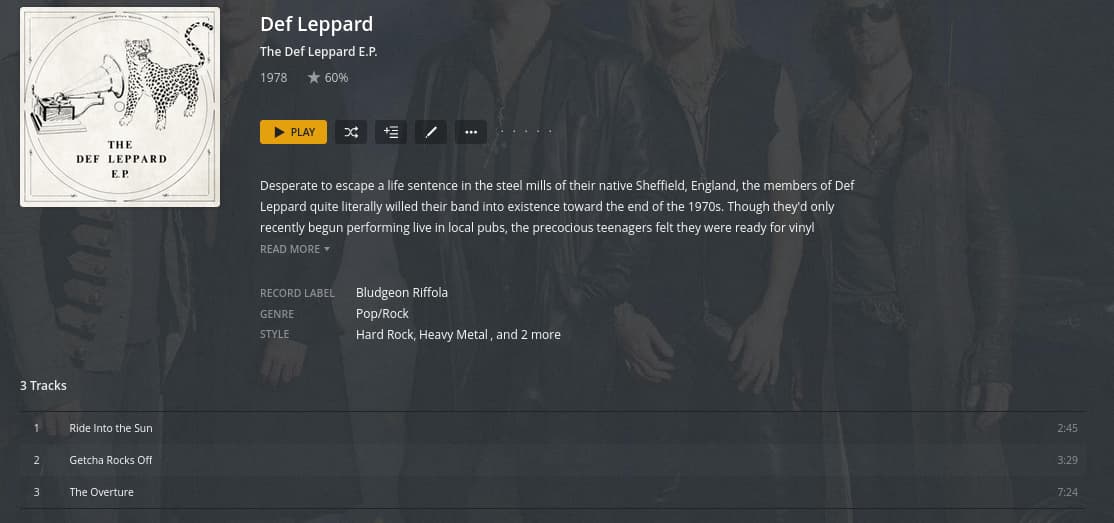
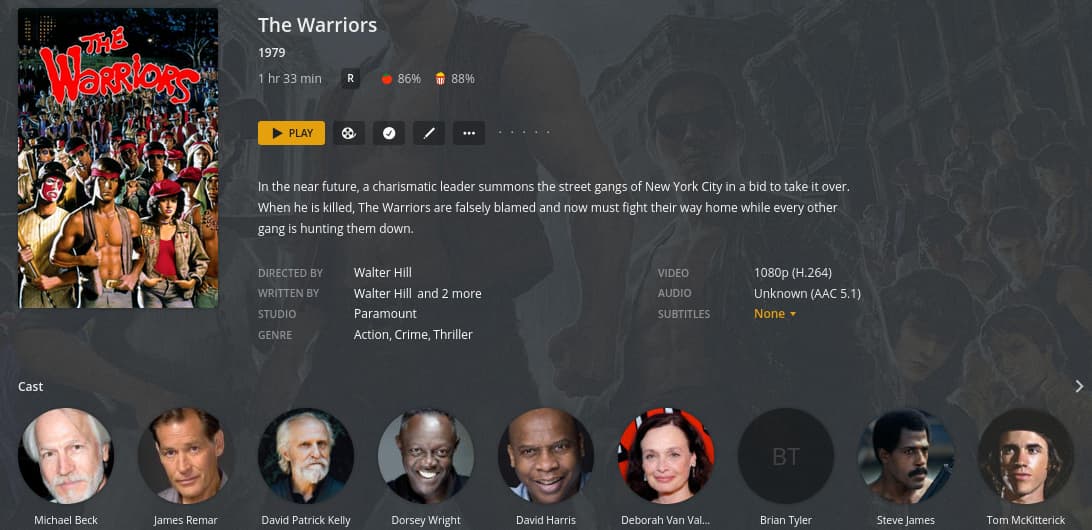
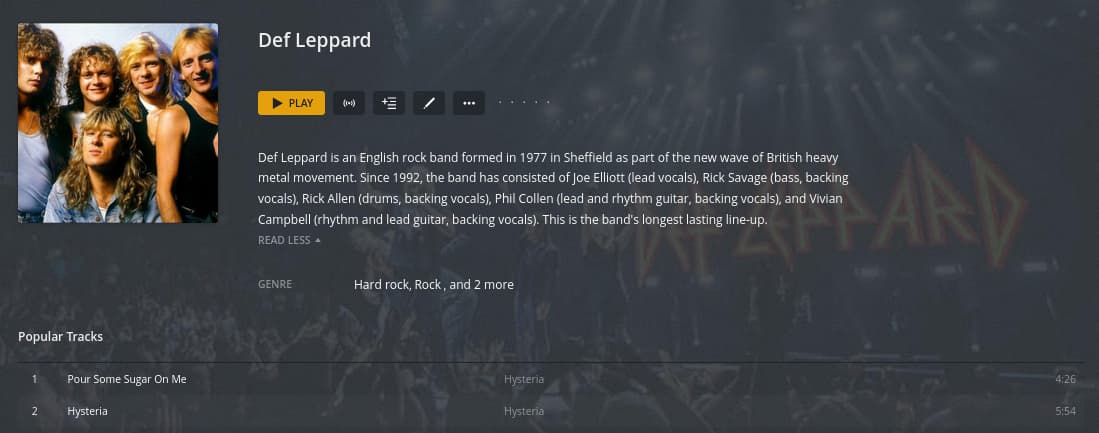
Examples of what I don’t get using the “broken” server vs. the working one.

On the working server I get much more information about a musical artist. Broken…

Working…

I get descriptions of individual albums on the new scanner. I get nothing using the broken server…

And I get more detailed movie ratings and descriptions, etc…

This is just a few examples.

I am having this same issue. everything was working fine until I got to about movie 250 today and then no meta data. I tried on my windows PC and my Mac and neither is showing any data - no matches found. It seems this is a common issue and I have read all the comments but nothing seems to help.