Also having no luck right now getting matches for anything. Was working fine all day, now getting a BUNCH of ERROR - [MetadataAgent/tv.plex.agents.movie] MetadataAgent: match request failed, provider returned 408 error () in the logs.
Running plex on ubuntu 21.04 server, direct to internet. No router.
I’ve gotten no help beyond ruling out me as the problem.
I have a Jellyfin server running on the same machine as plex, and it has no issues getting metadata. There are two weaknesses preventing a full abandonment of plex.
The first is that setting up remote access is a little more difficult, but I will do it once I test more. It’s a little more difficult, but can be done.
The major issue is there is no app for the Apple TV. It’s in the works, and once complete…. I’m gone.
its probably a security setting. literally was working a few hours a go and then bam no more matches. I have not done anything different - no updates or anything. I am on a brand new Synology NAS. I updated Plex but still nothing. EXTREMELY frustrating!
The service literally went down a few hours ago… That’s the reality of a service like this. Sometimes it has issues. Head to the link I’m posting AGAIN and it’ll show the status of the client. This post is for an issue completely different to what you are experiencing.
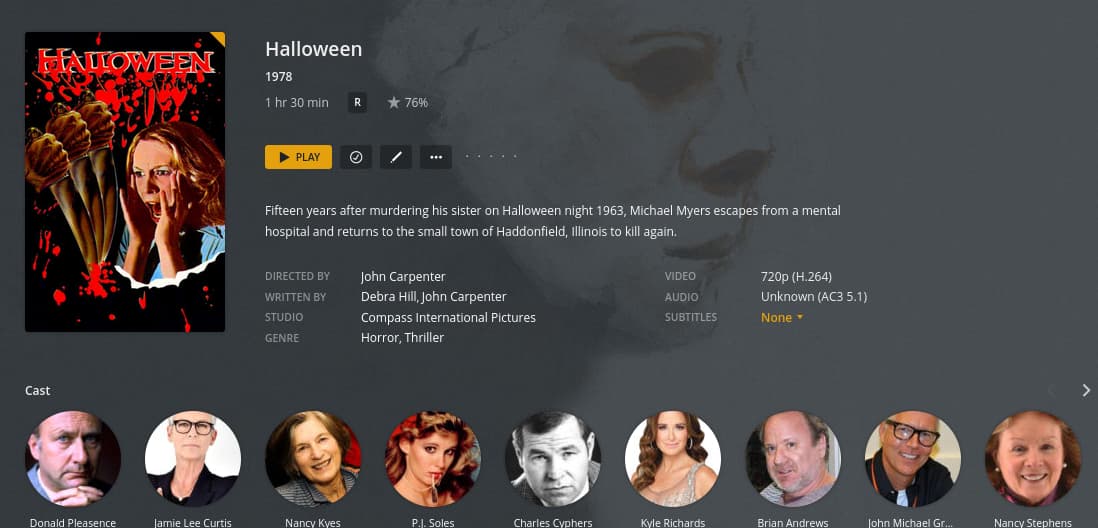
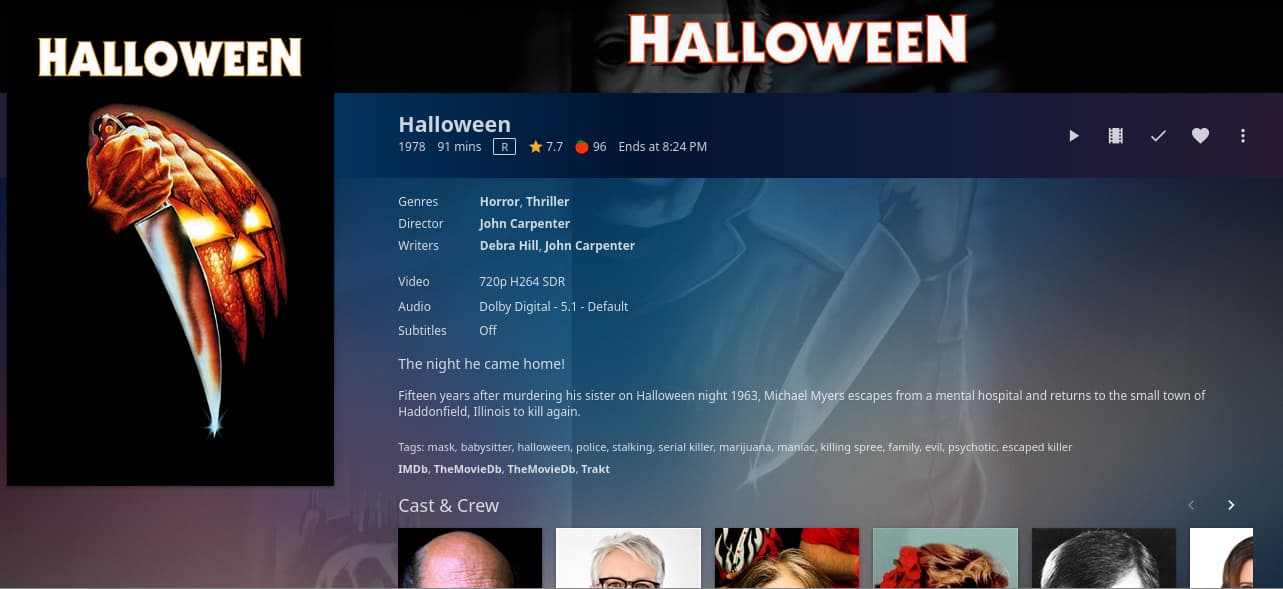
Since I have both servers running side by side, and since we’re getting close to Halloween, it’s time to start throwing all my campy scary movies in. Here is the difference between how they both picked up metadata.
As you can see, Plex didn’t even recognize two of them, although the “Extended Edition” of Halloween is understandable. But Dawn Of The Dead?
As for Jellyfin…
And…
It understood what each one was, with the exception of the extended edition version. But at least it doesn’t call it “Halloween Edition” like Plex does.
Also, the difference in cover art is noticeable. Plex keeps pulling in some obscure nonsense, but Jellyfin grabs the appropriate one for each.
You should edit this post and add examples of how you named your files. That’s what everyone will ask. Plex has been and has gotten more sensitive to file names/folder structure. I did nothing to achieve this save for how I named the files:
Yeah. It seems they pretty much don’t care about this. One of the downfalls of plex pass is they don’t actually offer support. It’s community based, and although people try to help, the developers don’t put in any real effort for obscure issues.
I know that running in a jail on TrueNAS is an obscure scenario, but Jellyfin has no issues with the same environment. Bottom line is this is a Plex bug but nobody cares. I’m not running another platform to get Plex to work. Jellyfin iOS apps are in the works, and it does what Plex does without subscription fees. Oh, but it isn’t trying to be Netflix. It just hosts your content, and does it well.
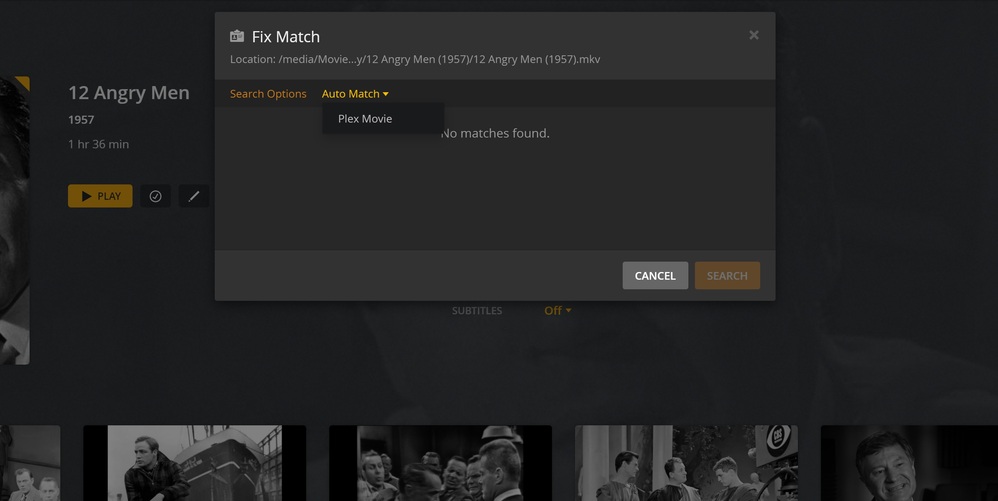
I ended up changing to the Plex Movie Scanner with The Movie Database as an agent and got about half of them to show up. The weird thing is, a lot of them are totally blank even though the info shows up when I click “fix match”.
I sent my logs to the Plex developers earlier in this thread. There are CURL errors like it can’t access the metadata servers, but I can open the site from the server, so it isn’t blocked.
The end result is that “they don’t know”. Apparently, I’m a unicorn.
Yeah, it’s frustrating. After playing around with the Movies → Manage Library → Edit and changing the scanner and agent in advanced features, I’ve been able to complete a few movies each scan. The files are named correctly. The weird thing is that agent finds them, but after I click it, nothing loads.
Well, after multiple server restarts and messing with agents, it seems to have started working. Not sure what combo of things I did, but it’s working as advertised now.
I’ve tried everything. I’ve disabled everything in PFSense, Plex dances, different naming schemes, numerous upgrades, etc… I really can’t think of anything I didn’t try. My logs get filled with errors about connectivity (see previous posts), but I can use a shell in the jail and pull down the metadata page fine. Plex can’t get there on its own though.
I can install it on a different PC, same network, and the agents work fine. But the main setup on my NAS just can’t get the scanner to work.