New Samsung Tizen App Preview

Model Code: UA65TU8500SXNZ
Software Version: 1115.5
Plex App Client Version: 5.0.12
Platform Version: 5.5

Hi all, I dont know if these issues have been reported, the thread has grown quite dramatically, so I’ll list what I’ve found so far:

  1. Menu items when highlighted, are not showing text. The menu item still exists, and you can select it, but the text seems to be covered by the highlighing box. This is not a deal breaker, but it happens on all episode menus within the preview
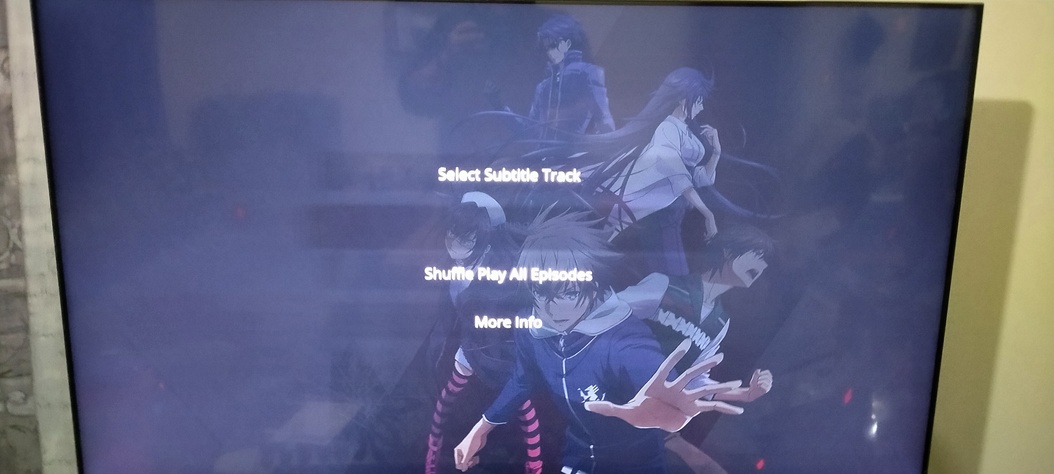
  1. When playing music for longer than the screensaver timeout, the plex client occasionally crashes. It is not possible to recover from this with normal means, as the TV keeps the Plex app running in the background even when on standby. The only solutions I have found so far, are to remove the Power from the TV completely, or reinstall the app.

  2. Any video that is direct playing and contains ASS subtitles crashes immediately upon trying to display the subtitles. The only workaround I’ve found for this is to disable direct play/stream, and force transcoding to 0.7Mb/s. Any higher than this (say 1.5Mb/s will also suffer from the issue, though to a lower extent).

  3. The next one is going to be more difficult to troubleshoot, but every now and then (about 1 in 5), a video will freeze, but the audio will keep playing. This doesn’t crash the app however, and stopping the video will allow you to go back to the main menu. Replaying the video from the beginning does not solve the problem, and the video will stop at exactly the same point every time. Forcing transcoding by lowering the bitrate/resolution seems to solve the problem, but puts excess strain on the server.

  4. Another difficult one, is that every now and then (about 2 in 5), the audio will stop, but the video will continue to play. As above, stopping the video will allow you to go back to the main menu. As above, replaying the video from the beginning does not solve the problem, and the audio will stop at exactly the same point every time. Again, like above, forcing transcoding by lowering the bitrate/resolution seems to solve the problem, but puts excess strain on the server.

  5. Episode details, and show details are missing from most videos (the synopsis from TVDB/MovieDB). Even though they display in Plex Web, they aren’t displaying on the vast majority of content in the Samsung Tizen-Preview.
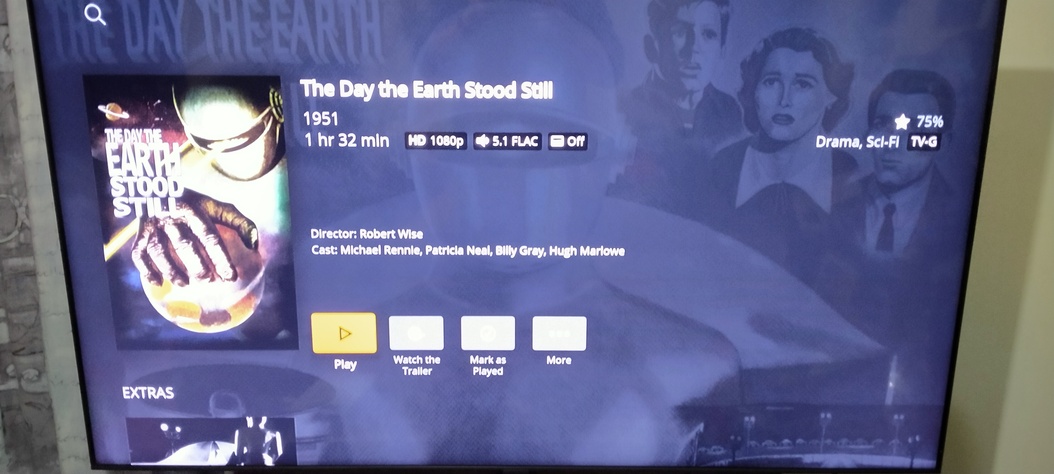
The main type of videos that are affected by the above issues, are Anime. I’ve been working mostly with HEVC 10-bit video, and stereo/multichannel AAC audio (most contain ASS subtitles). However, I have been noticing it more and more on normal videos; TV Shows and Movies.

If there is anything else I can do to help, like provide logs etc, please let me know.

Thanks for your work! I look forward to seeing the project become stable, and adding it to my daily routine :slight_smile:

1 Like

Trying 5.0.12

  • I like the subtitles now, way better, stronger yellow and outline.

  • The length and remaining time are a welcome change.

  • Can you please add the Finish time below the remaining one? Like we have today, it’s useful.

  • Cast should be above Related Movies/Shows

  • I like the new screensaver, but it can be a bit confusing seeing posters from all my movies and tv shows when I’m watching something specific. Maybe it could be a setting, “Show Posters or Plex logo”

  • I don’t know if it will come back, but I liked the blur background instead of the poster.

  • When in the Overview for TV Shows there’s a button that says “More”, when you clic it, the only item in the menu is “More Info”, Why have a single menu item buried in a button? It could be changed to the (i) Info button we already have in stable today.

  • The Playback UI is still way too big, specially when hitting pause with subtitles, it takes 3/4 of the screen.

Other than the stuff I mentioned I can use this new version as my daily now.

i also have this issue on my Samsung UE50NU7020KXXU but not on my UE43TU7000KXXU or UE55MU6200KXXU. Seems to only affect some models.

The pixels thing is odd. I wonder what causes it.

@sLumpy, FWIW my Samsung UE55MU7000 doesn’t suffer from this issue. It is running the latest FW and version of PLEX.

I’ve just updated to 5.0.12, and it looks like “Disable Early Access” has disappeared from the user menu (if I remember rightly it used to be next to “Media Server Status”). Is there a way to get it back?

Same here.

5.0.12 is much better than the release I tested previously on my 2016 UE55KS7000. It’s a lot smoother and things just look better from a visual perspective.

  • The ability to change Direct Play and Direct Stream per stream is so very very welcomed. This solves a lot of problems with direct play, for me, without having to back out of the stream completely to the home screen. Thank you!

  • SRT subtitles seem to be playing fine now (not previously.

  • I can finally play 4K HDR content from my cloud storage. This has been impossible for many months.

What I’d like to see:

  • The ability to play “Forced” SRT subtitles by default but otherwise, not. I know it’s problematic to add an SRT clause into that condition but PGS still forces transcoding on our TVs and that’s undesirable.

  • The ability to exclude certain libraries from the screensaver please! When you’ve libraries without fanart (for example), you end up with crappy resolution previews of images on the screen that just look ugly (like screenshots from tennis tournaments in my case lol). Also, some people may not want NSFW content on their screensaver :wink:

  • Smaller menu when hitting the play/pause button (as others have mentioned).

  • Prefer blurred backgrounds (as others have mentioned).

@softerist I have this issue (Tizen 2.4.0), and sometimes with artifacts / blocking too. Altered Carbon S02E01 was my test file and I tried many versions (ref: Samsung 2018 TV (QN65Q6FN) Video Stutters/Buffering - #21 by darcilicious). For me, on both the old Plex version and this new one (5.0.12), the problem is solved by turning Direct Play off. I haven’t checked the stream details when turning off Direct Play, but the visual quality is exactly the same so there’s no transcoding of video happening (need to check audio though).

Edit: This wasn’t meant to be a reply to you @captain_caveman2k, sorry.

1 Like

@Bebo / @MessiahComp1ex it’ll probably help if you can post the year the TVs were released and their Tizen version.

Good point, I’ll check when I get home, and update my post, but off the top of my head I think its 3.0 and either 2017 or 2018.

1 Like

On the newest version and using a Samsung un50nu6900. I have the same pixelization on subtitles and in the live TV guide as the above poster. Seems to be anywhere words are present.

I believe the letter after the number is the year indication. I.e. I have a American UN, 50 inch and the NU means 2018.

My TV Model
Samsung UN50NU7090 2018
Tizen: 4.0
Version Plex: 5.0.12
Smart TV Software: 1292

Yep, my TV is a 2017 model running Tizen 3.0, FW is 1280, Plex 5.0.12.

So the upshot is Samsung Tizen app can’t do true HDR. Just UHD 4K?

I would love to see the On Deck selection available as a Pop Up list on the Samsung without having to open the app - like they do with Disney+ and Netflix etc.

1 Like

New 2020 Samsung QTQ60
Running Plex App 5.0.12 on platform 5.5
The time in the app is wrong.
The time on the TV is correct.
With an incorrect plex app time, live TV will not work.
Plex on Apple TV and Telstra box work fine no time issues.

I have tried setting the time on the TV to manual and auto, reinstalling plex app. It picks up the correct time on a reinstall, but reverts to another time soon after.

This is an issue for the previous app version also.

HELP

@sLumpy
I sent you a private message with a picture about the black highlighted text and a question about the logs.
If you can, please answer me.
Thank you.

I have deployed a single change for Tizen 4.0 users, hoping to address the issues with artifacting text. Version number is unchanged (it’s still 5.0.12).

@dr_raymond27 @Bebo @mozpri Could you close the app (hold down the back button) and restart the app, and see if this resolves the issue for you?

@Andrew_Brett @wrldtvlr That’s strange, we haven’t (knowingly) changed anything in that flow to have caused this. You might have to uninstall the app and reinstall from the store, and go back into the early access to get that option back, since it’s a flag that’s set when you opt in from the original app.

@captain_caveman2k

As with previous releases selecting the channel/programme does nothing, no error or visual no feedback, just s click sound and then nothing.

Is your TV time correctly set? And does the clock in-app match the TV’s time? I wonder if it could be related somehow. Logs would be helpful.

@Deepcoverage1978 HDR should be working. Playing a handful of HDR videos on my devices seem to play back in HDR (unless I’ve got terrible eyes and can’t tell the difference). What model TV and can you post logs or samples?

@aegeuss @Sergio-Rea It’s not a bug, it just hasn’t been implemented yet. We’ll add it as soon as we get a chance.

@BearVV Direc playing/streaming Live TV is wildly inconsistent and has many issues that aren’t consistent across channels. The most reliable way to play back Live TV is via transcode, and this matches our existing app’s behaviour.

@TrialMaster We’ll have a fix for the filter soon.

@ntrevena @daevyd44 I’m still waiting for my Tizen 5.5 device to arrive before I can investigate these issues.

@fede777

Can you please add the Finish time below the remaining one? Like we have today, it’s useful

We’re still unsure of this. Adding more info clutters the UI and it’s pretty big as it is already. The clock view + time remaining should get you the time when the video ends. Open to discuss though if there’s a strong reason to have it there.

Maybe it could be a setting, “Show Posters or Plex logo”

We already have something like this in place for the next release.

@lalala123456

The ability to play “Forced” SRT subtitles by default but otherwise, not.

You can set forced subs in your server settings. https://support.plex.tv/articles/200471113-configuring-subtitle-support/

The ability to exclude certain libraries from the screensaver please

A setting will be in the next version to select type of art for screenshots

I have this issue (Tizen 2.4.0), and sometimes with artifacts / blocking too

I have a fix for the next release.

@cpw080264 out of curiosity, what timezone are you in?

2 Likes

My HDR videos seem to be playing correctly.

1 Like

Its not clutter if its something that is wanted/used/needed, and to be fair the new UI is huge and doesn’t need to be as big as it is, it looks like when you run Windows at a lower resolution than your monitors native. The old new playing UI was 100% better. Its my only complaint with the new preview app.

EDIT: Spelling.

I was literally, making screenshots to say exactly this, just look at them.

The new one has less stuff while the old one it’s way smaller and more useful, and with more information.

I do agree that the information in the new ones looks better, by being bigger, but the whole thing takes so much space.

You can add the Start time and Finish time below the played and remaining, just like the old one.

And if that makes it a bit bigger you can always make the padding between Show name / Episode Ttile / Episode Info smaller

From this:
Godfather of Harlem

By whatever means necessary

S1 E1 - Sep bla bla bla

To this
Godfather of Harlem
By whatever means necessary
S1 E1 - Sep bla bla bla

2 Likes
