So I have my server update to the latest version. I am trying to looking for new subtitles for movies and shows using the new Subtitle feature in the web version of Plex. I can do this on any computer or laptop with easy. Go into a movie or show, select subtitle, more, and then I get the generate list of possibilities as well as the percentage chancing of being a match. The only computer this does NOT work on is the computer being used as the actual server with the actual stored video files. On that, it will only show what appears to be subtitles it downloaded on it’s own, but often not right. There is no “more” option for me to select new subtitles. Anyone have any clue as to what is going on?
does it work when you use the hosted version of Plex Web (https://app.plex.tv/desktop)?
the version installed locally on your server is usually some releases behind…
Use hosted Plex Web as @tom80H suggests.


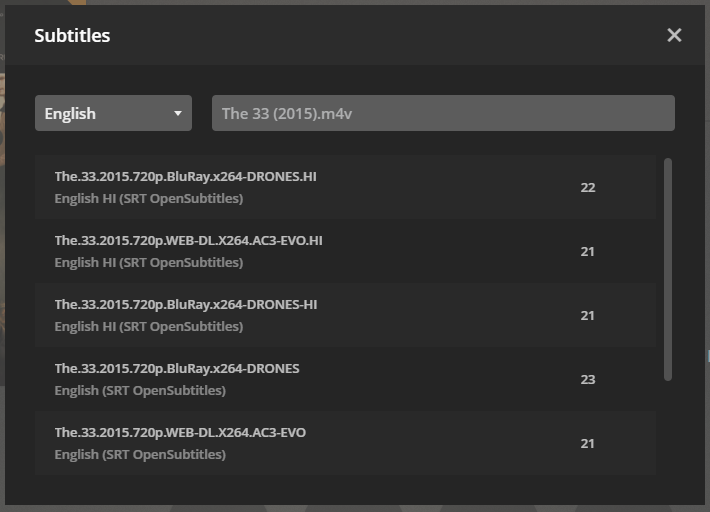
Ahhh…actually, yes. I generally get to the web version of plex by right clicking on the plex icon in the toolbar and then clicking Open Plex. Didn’t realize there was a difference. Thank you.
If you’re used to clicking on Plex icon in the toolbar, you can get close to the same experience by using a Chrome shortcut on the desktop. Just double click to launch into Plex Web. You can also pin it to the taskbar, for a one-click launch direct to Plex Web.
- Navigate to your server via Plex Web
- Click on three dots in upper right corner (Chrome settings)
- More Tools -> Create Shortcut
Creates a shortcut on your desktop. Drag to taskbar if desired.
Thank you very much. Just for knowledge, what is the difference between doing that and opening Plex through the toolbar?
Toolbar: The version of Plex Web included with the version of PMS installed on your system.
app.plex.tv: The latest version of Plex Web with latest features, fixes, etc.
When Plex releases a PMS update they don’t always include the latest version of Plex Web. Also, there are ongoing Plex Web releases, so the version of Plex Web on your server is usually not the latest release.
Example: I’m running PMS 1.14.0 which included Plex Web 3.69.1, so that is the version I get if I click on the Plex toolbar icon. The online version is 3.77.2, which is available via app.plex.tv.
You can check Authorized Devices to see which versions have been authorized by your PMS installation.
The Plex Web release announcement thread has info on the latest release.
The shortcut suggestion is just a way to put a bookmark on the desktop or taskbar. Making one for app.plex.tv is just a way to open Plex Web with less clicks than opening a browser, finding a bookmark, etc. You could just as easily make one for any web site/page, not just Plex.
This topic was automatically closed 90 days after the last reply. New replies are no longer allowed.
