New Ubuntu Install, New Server - No TV Metadata

Server Version#: plexmediaserver_1.20.1.3252-a78fef9a9_amd64.deb
Player Version#: N/A

Wanted to upgrade my server and move from windows to Ubuntu (to take advantage of the multi-stream benefit. Original goal was to migrate the server, but reading about it I decided it would be difficult, so I’d just move my viewstates.

So, new computer, fresh ubuntu. Set up network drives to auto-mount, installed PMS. All of my movies get the metadata just fine, but only a handful of shows and/or episodes pulled information.

I’ve got the agents and configuration all set up identically to the windows machine, but nothing appears. I screwed around with permissions enough that I literally reinstalled ubuntu and started again and still no luck - I am losing my mind

Note: I haven’t even gotten to moving viewstates…

I just came here to post a similar message. I’m running the same version (1.20.1.3252) but in a Docker container on unraid, and I’m having the same results. Movie collection imported with no issues, but only a handful of TV series imported with complete metadata (posters, titles, actors, etc.). I did notice that with most of the other series that I checked, they were still matched properly, the 3 dots icon showed “Fix Match” instead of “Match”, and when I refreshed metadata the missing posters started showing up. After fixing a couple of shows that way, I tried to Refresh All on the library, and that did pull metadata for a few more shows, but the majority of my library is still dataless. I know of at least one other person having the same issues as well.

Files of type MP4 & AVI can carry embedded metadata (Title) which PMS reads.
If that name is gibberish / not clearly defined, PMS can miss matching.

Next, if the file name is equally gibberish (non-standard) it can also fail to match properly.

What are some of the names you have which failed. Exactly as written please.

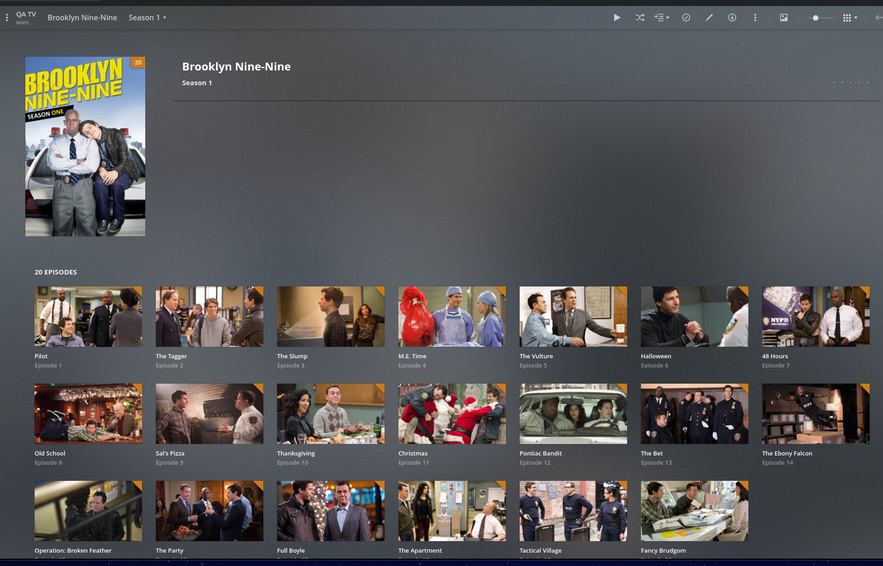
Here’s a sample from Brooklyn 99 (in the top screenshot)

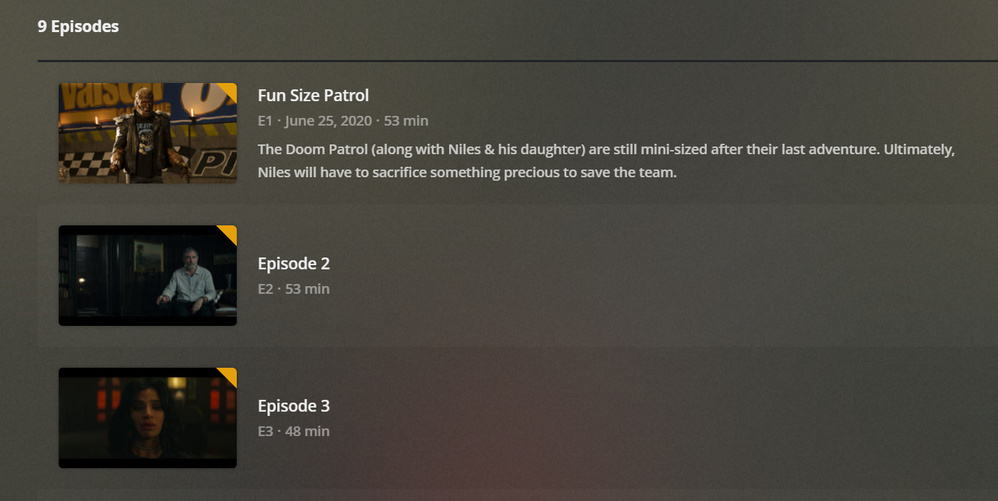
here’s doom patrol UI (after 3-4 individual refreshes - not library refreshes)

and doom patrol files

Proper delimiter use is important.

The names are:

[chuck@lizum Brooklyn Ninety-Nine.205]$ ls -laR *1
Season 01:
total 88
drwxr-xr-x 2 chuck chuck 4096 Sep 16 20:20 ./
drwxr-xr-x 6 chuck chuck 4096 Sep 16 20:20 ../
-rw-r--r-- 1 chuck chuck  288 Sep 16 20:20 Brooklyn Ninety-Nine - S01E01.mkv
-rw-r--r-- 1 chuck chuck  288 Sep 16 20:20 Brooklyn Ninety-Nine - S01E02.mkv
-rw-r--r-- 1 chuck chuck  288 Sep 16 20:20 Brooklyn Ninety-Nine - S01E03.mkv
-rw-r--r-- 1 chuck chuck  288 Sep 16 20:20 Brooklyn Ninety-Nine - S01E04.mkv
-rw-r--r-- 1 chuck chuck  288 Sep 16 20:20 Brooklyn Ninety-Nine - S01E05.mkv
-rw-r--r-- 1 chuck chuck  288 Sep 16 20:20 Brooklyn Ninety-Nine - S01E06.mkv
-rw-r--r-- 1 chuck chuck  288 Sep 16 20:20 Brooklyn Ninety-Nine - S01E07.mkv
-rw-r--r-- 1 chuck chuck  288 Sep 16 20:20 Brooklyn Ninety-Nine - S01E08.mkv
-rw-r--r-- 1 chuck chuck  288 Sep 16 20:20 Brooklyn Ninety-Nine - S01E09.mkv
-rw-r--r-- 1 chuck chuck  288 Sep 16 20:20 Brooklyn Ninety-Nine - S01E10.mkv
-rw-r--r-- 1 chuck chuck  288 Sep 16 20:20 Brooklyn Ninety-Nine - S01E11.mkv
-rw-r--r-- 1 chuck chuck  288 Sep 16 20:20 Brooklyn Ninety-Nine - S01E12.mkv
-rw-r--r-- 1 chuck chuck  288 Sep 16 20:20 Brooklyn Ninety-Nine - S01E13.mkv
-rw-r--r-- 1 chuck chuck  288 Sep 16 20:20 Brooklyn Ninety-Nine - S01E14.mkv
-rw-r--r-- 1 chuck chuck  288 Sep 16 20:20 Brooklyn Ninety-Nine - S01E15.mkv
-rw-r--r-- 1 chuck chuck  288 Sep 16 20:20 Brooklyn Ninety-Nine - S01E16.mkv
-rw-r--r-- 1 chuck chuck  288 Sep 16 20:20 Brooklyn Ninety-Nine - S01E17.mkv
-rw-r--r-- 1 chuck chuck  288 Sep 16 20:20 Brooklyn Ninety-Nine - S01E18.mkv
-rw-r--r-- 1 chuck chuck  288 Sep 16 20:20 Brooklyn Ninety-Nine - S01E19.mkv
-rw-r--r-- 1 chuck chuck  288 Sep 16 20:20 Brooklyn Ninety-Nine - S01E20.mkv
[chuck@lizum Brooklyn Ninety-Nine.206]$ 

Same thing with Paw Patrol.

[chuck@lizum Brooklyn Ninety-Nine.206]$ cd ../Paw\ Patrol/
[chuck@lizum Paw Patrol.207]$ ls -la
total 64
drwxr-xr-x   6 chuck chuck  4096 Nov 25  2019 ./
drwxr-xr-x 938 chuck chuck 45056 Sep 16 20:21 ../
drwxr-xr-x   2 chuck chuck  4096 Nov 25  2019 Season 01/
drwxr-xr-x   2 chuck chuck  4096 Nov 25  2019 Season 02/
drwxr-xr-x   2 chuck chuck  4096 Nov 25  2019 Season 03/
drwxr-xr-x   2 chuck chuck  4096 Nov 25  2019 Season 04/
[chuck@lizum Paw Patrol.208]$ ls -la *1
total 88
drwxr-xr-x 2 chuck chuck 4096 Nov 25  2019 ./
drwxr-xr-x 6 chuck chuck 4096 Nov 25  2019 ../
-rw-r--r-- 1 chuck chuck  268 Nov 25  2019 Paw Patrol - S01E01.mkv
-rw-r--r-- 1 chuck chuck  268 Nov 25  2019 Paw Patrol - S01E02.mkv
-rw-r--r-- 1 chuck chuck  268 Nov 25  2019 Paw Patrol - S01E03.mkv
-rw-r--r-- 1 chuck chuck  268 Nov 25  2019 Paw Patrol - S01E04.mkv
-rw-r--r-- 1 chuck chuck  268 Nov 25  2019 Paw Patrol - S01E05.mkv
-rw-r--r-- 1 chuck chuck  268 Nov 25  2019 Paw Patrol - S01E06.mkv
-rw-r--r-- 1 chuck chuck  268 Nov 25  2019 Paw Patrol - S01E07.mkv
-rw-r--r-- 1 chuck chuck  268 Nov 25  2019 Paw Patrol - S01E08.mkv
-rw-r--r-- 1 chuck chuck  268 Nov 25  2019 Paw Patrol - S01E09.mkv
-rw-r--r-- 1 chuck chuck  268 Nov 25  2019 Paw Patrol - S01E10.mkv
-rw-r--r-- 1 chuck chuck  268 Nov 25  2019 Paw Patrol - S01E11.mkv
-rw-r--r-- 1 chuck chuck  268 Nov 25  2019 Paw Patrol - S01E12.mkv
-rw-r--r-- 1 chuck chuck  268 Nov 25  2019 Paw Patrol - S01E13.mkv
-rw-r--r-- 1 chuck chuck  268 Nov 25  2019 Paw Patrol - S01E14.mkv
-rw-r--r-- 1 chuck chuck  268 Nov 25  2019 Paw Patrol - S01E15.mkv
-rw-r--r-- 1 chuck chuck  268 Nov 25  2019 Paw Patrol - S01E16.mkv
-rw-r--r-- 1 chuck chuck  268 Nov 25  2019 Paw Patrol - S01E17.mkv
-rw-r--r-- 1 chuck chuck  268 Nov 25  2019 Paw Patrol - S01E18.mkv
-rw-r--r-- 1 chuck chuck  268 Nov 25  2019 Paw Patrol - S01E19.mkv
-rw-r--r-- 1 chuck chuck  268 Nov 25  2019 Paw Patrol - S01E20.mkv
[chuck@lizum Paw Patrol.209]$ 

https://support.plex.tv/articles/naming-and-organizing-your-tv-show-files/

At the bottom of the page.

Another point to consider are permissions. Linux is strict. User plex must have read permission to both the directory and files.

I can understand the permissions comment, but I thought that was handled as part of the installer process?

Regarding naming convention - it works fine on Windows Plex - it’s linux/ubuntu where the issue lies. While I’m not separating series name episode by hyphen, the convention still matches SeriesName SeasonEpsiode

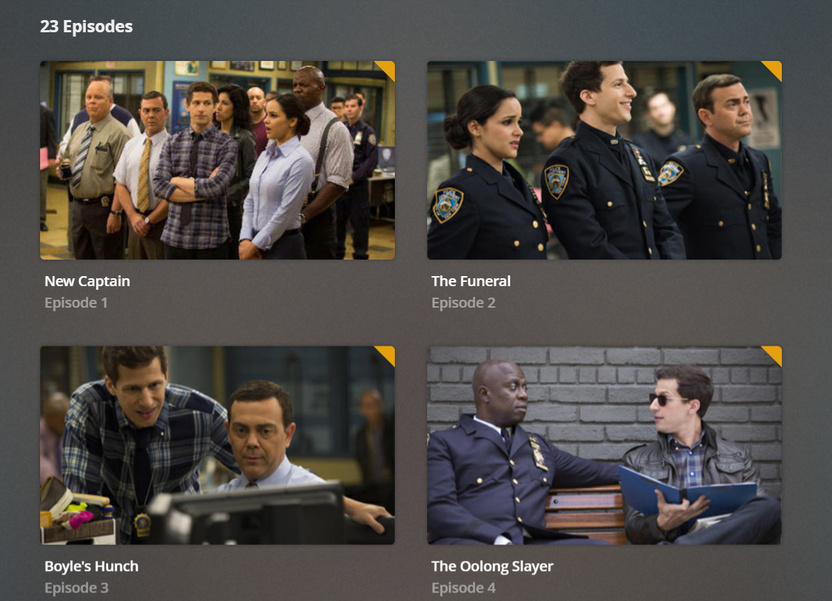
These are from a windows install Version 1.20.1.3252) pointed at the same network drive. this is mid library scan:

Same files - same version - different end result

The Plex installer handles the permissions for itself.

Plex does not know, nor can it presume, anything about your media.
Since it’s set up as a non-privileged user (to safeguard against accidental modification or deletion of your media), it cannot even access the media without you granting permission for it to do so.

You are showing me a different series.

However, using Windows demonstrates the permissions problem.
Windows does not enforce security at the application level. Linux does.
This topic was automatically closed 90 days after the last reply. New replies are no longer allowed.