Have you tried the Doctor Sleep sample,
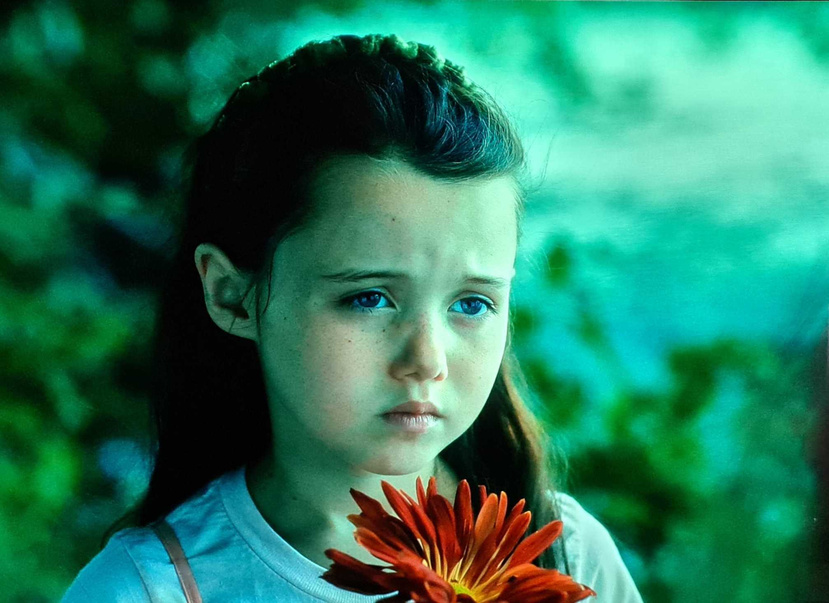
The little Girls face at the beginning is noticeably ‘Red’ compared to original UHD disk playback.
My own feeling is colours are being shifted, in light skin it looks more red, in skies you see less tone and at the top end I think there is noticeable clipping which I have seen grey skin tones in slightly darker skin.
LG C9 autocal.
1 Like
I have not seen the Doctor Sleep sample, is there a link for that anywhere?
I have, I get the builds before the public releases usually to verify Plex behaviour on the latest OS. 
1 Like
Hi, here is a link to it in TS format, if you need MKV I will cut it and upload it for you.
https://mega.nz/file/YSxhkSLK#fkfy54tYVLJzub7h8ARB-fqrxFpdTYnIAxIOBZLyGR4
Thanks for the sample, it’s hard to tell since I haven’t seen this from disc, but it seems correct to me, the girls face has some red in it but it doesn’t look out of place (might just be me).
Here’s a picture (taken from a phone), should be noted though that I seem to have some pink reflection being picked up that becomes noticeable in the camera but isn’t on the TV itself.
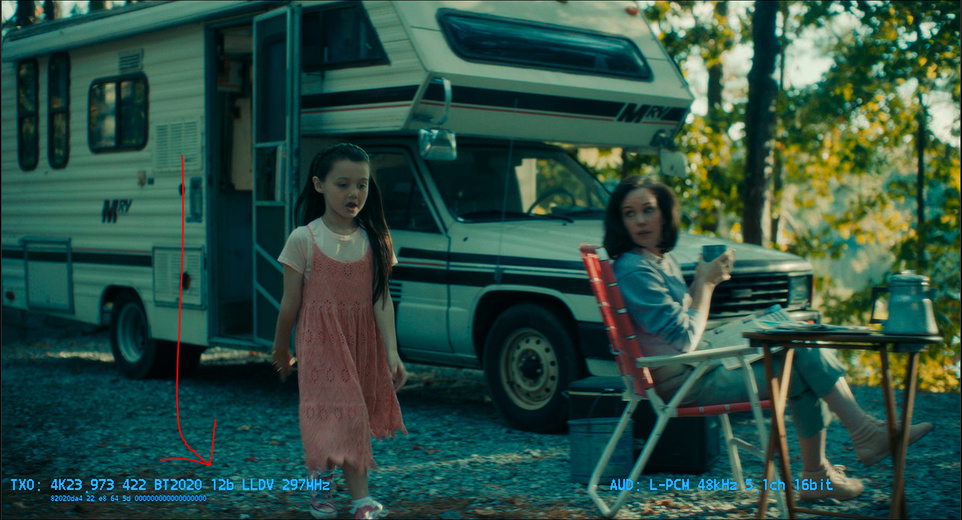
Here’s a comparison of that scene taken from the makemkv forums:
If you happen to check the MI6 sample I DM’d then you can also use this:
1 Like
Would need to clarify this, but I believe when grabbing captures like this it would be via HDR10 and not the Dolby Vision layer, as Dolby Vision itself can’t be tonemapped to SDR.
I’m sure someone else could explain it better, but it’s made possible by ‘forcing’ LLDV using a hdfury vertex2 or diva.
Regardless of screen captures, the white ‘wall’ in MI6 bathroom scene highlights the red issue easily. It’s pretty hard not to see the moving red spots 
1 Like
Doctor Sleep and MI:Fallout are very noticable examples.
This one is kinda tricky. Most people don’t notice the red push issue in The Matrix.

nop, DV can be tonemapped: those screenshots are tonemapped from the decoded DV stream (LLDV) using the VERTEX 2
But the screenshot method has nothing to do with the issue. I’m seeing RED SPOT on any file that contains a SDR or HDR10 base layer. It’s really noticeable on my OLED (in a pitch black room). Also, the same file played on PLEX / Firestick TV match perfectly(without any red spot) the bluray playback of the x700 and the internal player of my LG C8.
1 Like
When you see a movie on a disc player like an Oppo or the Sony then watch on the shield you can see how pushed (and crushed) the colours are.
2 Likes
I don’t think it just a shift.
It’s wrong red color distribution across frame: generally red is desaturated, produces colder colours, but grately boosted in some areas of the frame where red colour is dominant in the Base layer.
Since issure appears in MEL as well as in FEL my guess is there is an error in processing of DV metadata regarding image enhancement transformations
1 Like
the issue happens with BL(HDR10) + RPU ( no EL) as well so the problem is related to the SDR / HDR10 base layer because there is no issue with true profile 5 full-range BL+RPU files.
1 Like
Quite possible.
Sadly it’s not possible for end user to force to use the Shield’s DV decoder for non dv content.
It could be an interesting experiment to check if red push appears in hdr10 content with forced DV output
Oh, and btw RPU for DV p7 and p5 are have a difference
of course, RPU profile 8.6 files from uhd-bd are different than true p5 full range file(streaming services). That’s my whole point. The red push only happens when the base layer is compatible with HDR10(uhd-bd rip) or SDR (lg demo).
@sixones any chance you tried the MI6 sample and seen what we are talking about more?
Clearly this isn’t a plex issue - but if you have a contact in Nvidia it would be great if you could give them a little nudge about this issue. Obviously it won’t be fixed quickly as it’s been going on for months, but they have gone silent since they released v8.2 which is rather worrying.
It would be good to know if they were still looking into it, whether there was anything the community could help with further. Alternatively, if it’s not something they can fix that would be useful to know and the people wanting the correct colours can look elsewhere for a solution?
1 Like
Cool, besides red push problem there is another important issue regarding dts-ma audio tracks, like the present in Akira movie. They told me in NVIDIA forum that Plex team is aware of that and looking for a solution. Is that so?
I took a look and couldn’t see any noticeable red with my setup, so it’s possible its been fixed.
Do you have any information regarding what the problem is with DTS tracks?
Have you seen this again? Or was it just the first time you attempted playback after updating?
I’m using a sample of a different scene rather than the full movie, could you provide a sample of that scene?
What panels are people seeing these differences in reds on? Could it actually be a problem with incorrect HDR on certain panels? Dolby Vision played via the Shield and the internal player of my LG C8 look identical. My Dolby Vision images don’t appear any more red than my HDR image to my eye.
There are differences in the whites but I’m pretty sure that is intentional and is the whole point of Dolby Vision!
Dolby Vision on the Shield
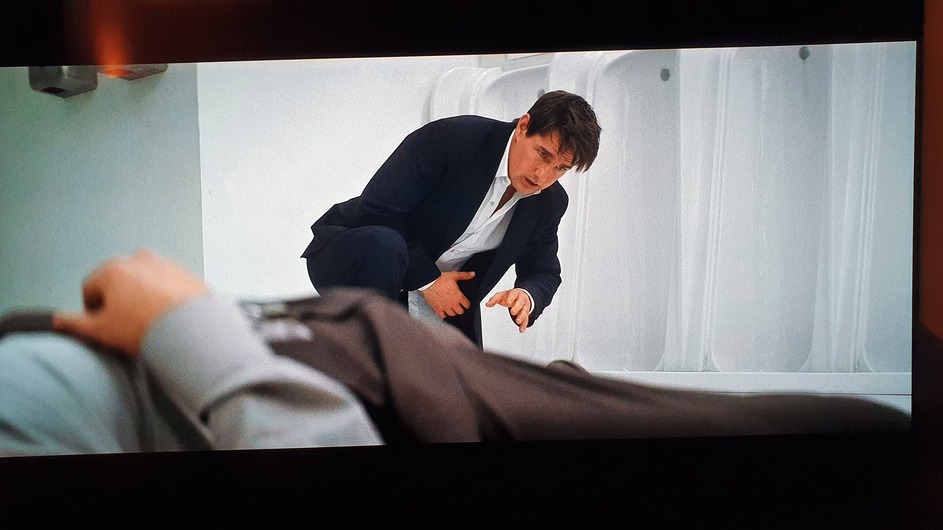
Dolby Vision played on the internal player of my C8
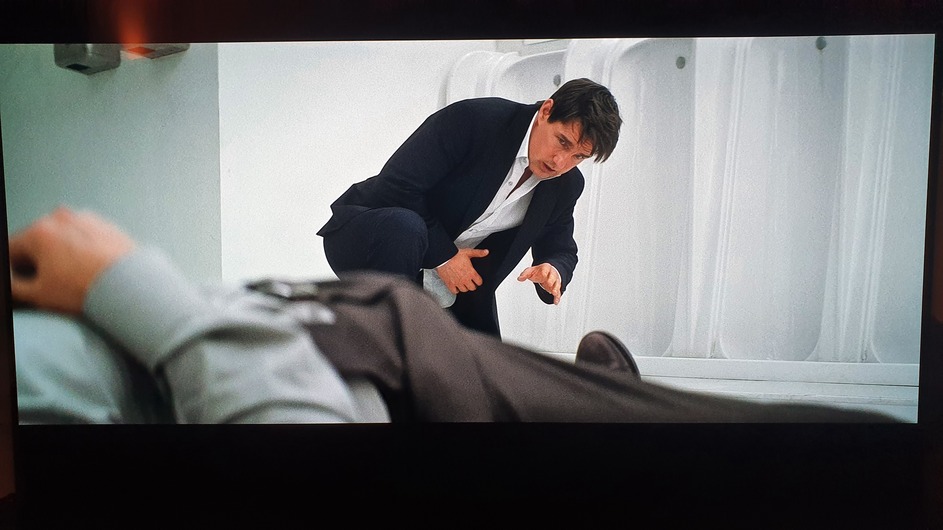
HDR on the Shield


