Hello, I have one library for adult movies and one for kids. In the first lib I can see and use the automatic collection feature, but not in the kids lib. The collection tab isn’t even visible.
The settings are the same for both. It doesn’t matter if you access plex over web or with android client. I installed the latest windows server update yesterday, but without success.
Server Version#: 1.21.2.3939
Edit the “kids” library (https://support.plex.tv/hc/en-us/articles/200289266-Editing-Libraries
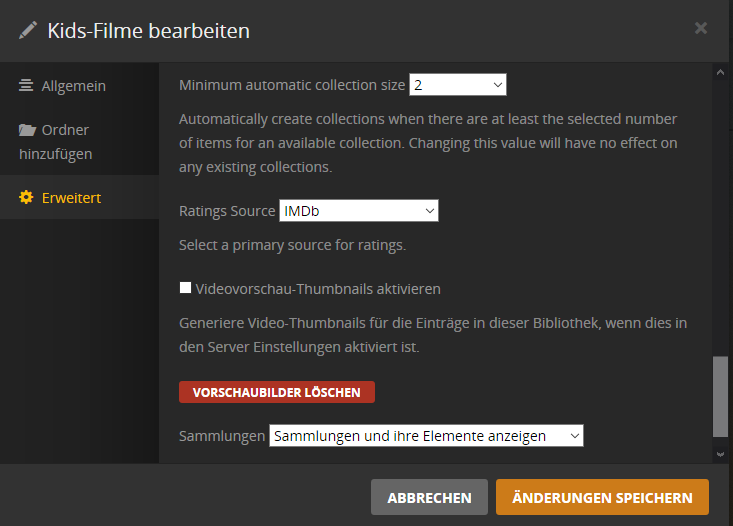
go to the “Advanced” tab
set “Minimum automatic collection size” to anything other than “Disabled” (though I recommend to avoid “1” as a value).
Then Refresh Metadata for the whole library.
Hello Otto,
thank you for your fast answer. As I said before, the settings are the same in both libraries. But I checked your recommended setting again and refreshed the metadata. Still no collection tab visible.
Do you actually have any movies in this library which are a member of a collection?
Yes. There are nearly 150 movies in the kids library. So there are quite a lot sequels.
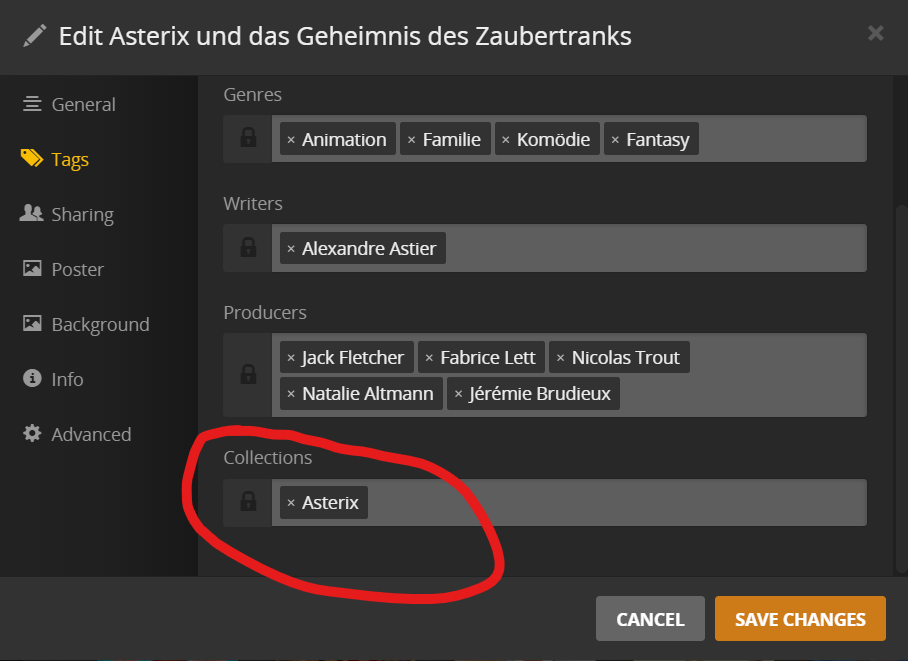
Do these movies actually have some content in their “Collection” tags?
No, there is no content in the collection tags of these movies.
There will be no Collections tab until they do.
Can you verify that you have at least two movies in there which belong into the same collection? Please confirm this at https://www.themoviedb.org/
This is the source where Plex will fetch the info whether a movie belongs into a collection or not.
For example “Pets” and “Pets 2” is in my lib. They belong to the “Pets Filmreihe” → here.
But there is no tag informmation in none of these movies.
Is the collection input field “locked” perhaps?
Does the library already use the new “Plex Movie” scanner and agents?
Does this preference exist in the properties of your library, and if so, how is it set?
What happens after you Refresh Metadata for both of these movies simultaneously? (They must be “selected” together)
Now, after I marked them both together and than refreshed the metadata as you suggested, there is a collection created, with both movies in it. Also the tags are now filled.
Also, there is now the tab “Collection” visible, after I reloaded the hole website. And there is the one and only “Pets Filmreihe”.
Then I suggest you perform Refresh Metadata for the whole library at once.
This may take a while, so fetch yourself a coffee or start the process before going to bed 
Okay, It was faster done as I thought. 

Now he found 20 collections. That’s nice. 
Have I to do this every time now there is a new movie with a collection?
Why wasn’t it working from the start, as in my other library?
I can only assume that you originally created this library with the “Plex Movie (Legacy)” agent. Then you did “Upgrade Matching” but never performed the required Refresh Metadata afterwards, to finish this upgrade.
I created the library in the same way as my first lib, I’m really sure (it’s only some weeks ago, as I started with Plex).
Nevertheless I thank you for your effort and I will investigate further.