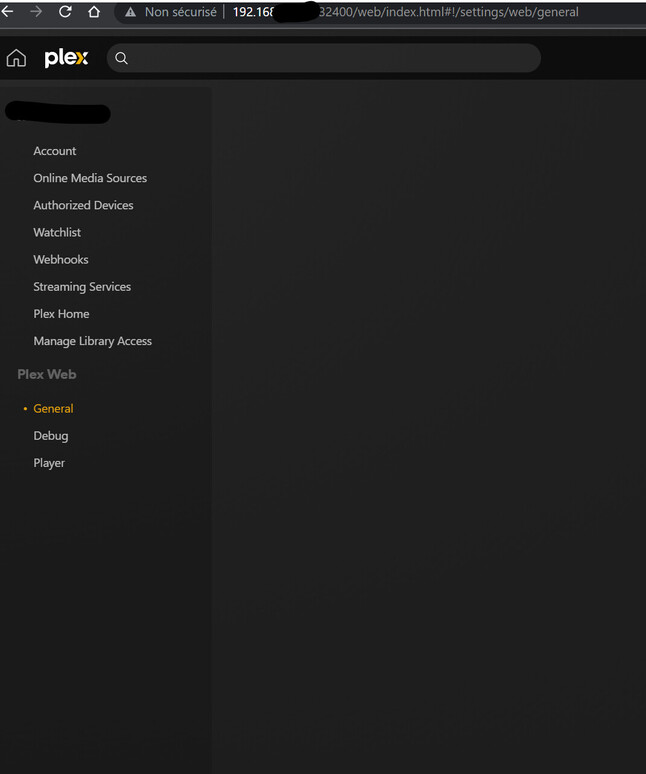
This might be a really quick question, but should I expect the server settings to disappear on plex desktop & web if the server has been disconnected for a while?
I moved the server behind a new router and went away, without thinking that the router didn’t have the port forwarding set up for Plex. I’ve obviously not been able to access it!
The router has now been fixed so that the connection should make its way through, but even when VPN’d to that same home network (I’m still not there in person) Plex, both the desktop app and Plex web, no longer show the server settings (where I used to get the ‘cannot connect, retry?’ page). All of my pinned sources have also gone.
It’s entirely possible that the machine running plex has crashed or turned off, so I can’t guarantee the server is actually alive, but should I not be able to at least see the ‘cannot connect’ page I had been seeing until now? Or does it timeout and presume the server is no more after a while?
How long ahs it been. There is a timeout when tokens get revokes, but Web should tell you that and have you sign in again. What OS are you running that PMS on? If it is MacOS and PMS has updated recently you may be running into New Server Claiming Requirement for MacOS - #38 by Mac-mini-TV.
It’s the truenas plugin that I’m using so not the mac issue.
I’d expect web to show a reconnect prompt like it has been but its just disappeared
I’ve also tried plexamp and its forgotten the server in the sources list
Ok, I would make sure it is running first.
If it’s on, then it sounds like maybe your server got signed out/unclaimed. You’ll need to access it locally to reclaim it. Do whatever you did initially to claim your server.
If you can’t get to it locally, look at our tips and tricks on how to claim your server through SSH.
Good morning,
I seem to be in the same situation here. Lost electricity for a couple of days and had to chage the router at the same time. When all got restarted, I do not see any media server settings or any way to access them.
I have tried the following fix: https://support.plex.tv/articles/204281528-why-am-i-locked-out-of-server-settings-and-how-do-i-get-in/
The logs now say that my server is unclaimed but I do not see any settings enabling me to acess it:
Any help would be greatly appreciated.
Are you doing this from a computer other than where PMS is running? If so, that won’t work. Plex Web cannot access an unclaimed server.
You need to use the computer that PMS is running on to claim it.
If you are using the computer, try using 127.0.0.1 instead of the 192 IP.
Thank you for the reply.
It was actually a DNS problem and your answer pointed me to that.