I do use Trakt <3 I hope I can still keep using it? I mean there is virtually no CPU/MEM load on 1.17, so should it really matter on 1.18?
LOL
$PLEX_HOME will not work
Try cd $(getcfg -f /etc/config/qpkg.conf PlexMediaServer Install_path)/Library/Plex\ Media\ Server/Plug-in\ Support/Databases
- Create the new share
- Add new share path as an additional path to your library
- Move media using file station
- Scan library files in PMS Web Client
- Verify with a media, that new path is picked up
- Remove the dreaded Multimedia path from your library
1 Like
Well, plugins are dying, so sooner or later, you have to find an alternative
For now, and until everything is okay again, I at least recommend you disable all your 3.Party plugins (Rename directory from .bundle to .bundle.disabled
1 Like
Hey, so I got stuck on the last step (7): “chown plex:plex com.plexapp.plugins.library.db”
Says: unknown user/group plex:plex (so I am guessing I need to update that line with a specific username/pw? but which one is it asking for?)
What owner and group are on the original db file?
I am guessing “admin”? Are we talking about my QNAP account?
You have ls -1 the original database file to see who the owner and group were.
That doesn’t show the owner, but via WinSCP I could see that its “admin”, so I changed it to admin:administrators and that seemed to have worked.
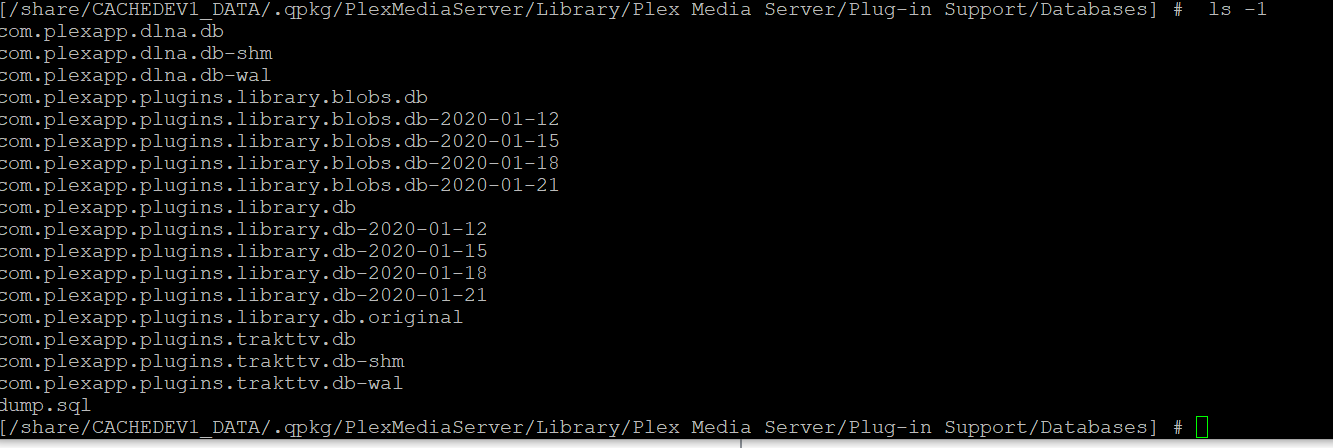
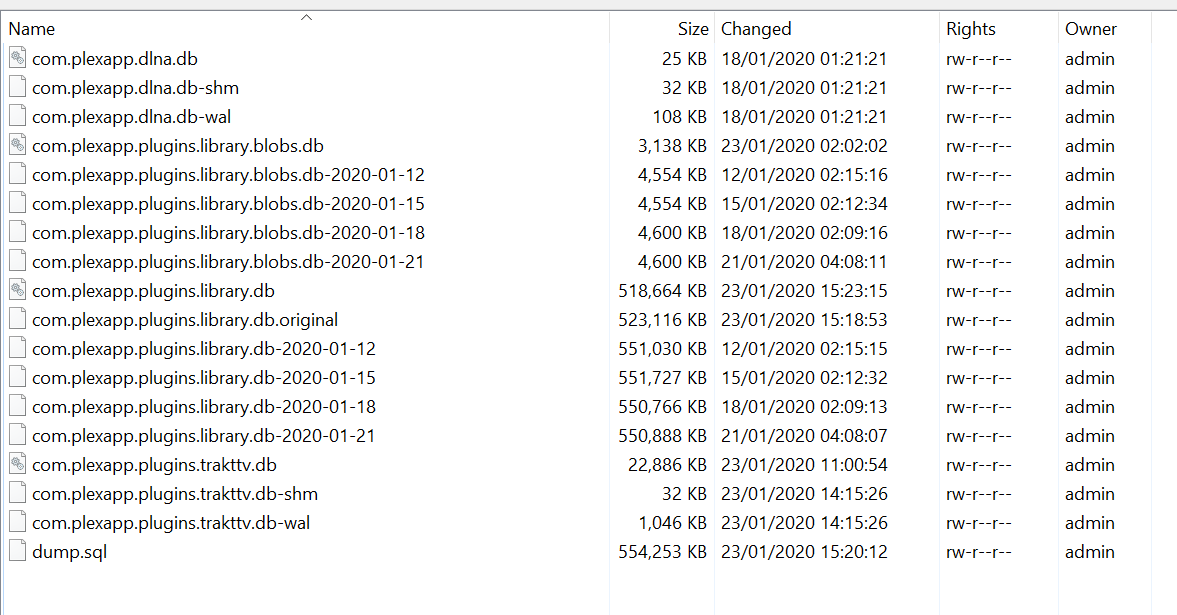
So unfortunately the db repair did not help, I still can’t connect to the server on local LAN.
I didn’t do part two obviously since I cannot get into the server settings as it is right now.
Isn’t it strange that 1.17 would work with a courrupt db and not 1.18 though? Feels like something else is causing this issue for me.
Anyway, I am attaching new logs to see if anything has changed.
I also renamed everything in the pluggins folder to .disable. Though maybe I shouldnt have done that on webtools and services? Because now they have spawned again  Not sure if I should replace them again.

System.bundle is as the name says a system bundle, and has as such been recreated automatically by PMS.
WebTools.bundle should not be able to autocreate itself, unless you have my WebTools EasyInstaller already installed, and if so, I suggest you disable it
Your database repair did work, since there’s now no more timeouts = GOOD THING
According to the logs, everything is up and running, and the server info was pushed to plex.tv though.
Tried to access your servers public ip address and port, and it worked nicely!
So in other words, your server is online!
That sounds wonderful!.. and yet…


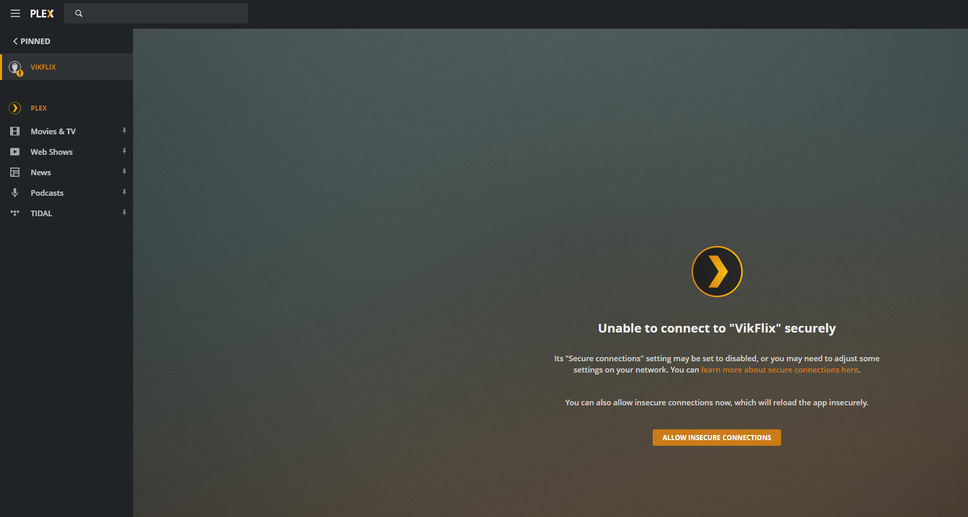
Still 99% CPU load, and no access 
As for webtools = I disabled the app in the QNAP interface, if that was what you ment?
Last logs was right after a restart, so to see what is eating your memory now, logs please
Nope, I meant did you install this: GitHub - ukdtom/WTInstaller: Easy Installer for WebTools since then that should be disabled
And did you click on the link saying “Allow unsecure connections” ?
Also, can’t see from the screendump, if you accessed the QNAP directly using http://<IP_OF_QNAP>:32400/web or used app.plex.tv
I installed this so many years ago so not sure, but this is how I disabled it, hope that was what you meant?
As for the ip, yes, I am trying both plex.tv and 192.168.1.100:32400/web

Now for the logs, I am trying to get ones as fresh as from right now, stopping and starting the PMSlibshare app, but it still doesn’t seem to get logs newer than from earlier today (17:10) - It is currently 00:51 here. But perhaps the timestamp isn’t important?
Logs.zip (4.4 MB)
That’s what I meant 
Cool
It is, and yes, I know your timezone, said the dane to the swedish guy 
I’ll dig into the new set of logs, but due to a family arrangement, sadly first during the weekend 
1 Like
Haha, I will probably see your next reply in the morning in that case, but looking forward to seeing what you find. Until then, enjoy the family arrangement 
Or in the weekend, that is
1 Like
According to below:
Jan 23, 2020 17:10:49.596 [0x7ff970700700] DEBUG - EventSource: Got event [data] '<Message address="213.158.40.6" port="32400" asyncIdentifier="a412bf9a-3c56-433f-b772-c6f195d02154" connectivity="1" command="notifyConnectivity"/>'
Jan 23, 2020 17:10:49.596 [0x7ff970700700] DEBUG - PubSub: Got notified of reachability for async identifier a412bf9a-3c56-433f-b772-c6f195d02154: 1 for 213.158.40.6:32400 (responded in 0 seconds)
Jan 23, 2020 17:10:49.685 [0x7ff96a840700] DEBUG - HTTP 200 response from GET https://plex.tv/api/resources.xml
Your PMS was registered as been online, and I did take the liberty to browse towards it and can confirm it’s online!
When that’s said, I do see a lot of the following:
Jan 23, 2020 18:10:48.655 [0x7ff93e2b3700] ERROR - Error issuing curl_easy_perform(handle): 28
Jan 23, 2020 18:10:48.655 [0x7ff93e2b3700] DEBUG - HTTP simulating 408 after curl timeout
Those entries indicate a timeout, and most of the times due to a bad/slow DNS server
So if the problem persists, try and switch the DNS servers configured on your QNAP to use Google DNS as a test (8.8.8.8 and 8.8.4.4)
Hey! Hope you had a nice time with your family
So, I am actually able to connect and watch my media too, via PKC on kodi, but the web and other official apps don’t work at all. And even PKC fails sometimes but I believe that is due to the CPU load on the server.
As for the DNS settings, check my printscreens, it is as I understand it already configured to the google DNS, should I try using another one?
I am now starting to get another ddns error message on the NAS though, this is however new, but could be related. Attaching those pictures too.


Then your DNS is okay, and maybe the timeout was due to the QNAP been busy
Try and browse towards:
https://plex.tv/api/resources?includeHttps=1&X-Plex-Token=<INSERT_YOUR_TOKEN_HERE>
To find your token, look here: https://support.plex.tv/articles/204059436-finding-an-authentication-token-x-plex-token/
When browsing towards that, it’ll show an XML in the browser window, that will list all servers you have access to, as well as their IP address.
DO NOT POST THAT XML HERE! since it contains your access tokens!
But what I want you to check, is if your server has the correct IP address listed as the public address?
According to the guide I find the token by browsing to a library item, but I can’t get to that stage since I cant access the library via the web. Or am I missing something?
