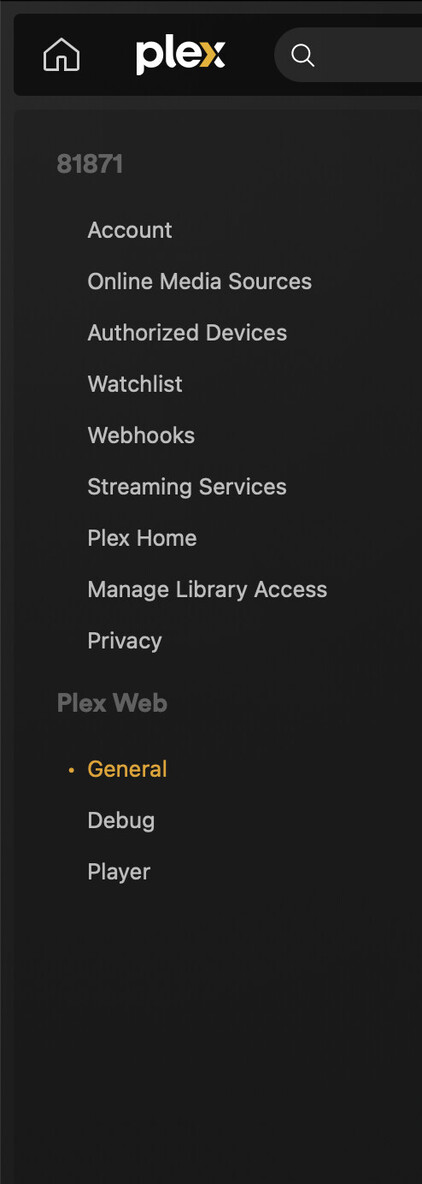
Server Version#: 1.41.0.8994
Player Version#: Plex Web App showing version 4.136.1
Last week all was ok. But this week opened Plex Web App and I can’t find any Settings > Server. Doesn’t exist.
I’m using Synology NAS.
Did you by chance change your account password and opt to sign-out all devices? This will also sign out (unclaim) your server.
Nope. Is this something that you recommend to try first ?
No, it’s just a scenario that could explain why the web app might not see your server.
How do you access your server?
Are you using the bundled web app (http://[Syno IP address]:32400/web or the hosted web app?
Correct. Via (http://[Syno IP address]:32400/web)
Ok… so at least the server should be running.
Are you by chance using a different Plex account than the one you’re using to run the server (just to rule out some more basics…)?
No. Only one account. And yes server running Ok. At least my Smart TV connected to it, I specified Server IP there and all good. But Plex Web App doesn’t have this Server settings for some reason.