Server Version#: Version 1.30.1.6562
Player Version#: Web, Desktop or TV, doesn’t matter
Hi,
I have a kid that I don’t want to have access to inappropriate content. So I decided on using Sharing labels to restrict his access to certain movies/series. However, when he browses his libraries, using his managed user, he only see part of the shared content if the has it sorted by title. Any other sorted by shows up correctly.
My setup:
I have two overlapping libraries, Movies and Movies 4k.
Movies points to a single directory where max 1080p content is.
Movies 4K points to the 1080p directory and the 4k directory(if a 4k version doesn’t exist I want it to fall back to 1080p).
My kid only have access to the 4k one, and with the restriction set to “Allow only label” pointed to the label “Hektor”. Without any Sharing labels in use, this works perfectly fine for all my users.
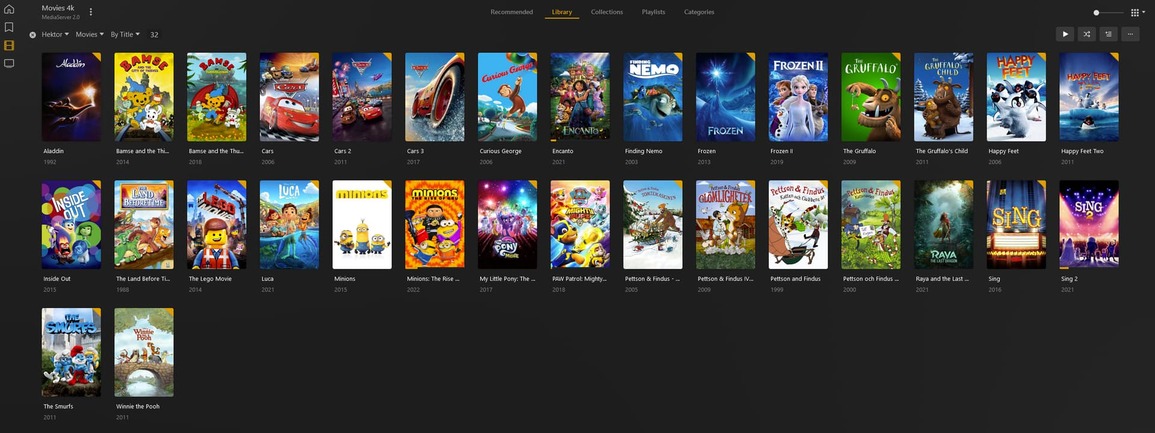
These are all the Movies with Sharing label “Hektor” seen from my Admin account:
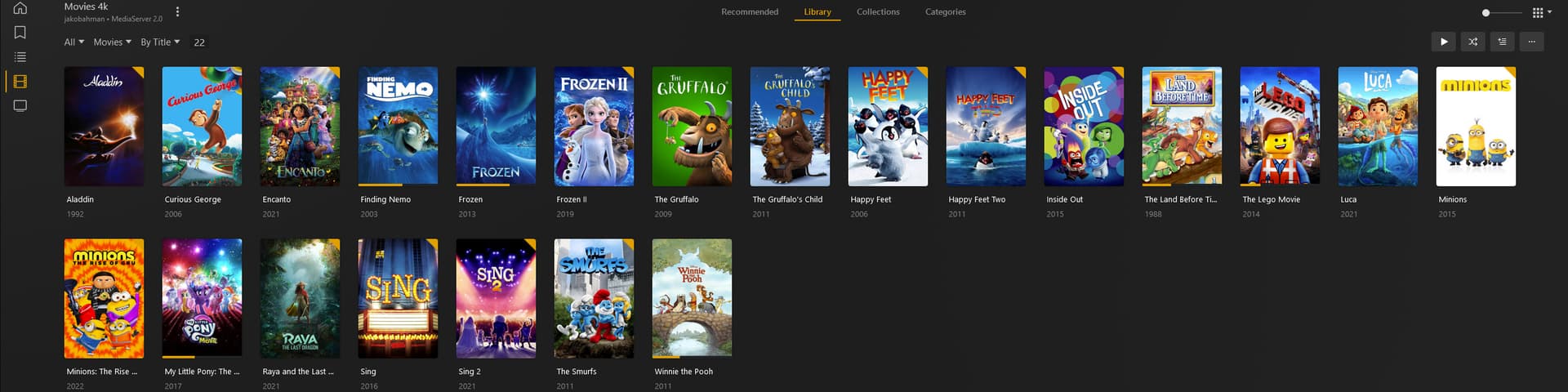
And this is what he sees when sorted by Title:
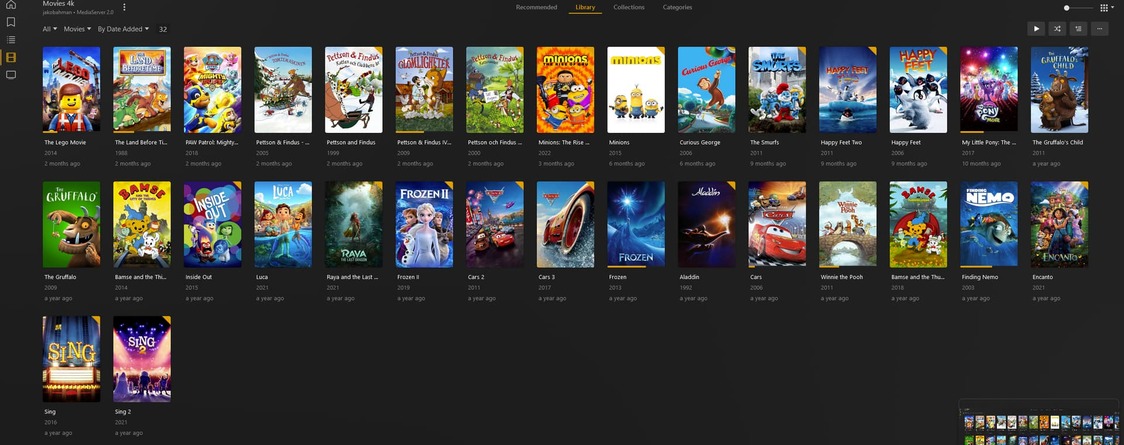
If he sorts by Date added they show up correctly:
What gives?
Does the kid also have an “age rating” restriction on his account? If so, what age rating do the missing movies have?
Are the missing movies perhaps members of a collection? If so, does the collection itself have an age rating and/or the sharing label “Hektor” assigned to it?
What is the visibility setting of these individual collections?
How are collections configured globally in this library? (“Collections” on the “Advanced” tab in the library properties)
Thank you for your reply!
Does the kid also have an “age rating” restriction on his account? If so, what age rating do the missing movies have?
No nothing
Are the missing movies perhaps members of a collection? If so, does the collection itself have an age rating and/or the sharing label “Hektor” assigned to it?
What is the visibility setting of these individual collections?
How are collections configured globally in this library? (“Collections” on the “Advanced” tab in the library properties)
Yes that was it!! The settings for collections was “Hide items in collections”. When disabling, it works exactly as I want!
Thank you!