I’ve searched and haven’t been able to find the info I’m looking for, so I figured I would post a new thread.
I have spent the last few days organizing my TV Shows library into different collections using TV networks that the show aired on as a basis to sort my collection. I also have an “All” collection that contains everything in my library. Here is a screenshot
.
What I’m trying to accomplish is sharing only specific shows in certain collections utilizing label restrictions. That way the restricted user will see the appropriate collection on their end with only the specifically approved shows in each collection.
The issue that I’m running into is when I create label restrictions for the shared library the items won’t show grouped in that collection. In fact, the collection won’t show at all. The only way I can get them to show in the library of the restricted user at all is to filter the library by date. If I filter by title, the library shows “no content”. Basically, the collections aren’t showing as I’m not sharing the entire collection. I’ve tried adding separate labels…one for the collection and another label for each of the approved shows. It seems to be an all or none type of situation which is what I’m afraid of.
I was curious to know if anyone has run into this. If so, what am I doing incorrectly? Thanks in advance.
Well, if you’re going completely custom, use rating restrictions instead. Create your own ratings system, and only allow the users you want access to the ratings you setup for them. Then it will keep everything in tact.
Thanks for the advice. I am trying that now and experiencing the same issue. When I assign the custom rating to the show then go to the user’s profile to restrict their content based on that rating it still isn’t grouping in a collection on their end. Since my entire library is grouped into collections when I go to their profile it shows “no content” until I manually go in and change the library to sort by date instead of by title. Has this method worked for you?
Beware some clients display differently with Collections abuse. LG client displays Collection abuse with a single Horizontal poster Library instead of a Grid of Posters. From what I have heard other clients have similar issues.
Thanks for that info. The client in question is a Roku Express. The collections when left completely unrestricted show as intended. The only issue I experience is when I enter label restrictions for sharing within any collection. So, I’m not sure if that could possible be the issue.
Sorry man, at 600 TV Series and counting, creating a bunch of Collections for the stations is quite the task…
I want to confirm a few things. You’ve created the Collections. You’ve gone into the TV Library settings and selected “Hide Items which are in Collections”. And in the “Library” view, all you see is the collection posters, right?
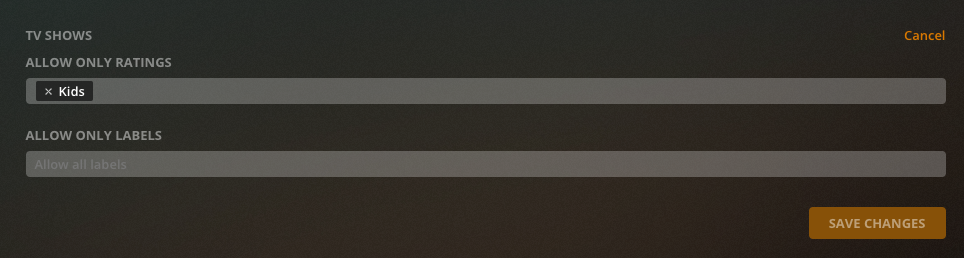
If that answer is yes, then, my next question is one for clarification. You go through your shows and set a rating for each show: Lets say “Kids” is one of them, and you change the ratings field for some of the shows to “Kids” see here:
It definitely is quite the task. I just spent the last few days moving 160+ tv shows and 1000+ movies. In hindsight, I wish I would have tested this on a smaller scale before going all in.
Blockquote You’ve gone into the TV Library settings and selected “Hide Items which are in Collections”. And in the “Library” view, all you see is the collection posters, right?
To answer your question, yes have hidden all items in collections and in my library the only items that show are the collections that I’ve created.
I specifically went through and added the rating “Kids” which is also the label I used previously, but the label restriction was removed to test custom ratings.
If that doesn’t work, I’d look for a network with mixed content. Change that networks collection rating to “Kids” and then only change one of the shows inside to “Kids” and see if that works
Just checked and that collection had a content rating of TV-G. I removed that rating so no rating is applied to the entire collection. I left the 1 custom rating applied inside that collection and so far no change. I was hoping that would be the piece I was missing.
When I add that custom rating to the collection itself it will show the entire collection. I tried that earlier.
Well, I will keep chugging away at my series here… It’s gonna take me a couple of days, I’ve got like 5 chapters to read for for one of my classes (Was sick for a week with the flu). Hopefully someone can chime in who might know more, but I will run through a bunch of stuff from this side once I’ve got them all setup (it’s going to be such a pain removing those collections when I am done, lol)
I appreciate the help, but don’t go through any trouble just for me. I really wish I would have tested this on a small scale before jumping completely into this conversion. Now I’m at the point of no return.
The workaround I have in mind is to create a separate folder on my local drive for Kids and create a specific library just for that, which is basically what I had before. Then point the restricted folder and the other folder to my main library. This sucks because I’ll basically have to build the same library twice. At this point and time I don’t see any way around it, but I’ll give it a few more days to see if anyone else has any advice to use the labels within Plex to get the results I want.
Ok, I actually forgot I have a smaller library for 4K TV Shows (Thank goodness for me). I did it in there… I tagged all of my collections with “Kids” in the ratings (Since everyone will have access to “Kids” regardless if adult or kid), and I only changed the rating on one show to “Kids” inside of one of the collections.
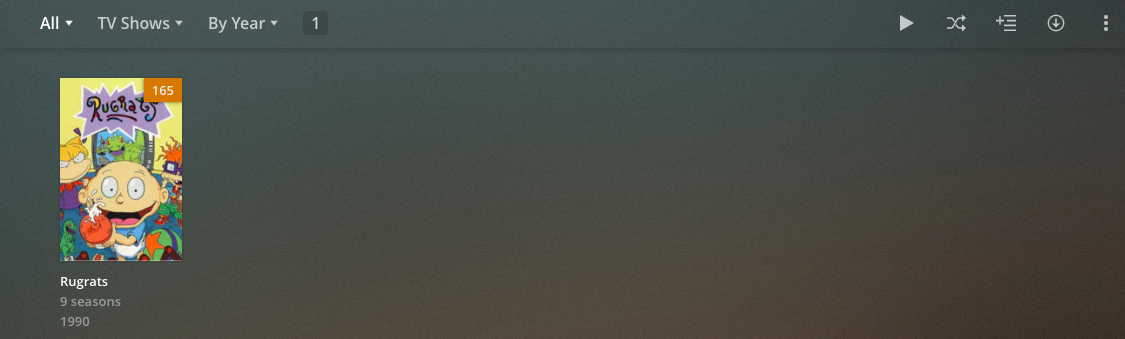
Here’s what the user I had testing saw. They saw all of the collections images, and how many shows were in the collections. However, upon clicking each collection, they got “Empty” library message, until they got into the BBC One where I had marked a show “Kids”.
The only problem I’m having trouble figuring out now is how to share collections with different custom ratings to 2 separate users with different restrictions. I assume I’ll have to create separate folders for this.
So, here’s what I would do personally. Every collection gets “Kids” at the collection level. Every user gets access to “Kids” I am assuming this content is acceptable for the next usergroup to see. And then do the SHOW by the different ratings. This way, “Kids” group only see’s “Kids” and “Teens” or “Adults” group see’s Kids + their rated content.
It appears to be working by applying the same ideas for the ratings to the sharing labels under the collection. I just have to add the specific label to the collection and also each show inside that collection. This appears to allow me to set multiple labels to the collection and filter with the labels inside the collection.



 I am glad you found a way for it to work
