Server Version#:DS 1819+
DSM: 6.2.2-24922 Update 3
Player Version#:LATEST
Plex.tv does not work at all, I went from uninstalling to reinstalling daily to now nothing is working. I did the latest updates power cycled after uninstalling and reinstalling and I still have nothing. Can’t get any playback on the computer and it keeps losing the server.
Uninstall - reinstall does nothing on Synology.
Your Plex metadata & config is stored on Volume 1.
Are you accessing solely via plex.tv or are you using the local IP address?
May I have a manually captured ZIP file from the Logs directory (in the Plex share… drill down, right click Logs, and “Compress to Logs.zip”)
Accessing via PMS, looking for that plex share menu now to get the log to you.
And I receive an internal error when I attempt to download the file.
To be clear.
- You’ve created the ZIP file through the GUI
- When you attempt to download that ZIP file from File Station.
- You get an error
Is this correct ?
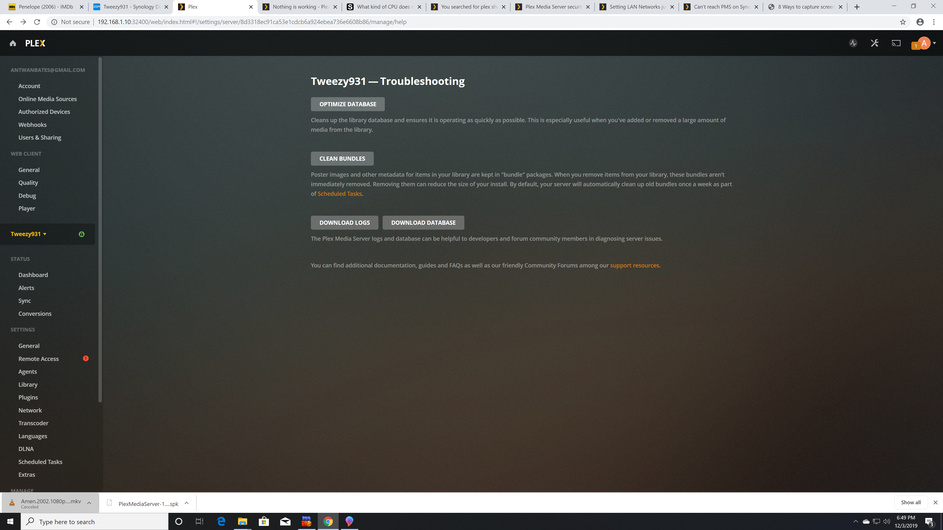
This screenshot conveys no information.
Please write and explain.
This is where I was attempting to download the logs from.
Thank you.
Please go to the Synology itself.
- Stop Plex
- Open File Station
- If you don’t see the Plex share on the left side, Grant yourself permissions:
Synology FAQ - Questions, Answers, and a few How-To's - Now open Plex / Library / Application Support / Plex Media Server
- Right-click Logs and Compress to Logs.zip
- It will create the ZIP file
- When complete, (watch the Synology activity indicator)
- Download from your Syno and upload here.
1 Like
Thanks Logs.zip (372.3 KB)
There is something wrong with the log.zip. It might not have finished uploading in time before you pressed reply. Please try again when you have an opportunity.
Please try accessing the syno this way:
- Sign out of Plex/web (the browser)
- open an incognito window
- http://ip.addr.of.syno:32400/web?secure=0
- See if you can access it that way and get the logs.
- If not, we need to try uploading your ZIP file again.
Logs.zip (372.3 KB)
Is this a ZIP file or something else?
[chuck@lizum user.332]$ unzip ../Logs\ \(2\).zip
Archive:  ../Logs (2).zip
  End-of-central-directory signature not found.  Either this file is not
  a zipfile, or it constitutes one disk of a multi-part archive.  In the
  latter case the central directory and zipfile comment will be found on
  the last disk(s) of this archive.
unzip:  cannot find zipfile directory in one of ../Logs (2).zip or
        ../Logs (2).zip.zip, and cannot find ../Logs (2).zip.ZIP, period.
[chuck@lizum user.333]$ tar tf ../Logs\ \(2\).zip
[chuck@lizum user.334]$
I am getting the same error on my end as well. I tried restarting the server, I will try a few other things right quick.
Logs (4).zip (2.1 MB)
Thank you.
I got those cleanly.
Something happened to your database -or- it is so badly out of memory that nothing is working right at all.
The database is trying to make transactions which don’t exist (anymore ?) .
It also complains of a certificate problem. Do you have a certificate of your own?
Dec 02, 2019 19:51:21.157 [0x7f96dcb60700] DEBUG - Request: [192.168.1.21:55686 (Subnet)] GET /media/providers (14 live) GZIP Signed-in Token (antwanbates@gmail.com)
Dec 02, 2019 19:51:21.159 [0x7f96a8b43700] ERROR - SQLITE3:(nil), 1, statement aborts at 1: [COMMIT] cannot commit - no transaction is active
Dec 02, 2019 19:51:21.159 [0x7f96a8b43700] ERROR - Failed to commit transaction (../Statistics/StatisticsManager.cpp:248) (tries=6): Cannot commit transaction. cannot commit - no transaction is active
Dec 02, 2019 19:51:21.159 [0x7f96defb8700] DEBUG - CERT: incomplete TLS handshake: sslv3 alert certificate unknown
Dec 02, 2019 19:51:21.159 [0x7f96decca700] DEBUG - Completed: [192.168.1.21:55686] 200 GET /media/providers (14 live) GZIP 2ms 3603 bytes (pipelined: 19)
Dec 02, 2019 19:51:21.568 [0x7f96a8b43700] ERROR - SQLITE3:(nil), 1, statement aborts at 1: [COMMIT] cannot commit - no transaction is active
Dec 02, 2019 19:51:21.568 [0x7f96a8b43700] ERROR - Failed to commit transaction (../Statistics/StatisticsManager.cpp:248) (tries=7): Cannot commit transaction. cannot commit - no transaction is active
Dec 02, 2019 19:51:22.179 [0x7f96edd8d700] DEBUG - Jobs: '/volume1/@appstore/Plex Media Server/Plex Media Scanner' exit code for process 19026 is 0 (success)
Dec 02, 2019 19:51:22.179 [0x7f96a96fb700] DEBUG - Killing job.
Dec 02, 2019 19:51:22.179 [0x7f96a96fb700] DEBUG - Signalling job ID 19026 with 9
Dec 02, 2019 19:51:22.179 [0x7f96a96fb700] DEBUG - Media Analyzer: Background analysis completed in 6.3 seconds, removing 1 IDs
Dec 02, 2019 19:51:22.179 [0x7f96ddfe2700] DEBUG - Activity: updated activity b3399240-cd33-414f-ad8b-89461bbfe40d - completed 50.0% - Refreshing
Dec 02, 2019 19:51:22.179 [0x7f96ddfe2700] DEBUG - Activity: Ended activity b3399240-cd33-414f-ad8b-89461bbfe40d.
Dec 02, 2019 19:51:22.386 [0x7f96a8b43700] ERROR - SQLITE3:(nil), 1, statement aborts at 1: [COMMIT] cannot commit - no transaction is active
Dec 02, 2019 19:51:22.386 [0x7f96a8b43700] ERROR - Failed to commit transaction (../Statistics/StatisticsManager.cpp:248) (tries=8): Cannot commit transaction. cannot commit - no transaction is active
Dec 02, 2019 19:51:23.022 [0x7f96a8b43700] ERROR - SQLITE3:(nil), 1, statement aborts at 1: [COMMIT] cannot commit - no transaction is active
Dec 02, 2019 19:51:23.023 [0x7f96a8b43700] ERROR - Failed to commit transaction (../Statistics/StatisticsManager.cpp:248) (tries=9): Cannot commit transaction. cannot commit - no transaction is active
Dec 02, 2019 19:51:23.296 [0x7f96a8b43700] ERROR - SQLITE3:(nil), 1, statement aborts at 1: [COMMIT] cannot commit - no transaction is active
Dec 02, 2019 19:51:23.296 [0x7f96a8b43700] ERROR - Failed to commit transaction (../Statistics/StatisticsManager.cpp:248) (tries=10): Cannot commit transaction. cannot commit - no transaction is active
Dec 02, 2019 19:51:23.296 [0x7f96a8b43700] ERROR - Exception inside transaction (inside=1) (../Statistics/StatisticsManager.cpp:248): Cannot commit transaction. cannot commit - no transaction is active
Dec 02, 2019 19:51:23.296 [0x7f96a8b43700] ERROR - SQLITE3:(nil), 1, statement aborts at 1: [ROLLBACK] cannot rollback - no transaction is active
Dec 02, 2019 19:51:23.296 [0x7f96a8b43700] ERROR - Failed to roll back transaction (../Statistics/StatisticsManager.cpp:248): Cannot rollback transaction. cannot rollback - no transaction is active
Dec 02, 2019 19:51:23.296 [0x7f96a8b43700] ERROR - Thread: Uncaught exception running async task which was spawned by thread 0x7f96ee369700: Cannot commit transaction. cannot commit - no transaction is active
Dec 02, 2019 19:51:23.297 [0x7f96a8e31700] DEBUG - PlayQueue: 0 generated IDs compressed down to a 20 byte blob.
Dec 02, 2019 19:51:50.207 [0x7f96decca700] DEBUG - Completed: [192.168.1.21:55719] 200 GET /player/proxy/poll?deviceClass=pc&protocolVersion=3&protocolCapabilities=timeline%2Cplayback%2Cnavigation%2Cmirror%2Cplayqueues&timeout=1 (7 live) TLS GZIP 20001ms 5 bytes (pipelined: 6)
Two choices here.
-
Rename this server instance (set it aside for safe keeping) and create a new, smaller (less media) as a test.
-
Attempt to recover the database (which doesn’t indicate corruption )
I suggest creating a new server instance first. Make certain the machine didn’t get so overloaded / out of sorts with itself that it can’t catch up.
To do so:
- Stop Plex
- Open File Station
- Navigate to the Plex share
- Rename Library -> Library.save
- Start Plex
- Wait 2 minutes for it to perform first-run internal setup
- Now open it ( http://ip.addr.of.syno:32400/web?secure=0 )
- When it offers the new Friendly name, Give it something obviously a ‘Test’ server. We don’t want it to default and collide with your existing. We can rename later if desired.
- Go through basic setup
- Create one library (not music or photos)
- See what happens.
While it’s doing that, would you share what it was doing before it decided to get overly stubborn on you?
The server and library kept being unavailable. I have 32 gb of memory and no I don’t know how to create a certificate. I will attempt these steps tomorrow evening. Thanks for your help.
Fair enough. I can’t see in the logs how much memory is installed. (Something which would help to add some day)
Plex would not run, un installed and reinstalled and now I can’t run the package.
Please look in the Crash Reports directory. We’ve been tracking a problem all day and are focusing in on it now.
Crash reports, if existing, are in “Plex/library/application support/plex media server/Crash Reports”
It’s best if we can have the Logfiles (which captured the crash) and the Crash Reports (Zipped) together.
