Now it has evolved to putting the coutdown screen up for the next episode begin the countdown but at the same time it has already started to play the next episode. It’s alive and learning how to do things wrong.
We just got an answer from Plex employee five days ago on this other forum.
still happening here with both latest server and player apps as of 7 August both on 2017 Shield and 2019 Shield TV but we do have a “watching together” feature that no one asked for as far as I can see and Live TV that only Reuters and Loop is worth watching on. Don’t mean to sound ungrateful but isn’t it more important to get the bugs sorted first.
1 Like
Another week and still nothing
2 Likes
Not sure if this is the same issue;
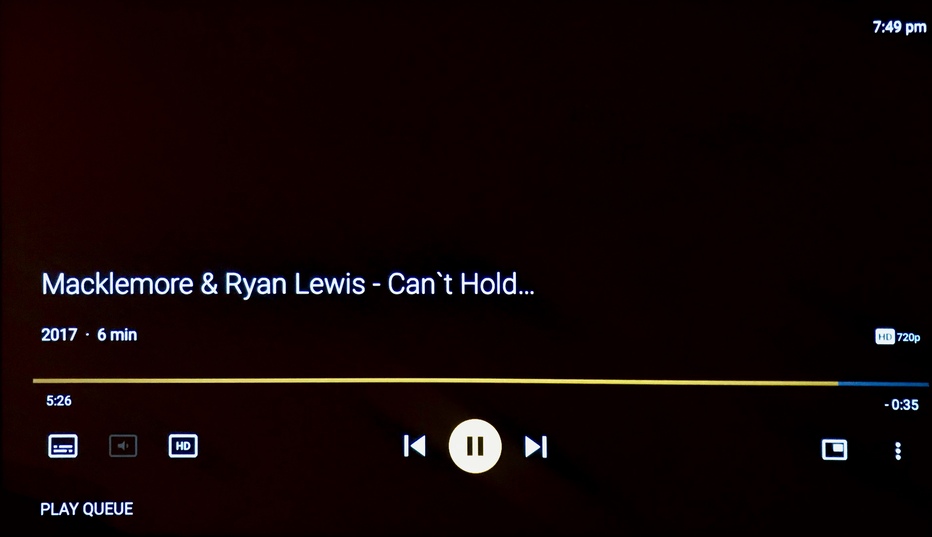
shuffle a show or season, works for a couple of episodes but eventually ends in a blank black screen. Pressing “select” button brings up timeline as if the video is playing except there is no sound or image.
After the timeline gets to the end, the next video plays again but this doesn’t always occur.
Occurs on both our Shield TV 2019 and Shield 2017.
Disabled Framerate / Resolution matching in Plex app but still occurs.
Plex Media Server: 1.19.5.3112 (smb)
Plex 8.4.2.19372
Android TV 8.0.2(32.5.205.105)
1 Like
Has nothing to do with our problem… Which hasn’t been fixed in 4 months now
theyre not able to reproduce
4 months, and you still haven’t posted logs.
There’s not much help to be had around here, but if you’re going to be able to get any help, you have to post your logs. Preferably you should also include when the issue occurred in the log, which file, the file XML, and sample to reproduce the issue. This is literally your best chance of getting help from an actual employee.
https://support.plex.tv/articles/201573117-android-android-tv-fire-tv-logs/
Multiple people have posted theirs. In another thread they said they forwarded the issue to the Devs and that was months ago.
They have logs from plenty of people. They said they could see the same behavior within the logs that many users have described. Plex has all the info they need and then some, this obviously just isn’t a priority for them.
1 Like
The new updates might have fixed it, finally. Been a whole day and hasn’t happed yet… On either of my shields
i use plex every day and get this error every day for over a year, no it is not fixed!
Don’t know what to say, been a problem for 4 months and this update fixed mine, hasn’t happened in 6 days buuuuut after getting to use emby till they fixed it I like it better, I don’t need a playlist for continuous play along with a few other things I like better
Then you might have a different issue than the one identified and fixed. Please provide a new log from the app after reproducing the problem.
could you explain a bit better on how to get the log you need, in the two hours since my last reply it has happened 5 times and to add salt to the wound its happening right now ;).

So, this had been happening to me, but hadn’t happened in a week or two until this morning.
Plex Media Server Logs_2020-09-03_05-22-41.zip (5.3 MB)
Plex for Android Logs (Noah0504).txt (275.3 KB)
I have the same problem too but on a Mibox. My Mibox 3 works fine but Mibox S does this.
I’m trying to capture logs but there seems to be a limit and the network logging automatically turns off. Is there a way to keep this on or pull the logs from somewhere else? I’d love to contribute and get this issue fixed, but just having problems trying to capture the logs for a long period of time.
The network logging option only enables the URL to grab the log for 20 minutes. However, the app is always logging, so you can turn the option on after reproducing the problem and the log information should still be there.
