Server Version#: 1.17.0.1841
Player Version#: Web 4.16.4
MCEBuddy Version#: 2.5.1
I record with HDHomerun tuners with OTA and I have MCEBuddy to remove the commercials and convert to .mp4 (for the smaller size than the .ts file) and this has been working perfectly fine.
Until recently (the last 2 weeks) I have been recording the new show EVIL on Plex but after recording the episodes and conversion, my meta data is being changed to the wrong episode.
Episode 10 aired 12/12/19 S01E10 but Plex has labeled it Episode 11

Even stranger is that the file shows the correct title of the episode ( 7 Swans a Singing ) but as as S01E11?
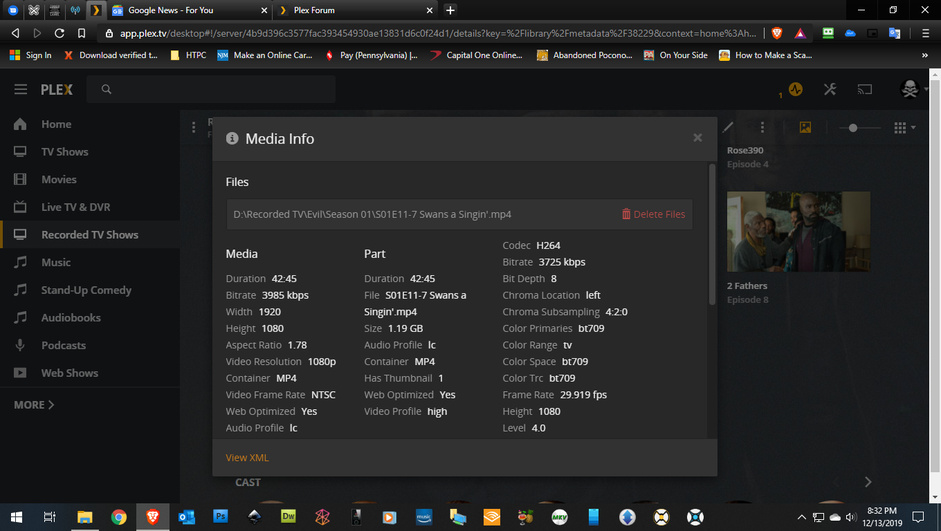
I thought maybe it was a MCEBuddy issue, but Plex is doing something odd to my recently added season one of The Conners (added to my plex on 12/13/19)…
Here is the screenshot of the thumbnails on my back-up files I have on my desktop external… all showing correct…

Here’s the screenshot of Plex’s thumbnails (not converted with MCEBuddy) notice episodes 4,6,9’s thumbnails (that’s Prodigal Son another show I record from OTA)
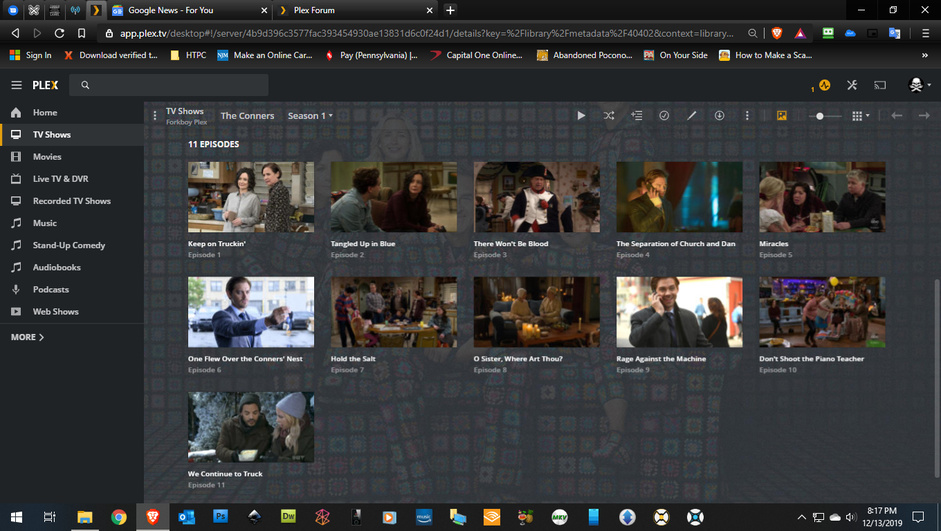
Just to be safe there are no commercials in the episodes (and they are from 2 different networks FOX/ABC) so the chances it is a grab from the files is kind of mute cause they aren’t advertising on other networks for their shows). EDIT: I also want to say the files (The Conner’s and Evil) play fine, but Evil causes a small issue when it does this cause it won’t record the actual next episode.
Any ideas?

