Hello,
I’ve been using Plex for a few years now with no issues I was unable to get past. This one has me stumped though. The summary of the problem is:
I added two new shows to an existing “TV Shows” library that already had about 20 series in it working fine (all processed and named the same way). The two new folders/shows would not show up. I typically use TheRenamer to name shows and create .nfo files. After beating my head a bit, I found an old version of Filebot and tried renaming the shows with that and still the shows still would not show up.
I tried the “Plex Dance?” mentioned in a post (see below) with no luck. I then created a new library where one show was detected but not the other. Below are specifics and screenshots of everything I’ve tried. Any assistance at all is greatly appreciated. If any more data is needed, or I posted this incorrectly, please let me know.
Specific bullets of what I tried, results and screenshots with settings / info:
Following my normal process, I renamed with TheRenamer and that creates an .nfo file that has the link to the IMDB page for the series. (same process for other 20 shows I have in Plex TV Shows) Did not show up or detect as recently added and could not be found with search
I found an older version of FileBot and used that to rename again. Current naming is from Filebot and my directory structure, I believe, is as required from Plex. (see screenshot below). When I add the Saturday Night Live and Sports Night shows, they did not show up at all in the TV Shows library. When I looked by folder the folders were not seen by Plex either, but they did exist in the same folder as the other shows. (screenshots below)




I noticed when I did a “scan library files” it would scan the folders alphabetically and it did not see the Sports Night folder or the Saturday Night Live folder when scanning (See scanning files screenshot below for what I mean here)

I found this thread and it looked promising. In short, I checked the metadata for the files (see metadata screenshot below) and did the “Plex Dance” outlined here:
The Plex Dance®:
remove show/movie from library
update library
empty trash
clean bundles
https://support.plex.tv/hc/en-us/articles/200392106-Library-Actions <— update library, empty trash, clean bundles
bring names and structures into compliance/ or the ultimate bundle reboot operation
replace corrected show/movie into library
update library
The results after this process were the same, I didn’t see any difference. I also so reference to local metadata causing issues. I moved all Local Media items to the bottom in the Agents settings as directed in other forum posts. (below is a screen shot of the metadata info on one file and agents settings)

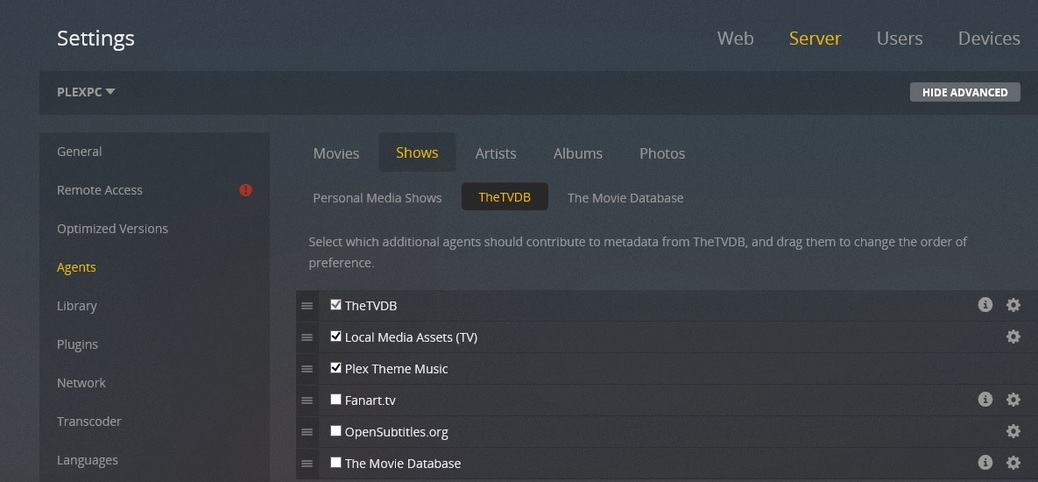
Next I created a new TV Shows Library and pointed it at two folders
\Television\Saturday Night Live
\Television\Sports Night
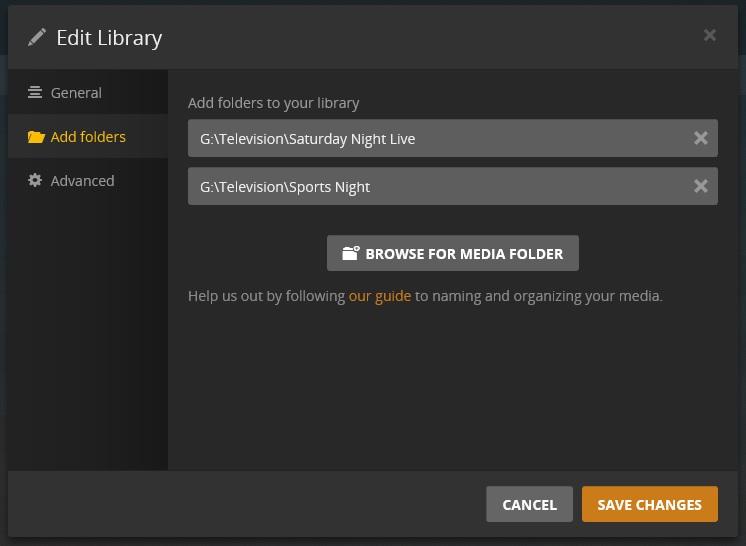
After this it detected the Saturday Night Live folders (season xx) but identified the show incorrectly and did not detect the Sports Night folders (see screenshot below) Saturday Night Live has 15 seasons and Sports Night has 2. The Sports Nights are not there


This screenshot is how it detected 15 seasons of Saturday Night Live. So all of these are really SNL: