Over the past week, Plex seems to continually drop my servers connection, but only if i access through app.plex.tv/desktop#. If i used 127.0.0.1, its all there just fine. I can have one tab showing 127.0.0.1, the other plex web, in the same browser, and only the local one sees the server.
If i reboot the computer, it shows up fine for a few minutes, than disappears again. Also, once i reboot and i can see the server again briefly, my home screen pinned items are removed as well.
MY devices in the house all are suffering from the same issue as well, as well all my remote users aren’t seeing it as well.
No remote access issues at all, everything is working fine there. It doesn’t seem to be an issue on my end, as far as I can tell since its only affected when accessing through app.plex.tv/desktop#
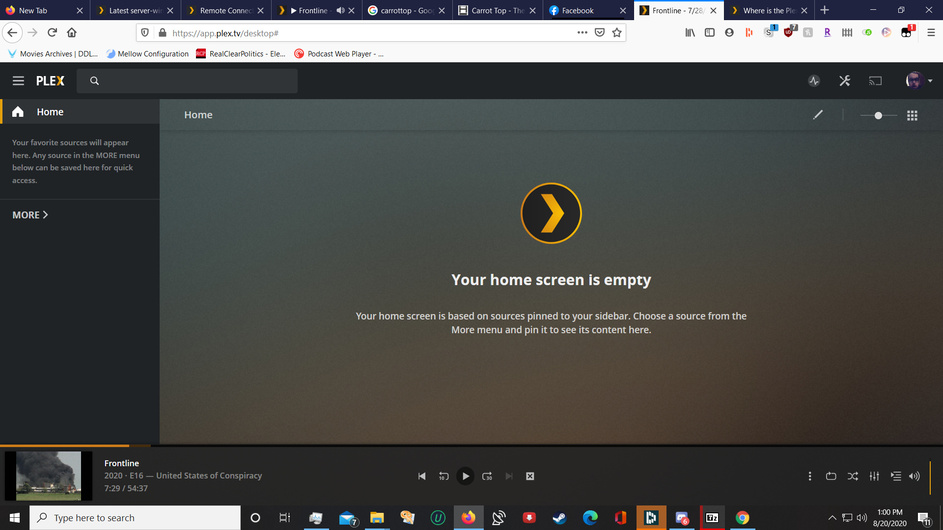
Below is a screenshot of how it still plays the initial video i started on reboot, but the server is gone again from the menu. Its also gone from the server list entirely if I clicked More.
Ive also discovered if i reboot it works temporarily, but if i refresh the webpage, and it tried to access it again, the servers disappear again.
It has to be an authentication issue, i’m assuming.
I appreciate you trying to help, but you that’s not the issue. Ive used Plex for about 8 years now, so i’m well aware of how it works.
The home screen is set up, and the server disappears, and the screenshot is how it looks when it disappears.
Its not empty, the server that the pinned libraries are on has disappeared, which is my whole issue.
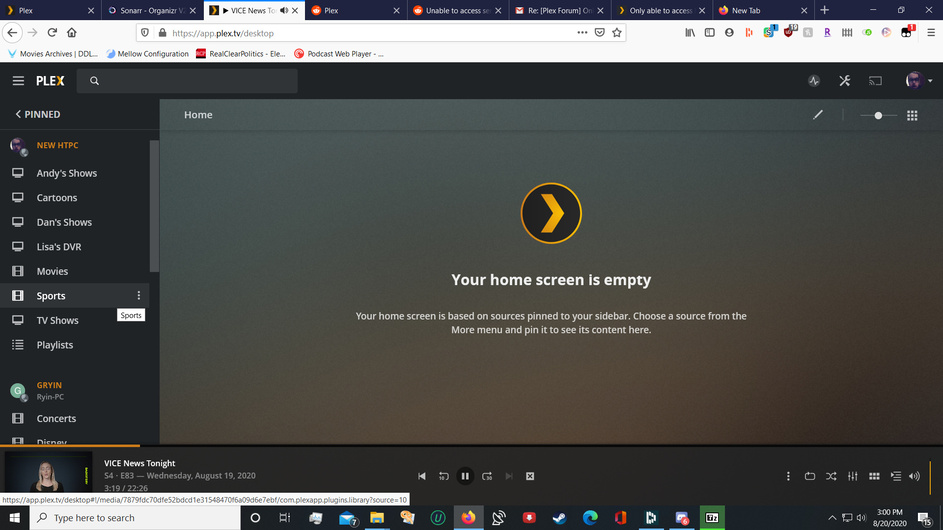
here is another screenshot of my server list, my server (HTPC), NOT new htpc, which should be at the top of this list, vanished. But you can see I started the video from the server in another tab, so its still open in this one without the server the video is being played from being listed at all.
It only works if I reboot the computer. I can start a new video and itll play for until the cached content is gone through, than it just stalls as the server disappeared.
Im trying to avoid having to completely reinstall plex and set it up back up again, because that sucks.
When you created “New HTPC” did you just clone the HTPC server? The PMS folder in app data and everything in Registry? It think both have the same machine ID (found in registry) and they are conflicting.
I don’t mean they are the same physical machine. I mean the Machine ID. If it is linux or Docker it would be in the preferences.xml rather than registry
I asked one of our back end devs to look at your account and they say your HTPC server shows as repeatedly being deleted then re-added to your account. Afaik the only way to deleted is on the authorized devices page in account settings. Though I suppose some script might.
Do you have anything like tautulli or anything that might be able to manage server as well? ( I have not personally used Tautulli in forever so not sure what it can do these days)
I’m not exactly sure how tautulli works these days so may have nothing to do with it but can you disable it or stop it from running. Then restart your HTPC server ( I don’t think you need to restart the computer just exit the server app and start it up again) then try to access via app.plex.tv.
I just want to get Tautulli out of the picture to rule it out.
Everything is still up and running. Thanks for being able to see something I couldn’t see. That is extremely helpful.
I work for Apple fixing macs all day long, so I know how unrewarding tech support can be, but I truly appreciate you steering me in the right direction with this one.
Ill go to tautulli’s discord to figure out why it was doing that.