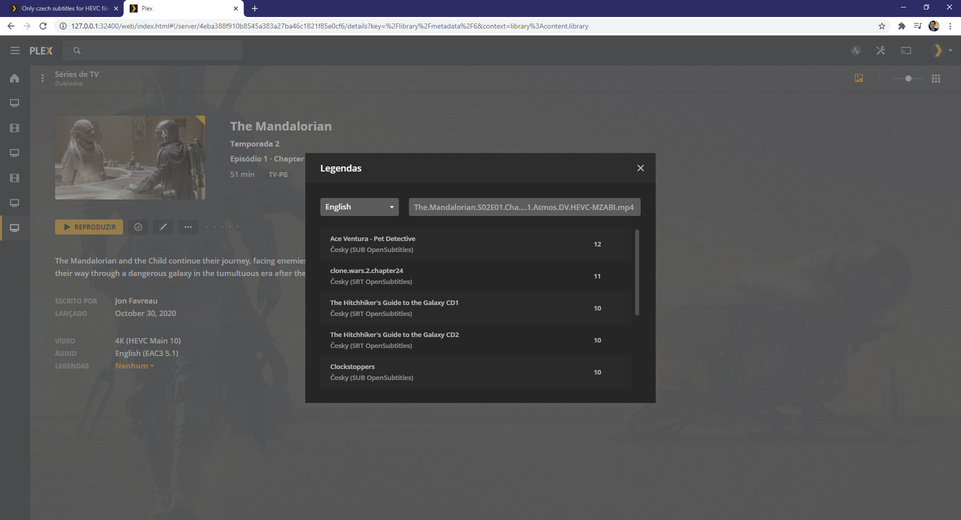
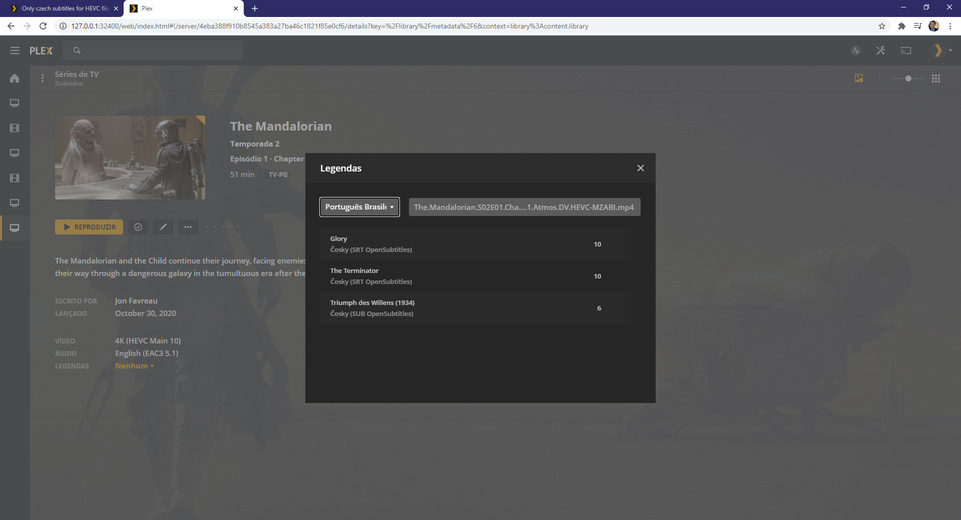
Hi,
I recently started downloading HEVC files… weirdly the PLEX server does only download czech subtitles :D?
I tried changing the filename, but only czech subtitles, nothing else shows up…
2 Likes
- What’s your default language (plex.tv -> my account )
- What’s the machine’s locale set for? (control panel)
- Are you sure they are downloaded and not embedded?
- and 2. both english (uk) and yeah - also tried downloading again for several different files… only cesky shows up

The subtitles are not embedded - during the search for further subtitles from opensubtitles nothing shows up besides cesky.
The Language for the library is already set to english.
Please see the screenshots of a “normal” file vs. the HEVC file attached:
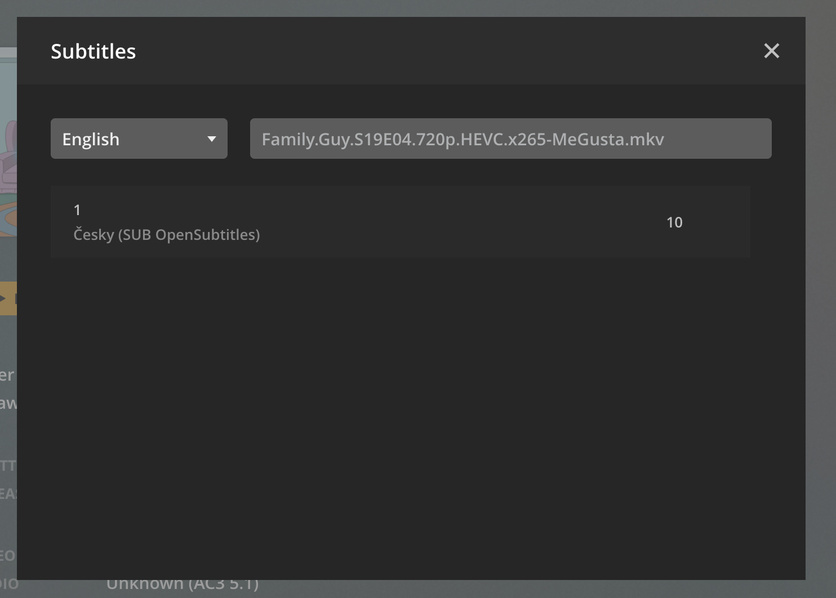

Hi, i’m having the same issue but NOT on hevc files.

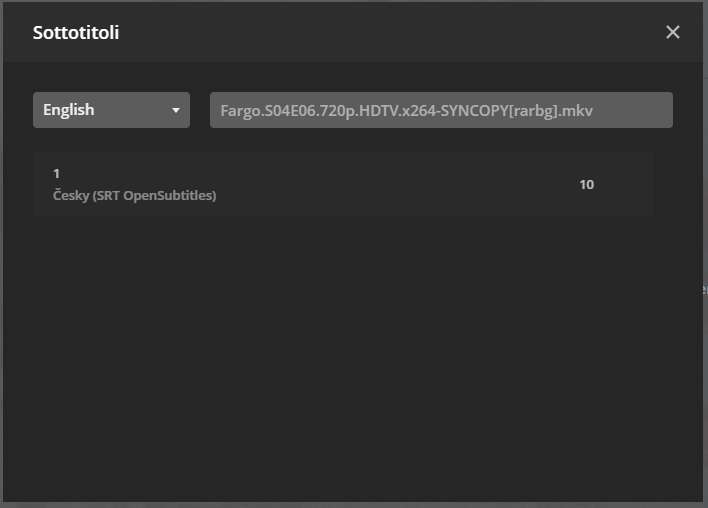
both files have SYNCOPY in their name, but it happens also if i search for example “supernatural s15e16” thus removing the team’s tag.
2 Likes

?
so the air date is long before the day i watched them… 27 > 22 and 27 > 25 right?
don’t get me wrong, but your previous answer doesn’t fit to my issue.
there were subtitles for those episodes. i had to manually go to opensubtitles and download them.
edit:
i expect that when i search i.e. “Supernatural S15E16” it shows me all the matching results regardless of what the file name is, like it always did.
At the time there were some 1080p subtitles and i manually downloaded them.
Right now there are subtitles matching the file but still the same issue:

and for the latest episode aired yesterday is the same thing:
subs on opensubtitles but plex can’t find them:

1 Like


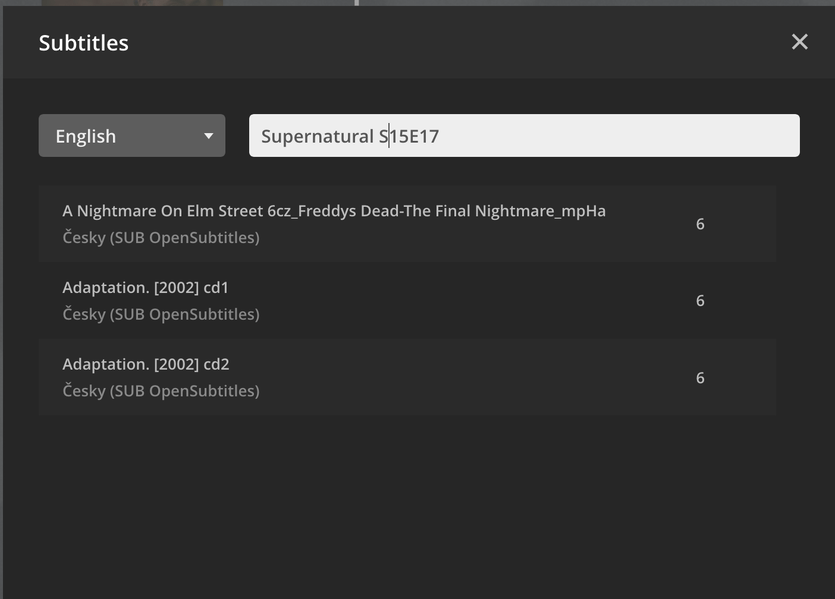
Same issue here but for all files.
Plex cant find some subtitles that “do” exist in open-subtitles.
when that happens instead of getting the correct subtitle it gives an entire list of Czech subtitles.
This is a bug of sorts that started about a week and a half ago.
Please fix it. by the number of people saying they experience it, I would assume you would figure out it’s a bug by now.
3 Likes
Same issue.
1 Like
Same.
1 Like
Same issue for all of my media. This happened recently. I can see they have subtitles available, but Plex only shows this “cesky” for everything. Anyone hear back from Plex Support?
I am not a big user of this support forum so I am not even sure if there is a way to get someone to pay attention to this issue. How do we get through to Plex Support? lol Just hope they read this?
Can you help us figure this out. It’s happening with everything new that gets added to my library. My default is English. Always had been. Every show, always cesky. Cesky is the 1 and only option
Did you manage to figure out why this “cesky” is the one and only option for subtitles to shows now? My default is English. I have even downloaded the subtitles to the appropriate folder. Names them correctly. Yet Plex won’t allow me to select anything but this “cesky” subtitle.
1 Like
Any solution?
1 Like
Sorry for delaying. I’m trying to figure out why this would happen.
What is the locale set for on the server?
from the command line, it will look like:
[chuck@lizum ~.502]$ locale
LANG=en_US.UTF-8
LANGUAGE=
LC_CTYPE="en_US.UTF-8"
LC_NUMERIC="en_US.UTF-8"
LC_TIME="en_US.UTF-8"
LC_COLLATE="en_US.UTF-8"
LC_MONETARY="en_US.UTF-8"
LC_MESSAGES="en_US.UTF-8"
LC_PAPER="en_US.UTF-8"
LC_NAME="en_US.UTF-8"
LC_ADDRESS="en_US.UTF-8"
LC_TELEPHONE="en_US.UTF-8"
LC_MEASUREMENT="en_US.UTF-8"
LC_IDENTIFICATION="en_US.UTF-8"
LC_ALL=
[chuck@lizum ~.503]$
This tells the systerm: Default language = EN (English), Geolocation = US, Character set = UTF-8
Also
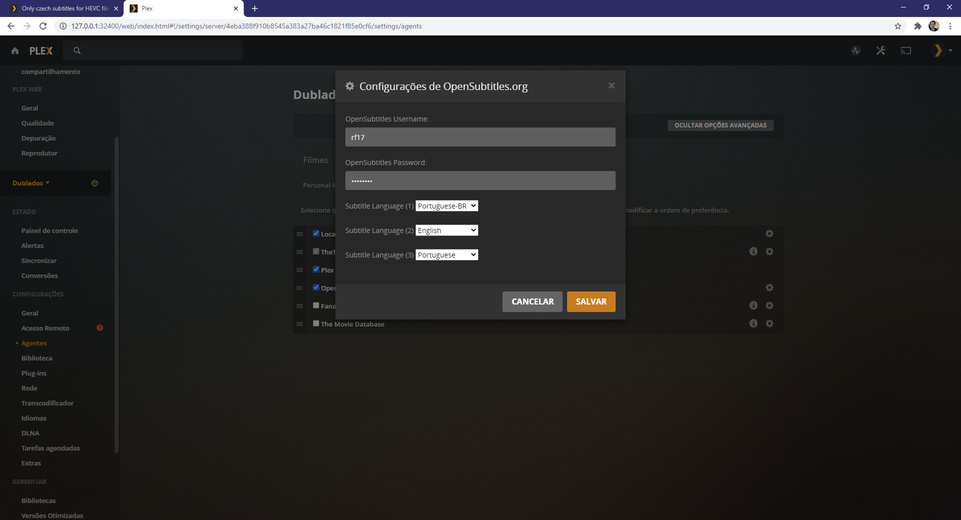
check what your settings are here:
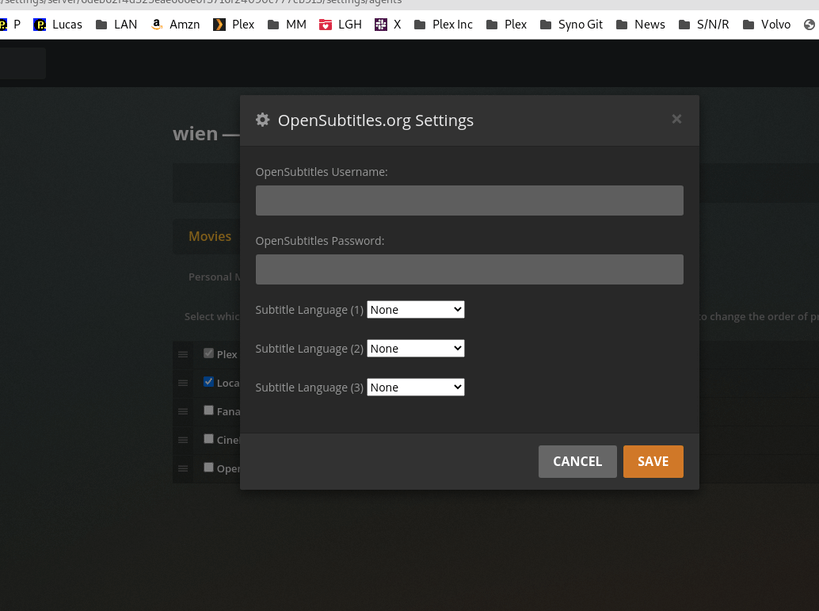
As a test - change them them / save / change back / save
now test again.
1 Like
I’m checking on something now. I’m tracking the steps
Hello, I don’t use the server, I use a friend’s server.
But I did an installation from scratch here, the only thing I did was look for a library and set the opensubtitles information as shown in the images below. I did not find where this locale file is located, but as I did a new installation, I believe the value is by default.
I sent by DM a torrent link of that same file, in case you want to download and perform the tests.
EDIT: You do not accept private messages for me to send you the file @ChuckPa