Server Version#: 1.18.3.2156
Player Version#: 4.18.1
Greetings,
I’ve searched and I’ve been unable to find an answer that makes sense to me. Apologies if it’s out there somewhere. I’m trying to optimize a movie but I’m getting the error, “Converted files cannot be written to the server’s disk”. Obviously, this has something to do with the permissions. I’ve tried to play around a little in the control panel, but I haven’t had any success. When it hasn’t worked I’ve always put the settings back to what they were before, fearing messing things up even further. I guess the problem is I don’t know what the permissions SHOULD look like for everything to work smoothly. If it helps, my videos are all in the Shared folder under Video. Any guidance would be most appreciated. Thank you.
To Optimize movies means Plex is going to transcode then in advance and save that output file with your media in the media’s directory.
To do this.
Control Panel - Shared Folders - EDIT the media share - Permissions give user Plex permission to write.
Alternatively, you can setup a share where Plex can write, add that share to the list of monitored directories Plex uses, then select it as the destination when optimizing.
Thank you but alas, still showing the same error. I note that the although I checked Read/Write for Plex, the Group permission still says Read only. Could that be the problem?
Dec 19, 2019 09:57:36.786 [0x7efbedc63700] ERROR - Error creating directory "/volume1/video/Movies/Spider-Man - Far from Home (2019)/Plex Versions/Optimized for Mobile": Permission denied
You’re using the defined video share. Synology has historically caused problems there because they have special permissions beyond our control.
I recommend moving to a dedicated “Movies” share (also repeat for other library sections).
Here’s the HowTo on moving the data without losing metadata or watched status history.
Now, on Synology, Remember to give user Plex R/W permission to this new share as well as giving your username R/W permission.
This might be out of your scope but would you recommend I set up data checksum (for advanced data integrity) for this new shared folder? There seem to be conditions under which it’s recommended you NOT use that feature but I’m not sure if this is one of those conditions.
I just started working on this and there are always questions. Sorry about that.
Ok, You’re using BTRFS file system on that.
Because it’s BTRFS, you won’t gain anything by enabling it. BTRFS is, sorry to say, bad.
Future development of BTRFS has been abandoned by all the main distros (Redhat, Debian, etc). Only Synology is steadfast in their insistence on using it.
If you are still at the point where you can offload the NAS and create the volume as “EXT4” formatted, I strongly recommend you do so.
There have been far too many Plex users who have lost their entire volumes due to BTRFS.
My Syno is formatted with EXT4. As you can see below, This is not an option.
Oh heck. Thanks for the information. I’ve gotten conflicting information on that. Some of the YouTube videos I’ve watched (https://www.youtube.com/watch?v=er0889N40Ko), recommended it. Anyway, I think that ship has sailed because I have no easy way to offload everything I’ve currently got. Fortunately, I do have backups, both local and cloud, in the event of failure.
All that said, as you’ve suggested, I’ll leave the data checksum option off for these new folders you’ve recommended I set up. Thanks.
The use case where it helps is when only a single drive, stripe (RAID 0), or a mirror (RAID 1) is used.
BTRFS provide a minimal level of protection by embedding parity in the formatting itself.
On a RAID 5 or RAID 6 volume, you end up with double parity. Parity in the file system and again in the logical volume itself. It serves no useful purpose other than waste CPU resource (which is at a premium in most NAS units)
Minimal parity protection is always better than no parity. It allows for some amount of lost data recovery should a sector go completely bad on you before being detected in the monthly SMART and parity scans.
Ah well maybe I’ve done the right thing by formatting as BTRFS because my NAS only has two bays so higher RAID levels aren’t possible. That said, I’m formatted as SHR which I gather is a variation of RAID 1.
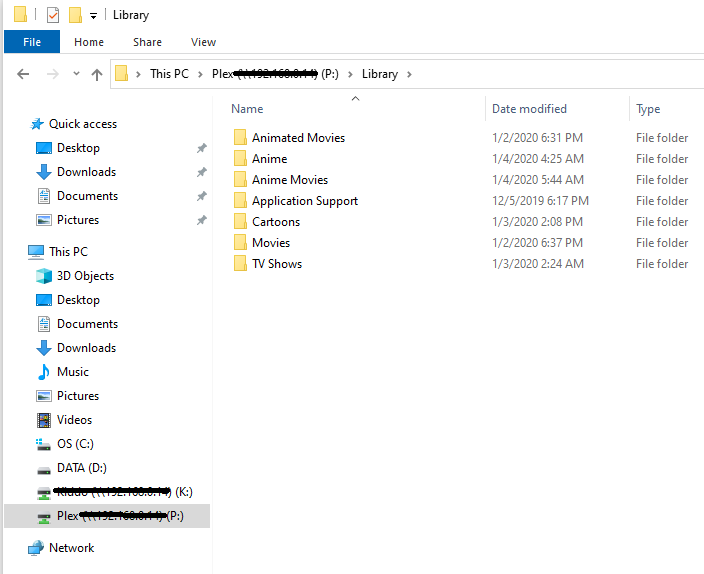
One other update on this movement of my media. I’ve discovered that your suggested paths will mess up Filebot’s automation (unfortunately, I already made the move). Since I really appreciate the one button renaming and sorting of my ripped files, what I think I’m going to do is move the files again into a path like:
Just to add, I made the moves as you outlined with my path tweaks. Everything is working beautifully. Thank you again for all your advice and assistance.
Hey wwoolrich, I see you got everything to work. If you don’t have a massive amount of files I would try to start over with SHR(I used this as I will be drive swapping down the line). I originally also had a 218j and moved up to a 718+ as a back up/media hub. I will show my plex folders if that will help any.