Hello,
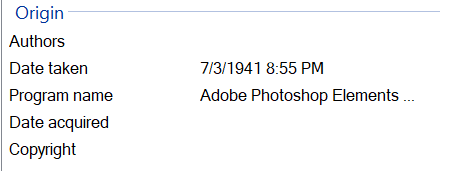
I have built my photo library (400 files in different folders). Initially time line was build in the right way by detecting the “Data taking” property of the file, as shown below.
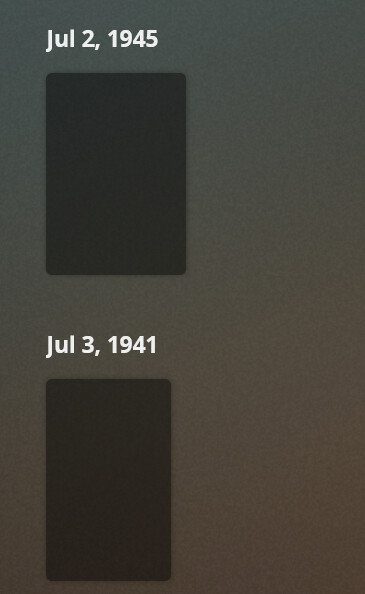
After some time bottom files become not accessible through its position (web and android application), but appear in wrong position with wrong date, while the date in XML file is still the same.
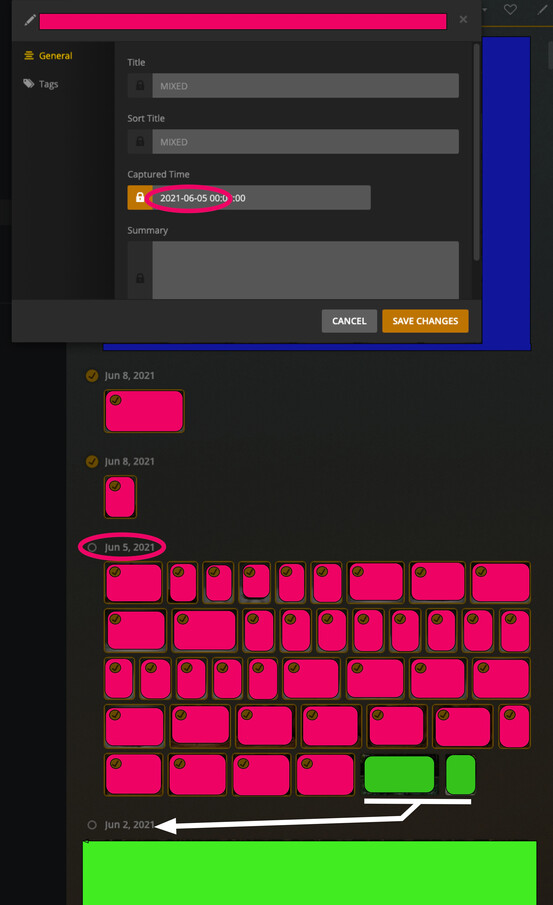
I am also having this issue. There is a date that is stuck and will not go away. Any photos that are added with the next earliest date will get caught. It take the first 2 photos and puts them under that date and will shift up the first 2 of the following date and shift them up to fill the out of place photos.
I have removed the photos that were originally caught in the issue and it just did the same to all the next closest photos. I have emptied trash, cleaned bundles, and scanned libraries many times and the issue persists.
I have the same issue. I am running 1.23.3.4707. I have completely deleted my photo library 3 times and recreated it. Each time, the timeline looks correct for a couple of days. Then, after no changes, the timeline gets out of sync with the metadata of the files. The current dates are correct, but then as it goes back in time, eventually some pictures are put on the wrong dates. This then cascades to all earlier photos. As a result, if I scroll to the beginning of my timeline, there are empty thumbnails, but no photos.
As an aside, it does appear that Plex still recognizes the correct dates because the correct dates are used in the “Photos from This Day” or “Photos from this Month”. It just appears to the Timeline that becomes corrupt.
Rebuilding the library from scratch is not a solution because all the metadata is lost, and the “fix” only appears to work for a couple of days. Maybe a Scheduled Task is corrupting the data?
Hey Plex support, bumping this thread. Please set your devs to work on something really pivotal to the actual usage of the app, rather than “Sonic Analysis”.