I recently upgraded and DL’d the PlexAmp app. When I download music locally to my phone, and play it, the server shows me streaming the music from the server. When I put the iPhone into Airplane mode, the downloaded media still plays and the server then shows no activity. I turn airplane mode off whilst the media is playing, get a network connection on the phone and then the server kicks back in and shows the media being played from the server.
Is this normal?? I assumed that playing downloaded music within the download section would play the music from local???
PlexAmp does attempt to reconnect to your Plex Server to update the status of your client, but depending on your PlexAmp settings, such as having Prefer Downloaded Media turned on, your PlexAmp will only relay the connection to update the server with the current track status, NOT actually use the server to retrieve the file. If you have it set to Always, PlexAmp will use the files downloaded to you device.
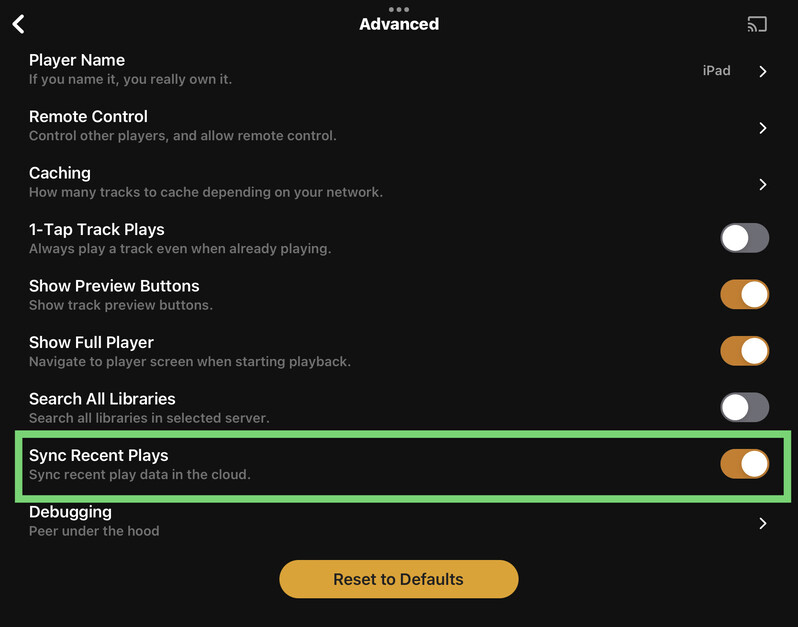
There’s also a setting Sync Recent Plays, which also sends information off your PlexAmp client once it reconnects to your cell network or WiFi connection.
One thing that’s important to note is that if you access your music via the DOWNLOADS tab, then this is all the content that would be considered local to your device.
If you were to access your music via the Home, Library, and Search, then, you’ll more than likely will be streaming your music directly off your server because it has reconnected remotely via your cellular network.
Awesome, thank you so much. It’s the Prefer Dowloaded Media bit (always, Cellular etc) . Makes total sense now. That’s what I was not seeing. I wanted it to play downloads when out on the road so it didn’t consume cellular data. If I leave it on cell it won’t server connect when out and about.