Server Version#: 1.32.5.7349
Player Version#: 1.76.2.3951-15712eae
There appears to be a bug in the Plex auto-updater function of the Player app on macOS. It fails to update correctly when the user account is a standard user and not an administrator.
While the Plex updater asks for an admin username and password to allow the update (as expected), and the app appears to be installed, the app bundle in the Applications is left in a strange state after the update.
The first strange issue is that it behaves as a folder rather than an app when clicking on the Plex app through a folder in the dock - e.g. if you have the Applications folder in the dock with items displayed in Grid or List mode, and you click on the updated Plex app, it opens it as a folder rather than an app. The date on the app is also oddly set to 1 January 1970 10:00AM.

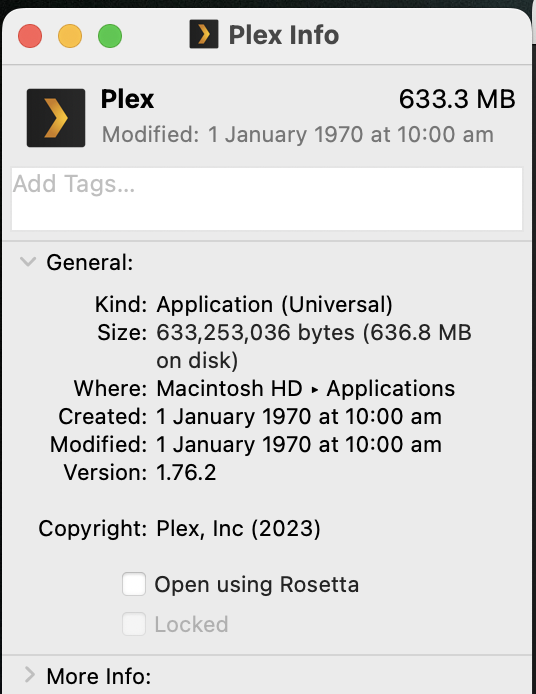
Installing the app normally by copying to the Applications folder and entering an administrator username and password the app will then open fine through a folder in the dock and displays a date which is much closer to the current date (e.g. 15th of August 2023 for version 1.76.2).
It is easy enough to work around - I just don’t use the auto-update and have to download the app from the website and copy it to the Applications folder replacing the old version. I just thought I would mention it as an issue, since it has been this way for a long time. It would also be nice to just be able to use the auto-update function.
