Server Version#: 7.01-42218
Player Version#:4.74.2
I can’t connect my Nas to Plex. I’m not very tech savvy, and have tried some things that I’ve found just kind of looking around here. I couldn’t tell you what I’ve done, just tried to follow what others have done without any success. I have a Synology Nas, on an Apple iMac. Can anyone give me a step by step on what to try in order to connect my Nas to Plex again? I have a large library of music on there, and I’d like to access it again.
I’ve check the authorized devices, and my Nas is not listed, but it used to be. Thanks in advance for your help.
Can anyone help? I haven’t been able to use Plex for about a month now, and I would like to access my music library that I keep on my NAS.
Where is Plex Media Server installed, on the Synology or on the iMac?
-
Look in Authorized Devices: https://app.plex.tv/desktop/#!/settings/devices/pms
Any servers listed? If so, what version and on what platform?
-
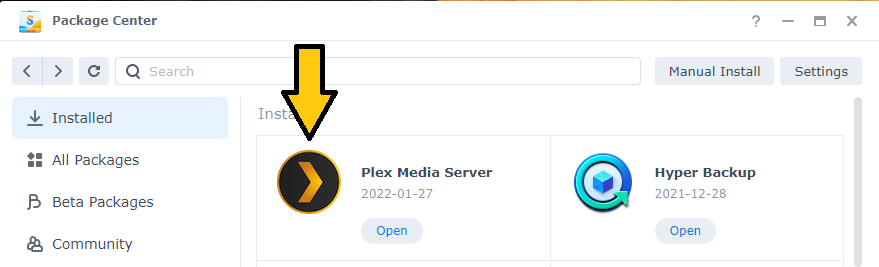
Login to your Synology NAS. Launch Package Center. Look at the list of installed packages.
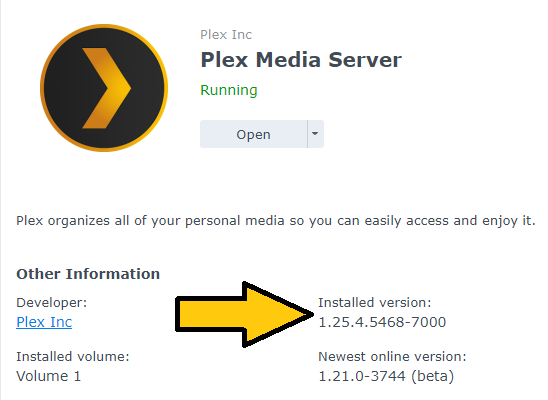
Is Plex Media Server listed? If so, click on the Plex icon. What is the installed version?
----------------------------------------------
Synology Package Center
Plex Media Server
Hi FordGuy61. Thanks in advance for your reply.
I looked in Authorized Devices, and my iMac is the only server listed. I don’t see my NAS listed.
I looked at the Package Center, and it shows the Installed version as 1.21.0-3744
I don’t know what happened, but last night Plex started working again. It was really strange, because I didn’t do anything…it just started working again, and it was able to find my NAS somehow. Anyway, I’m happy now. I have access to my rather large music library again. Thanks whoever fixed it.