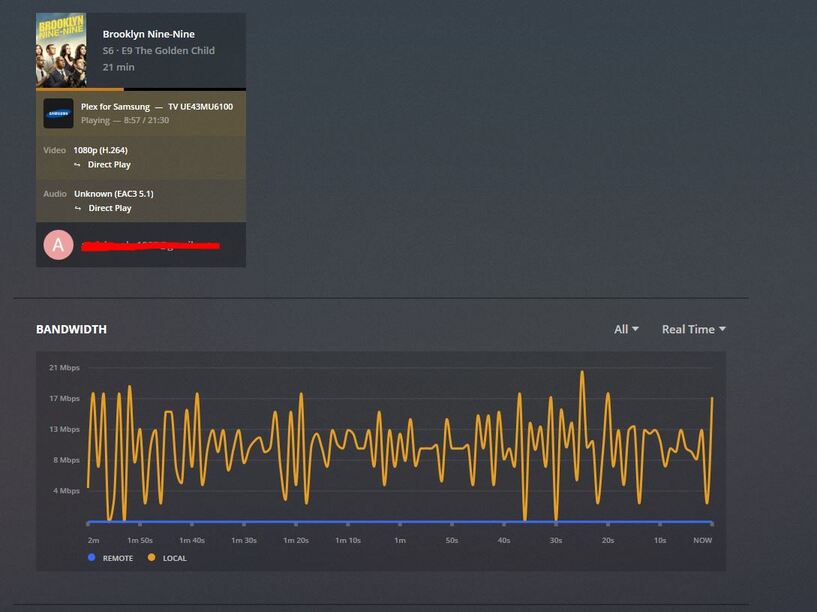
Server Version#: 1.14.1.5488
Player Version#: Multiple latest (Plex App for iOS, Samsung TV, LG TV)
Hi,
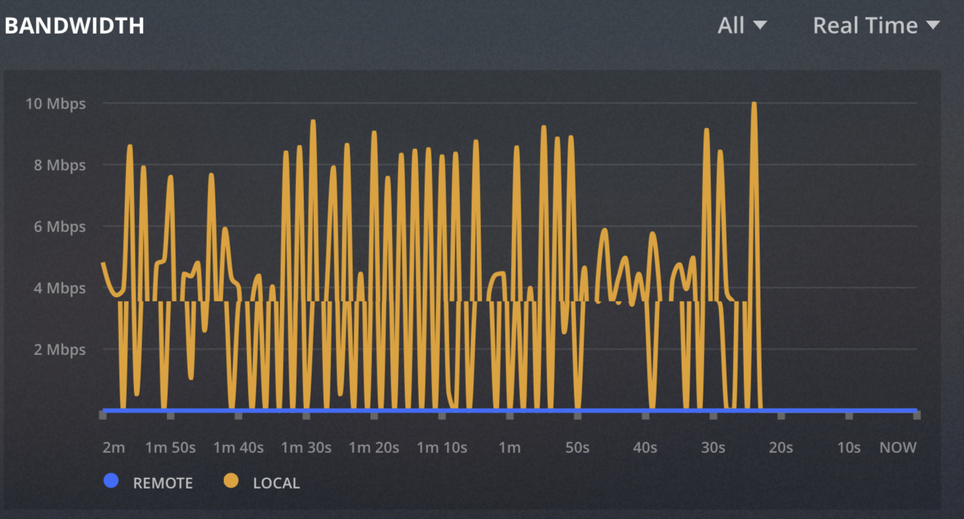
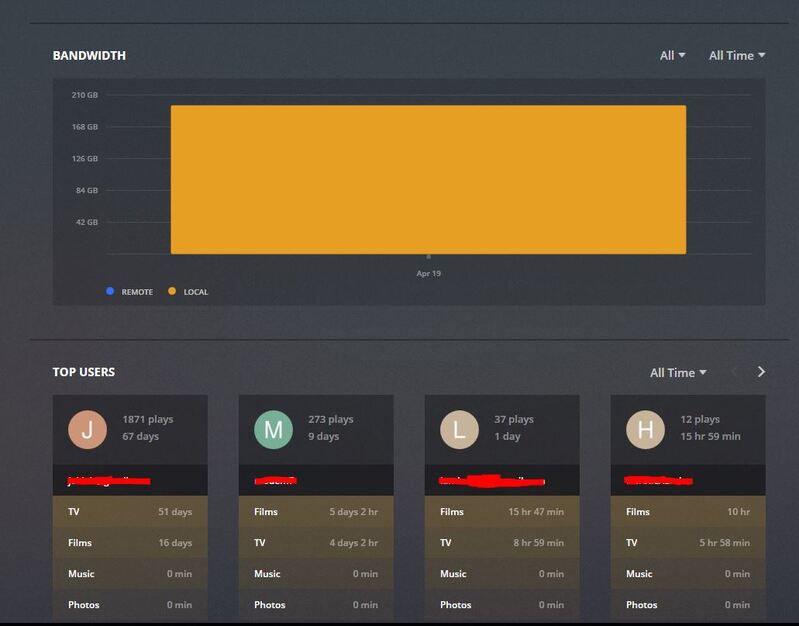
My Dashboard view on the server seems to be showing all traffic (local and remote) a local. The remote bandwidth graph line remains at 0. I have tested this via multiple clients whilst abroad over the Xmas period playing from TVs and Plex iOS - no change.
I am running PMS on a Synology 918+ using the latest PMS docker image, sitting behind my Netgear Nighthawk router using manual port forwarding to the Plex instance on the Synology drive. I am not using a VPN to connect to the home network - all clients are going over public internet to stream.
I am having the same issue! BUMPING
To be clear, the remote bandwidth used to work perfectly before on all web browsers before.
Now, I only can see the bandwidth data when using a browser on the computer where the plex server is.
I’ve tried logging out in Plex Web Browser, clearing cookies, clearing all browsing files, used Chrome, Edge, and IE as troubleshooting steps
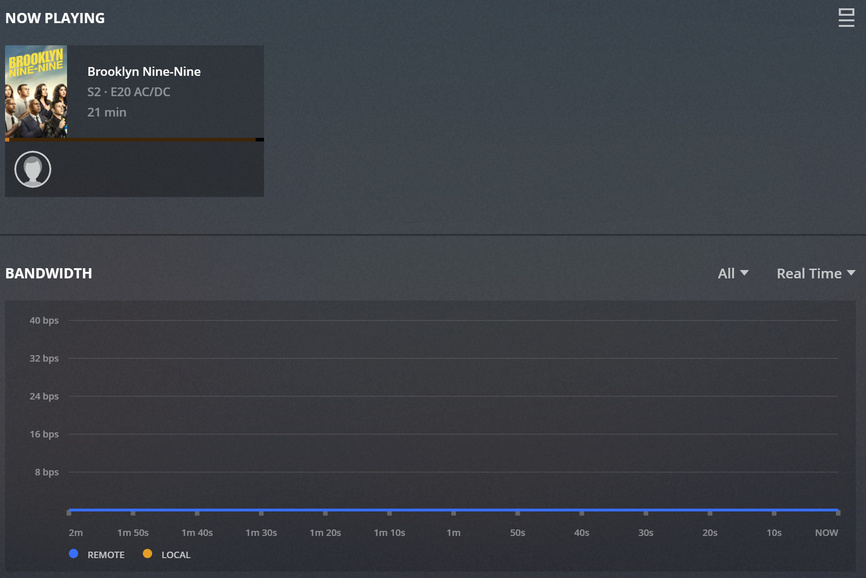
I believe I have the same issue. My Plex server runs on a QNAP 453Be, just as an app - not a container. However, I have never seen any information in the Real Time Bandwidth view (assuming since everything is Remote).
I did double check the network request panel in the dev tools, and I DO see the requests polling ~1/second to get bandwidth, and it appears the bandwidth information is actually in there - but for some reason the graph won’t ever budge from showing a flat line. I have verified that All Users (Remote & Local) as well as Real Time is selected in the filters.
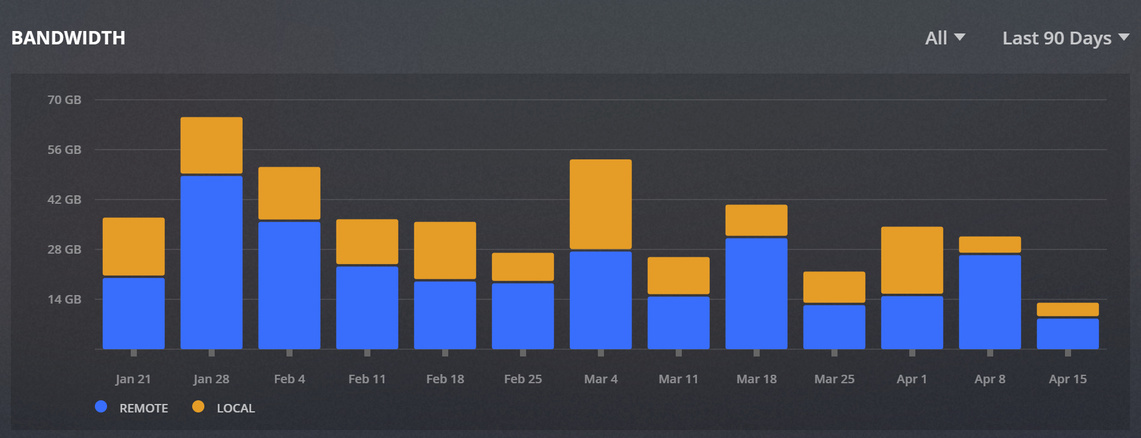
If I instead switch to just historical view, the graph does populate with information, so it’s not broken for ALL use cases.
My server version is 1.15.3.876, web client 3.83.1.
If wanted I could attach the server logs - but since the requests appear to be polling correctly in the browser, it would appear that you may want the client/web logs? If someone can confirm what would help to solve this problem I’d be more than happy to provide what information I can.
I THINK that remote is determined typically by anything that is NOT the local device. As well, I believe that if they are in the local subnet, or listed in Settings > Network > “LAN Networks” that they may also be considered “Local” but not 100% sure on Plex’s definition to be honest.
In my case, since it doesn’t list label my players/PC on the same network under Realtime, then I am not sure if that means that plex technically thinks of them as Remote. I’ve added my local subnet to the list mentioned, but I still don’t see information. That’s why I wonder if “Local” literally means “just the server”.
I don’t want to contribute too much to this answer though since I don’t know for sure, I’d hate to muddy the problem/topic.
Local should be anything on the local network (e.g. 192.168.0.x), and anything remote should be anything out of your local subnet, that’s the definition of local and remote when you’re talking about your network.
I know that regarding networks, but wasn’t/am not sure if Plex takes a more restrictive definition for local to mean only the server. I don’t think it does, but then I would wonder why I never see any bandwidth even from Lan players, whereas the other people in this thread Do at least see Local bandwidth in the real-time chart.