Server Version#:Version 1.16.4.1469
Player Version#:Version 3.104.1
I followed all the instructions to add theme.mp3 to some TV programs. Some worked and some didn’t.
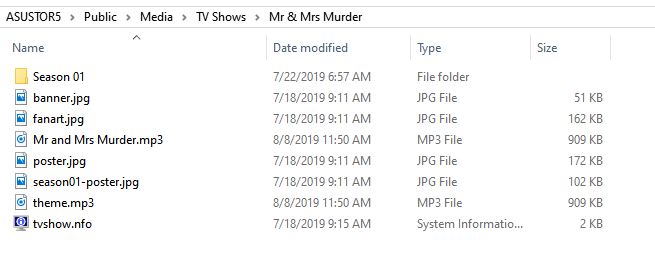
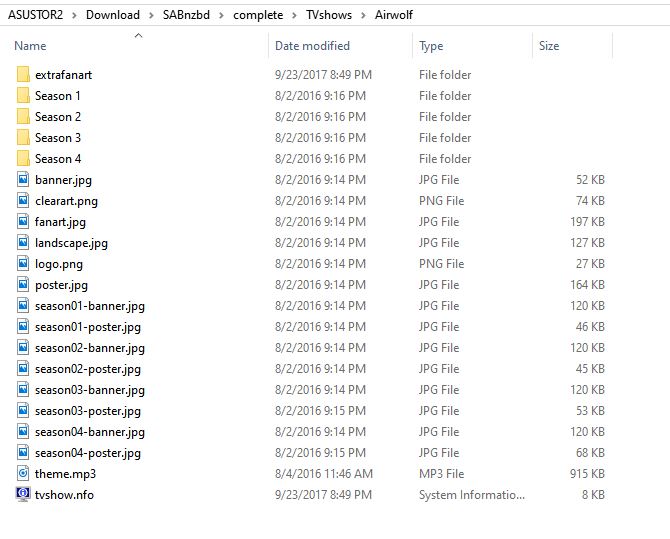
My TV shows are contained on two shared directories (see the attached image). Adding theme.mp3 worked fine when I added it to programs in the 1st directory (circled in red), but didn’t work in programs stored in the second directory (circled in blue).
As a final test, I moved a program from the 2nd directory to the 1st directory and the theme played.
Permissions appear to be the same on both directories.
Is this a known issue? Is there any way to correct this?
I’ve run out of space on Asustor2, some new tv shows are recorded on Asustor5.
I actually have found a work around. If I temporarily move the program to asustor2, and do a fix match, the theme will play. I can then move it back to Asustor5 and the theme will continue to play.
This suggests that the local media asset agent ONLY scans the first path under TV Shows. If you have multiple paths with only TV shows with themes in the Plex central database, you would never notice this bug. By temporarily moving the program into the first path, the local agent will scan the local file and put it in the bundle. Once it’s in the bundle, it doesn’t matter what directory the TV program is in.
I bet many of the problems posed in this forum about local themes not playing are the result of this bug.
I’ve not seen anyone else mention local themes not working.
My question was specifically that your PMS library shows you using “share\Asustor2” as the path to your media. But your screen shot of the files shows “share\Asustor2\Download\SABnzbd\complete\TVshows”. This is the path you should be using for your library. If you point your library up several folders, then you may not get the results you are looking for.
I have two NAS servers, Asustor2 and Asustor5. The PMS runs on Asustor5. The only way for PMS to have access to the content on Asustor2 is to mount the Asustor2 shared folder on to Asustor5. “share\Asustor2” is the mount point on Asustor5 for the Asustor2 folder “\Asustor2\Download\SABnzbd\complete\TVshows”.
In any event, the content in the folder “share\Asustor2” has no problem having local content scraped by the local agent. It’s the local shared folder on Asustor5 “/share/Public/Media/TV Shows” that has the problem. After all the tests I’ve run, I am positive there is a bug in the local content agent where it ONLY scraps the first path in the TV Show list at least for theme.mp3 and possibly fanart.jpg, poster.jpg and tvshow.info.
It makes some sense, because the local content agent would have to be recursively called for each path in the list. However, this behavior should be mentioned in Plex’s documentation.
As I said previously, most wouldn’t notice this bug because: 1. they only have one path to tv show content or 2. they have a second path and the theme is already in the Plex Pass database.
OK. Here is the log. The program is “Collector’s Call” which I recorded off METV using the DVR function built into PMS. This program has no entry in TVDB. I did the dance plus I optimized the DB before moving the program into the path. The theme was recorded using Audacity by playing the video while running Audacity. This procedure has resulted in a theme.mp3 which plays for TV programs in the 1st directory in the list. I do not have any poster.jpg, fanart.jpg or tvshow.nfo file in the root directory of the program “Collector’s Call”.
For that show you have most of the episodes using the SxEy format, but 1 is date based. I’ve seen some issues with date based shows. I wonder if that is causing the issue. Can you try renaming that last episode to use SxEy and trying again? Other than that, I don’t see any reason why the theme wouldn’t be found. I see the scanner found the file, but it’s not going through the routine to set this file as the theme.
If the theme still doesn’t work, can you try another show and get me new logs fro that attempt.
I eliminated the episodes that didn’t follow SxEx, refreshed library and metadata for Collector’s Call and still didn’t play theme.
I am sending you the log file and theme.mp3 for “Ancient Skies”. It only has episodes that follow SxEx, is in TVDB.com, but has no theme from Plex Themes, I did the Plex dance (removed show from directory, refreshed library, optimized DB, deleted bundles, put the show back into the directory, refreshed the library and metadata) and Plex did not play the theme.
I eliminated the episodes that didn’t follow SxEx, refreshed library and metadata for Collector’s Call and still didn’t play theme.
I am sending you the log file and theme.mp3 for “Ancient Skies”. It only has episodes that follow SxEx, is in TVDB.com, but has no theme from Plex Themes, I did the Plex dance (removed show from directory, refreshed library, optimized DB, deleted bundles, put the show back into the directory, refreshed the library and metadata) and Plex did not play the theme.
Here is log file. I tried to send the theme too, but it bounces.
I can see in the logs that the process to match the theme file isn’t being triggered. It might be specific to the Asustor build, since it is working fine for me on Windows.
As another test can you create a new folder on that asustor5 called “TV Show 2” along side the “TV Show” folder. Move over 1 show to that location, then create a new library pointing to that location. I’d like to see if the theme gets picked up there to rule out an issue with the path.
I took Ancient Skies and moved it to a new folder completely outside /share/public/media/TV Shows, added the new folder path in PMS, re-scanned library, refreshed metadata and it played the theme. There appears to be an issue with the path. Plex created /share/media/TV Shows when I installed it on the NAS. I looked at permissions and groups and they appear to be the same as the paths that work. The non-working path could have been created at the time I turned on the DVR functionality. In any event, there is something wrong with the path. I plan to simply move everything to the new path.
I no longer use the DVR function (because the new schedule service doesn’t accurately assign SxEx numbers and the TS files just eat up too much space). I’ve switched most of my DVR needs to Tablo and use Sonarr for the rest.