So something weird is going on. I decided to use my Synology nas after 1.5 years. (Have used my imac in the meantime) Plex still works and I can watch movies without any problem that were already on there.
But when I add a new movie in that same folder where the movies already are plex doesnt recognize the new files and it doesnt show up on plex.
BUT when I create a new folder and put this new file in there and add a new library in the settings of Plex the new movie does appear for some reason. So it kinda works. But when I add another new movie in this new folder Plex doesnt recognize it and i’m stuck with the movies that were on there. Its so weird. Could anybody please help me?? And yes, plex has all the correct shared folder permissions! I looked into that. I have also updated my synology and plex to the latest versions.
I’ve tried to look into other threads, but I couldn’t find a solution. I hope somebody could help me!
Plex Documentation → Your Media
→ Naming & Organizing Your TV Show Files
→ Naming & Organizing Your Movie Files
Plex Media Server version? 1.41.x.y, 1.42.x.y, etc.
DSM version?
It is usually naming/organization or permissions, but there can be other reasons as well.
Please show how you have the movies named and organized. A directory listing, screenshot, etc. that includes the folder added to the library and the file’s extension (.mkv, etc.).
Make sure the user Plex (DSM 6) or system internal user PlexMediaServer (DSM 7) has at least read only access to the files. See FAQ 19: Setting permissions to allow Plex access to media files.
If the above does not help:
-
In Settings → server_name → Library, enable Scan my library automatically (this adds some additional information to the log files).
-
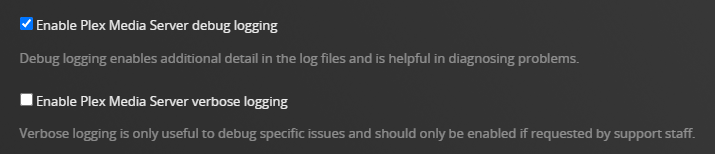
In Settings → server_name → General + Show Advanced, ensure Plex is configured for debug, not verbose, logs.
-
Stop Plex Media Server and wait one minute.
-
Start Plex Media Server and wait two to three minutes for it to fully start and log the startup sequence.
-
Scan one of the troublesome libraries.
-
When the scan has finished, pull the server log files (settings → troubleshooting) and post them to the thread. Drag the entire zip file into the message window and wait for it to upload.