Server Version#: 1.25.7.5604
Player Version#: 1.52.1.3195
I have been using Plex for a couple years now and I have NEVER managed to get the Plex for Windows app to work on my laptop (XPS 9500 - 6 core i7 and GTX 1650 Ti). Every movie/show I try to playback is extremely choppy and the whole app seems to freeze and be almost unresponsive while playing video. The PMP app plays the same movies/shows just fine with none of the issues the Plex for Windows app has.
Has anyone encountered the issue and can suggest any solutions?
Only the standard, make sure your video drivers are up to date and reset all back to default.
That laptop has iGPU and Nvidia graphics are you sure it is using the Nvidia?
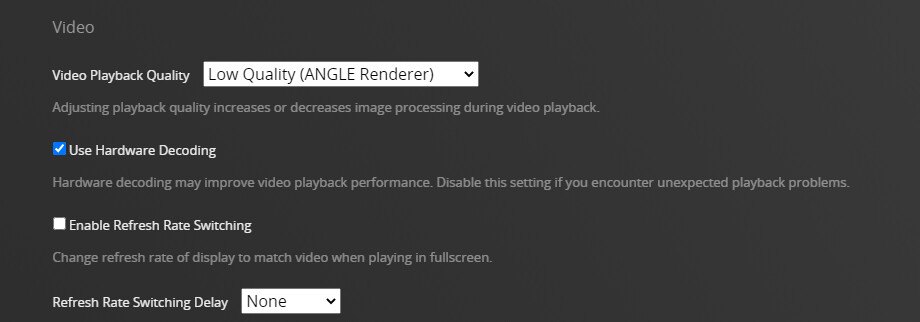
Plex for Windows does much more processing of the video than PMP so you are safe to lower the graphics. Refresh rate switching is known to cause stutters and should not be needed on a
laptop. What audio settings do you have?
I use a much older laptop and have no problems, but it all depends on the media you are trying to play.
I can’t seem to be able to make it use the Nvidia GPU.
Changing to the ANGLE renderer helped though, idk why the other one is default.
doesn’t seem to work for Plex
You may be able to disable the CPU iGPU via the bios for testing.