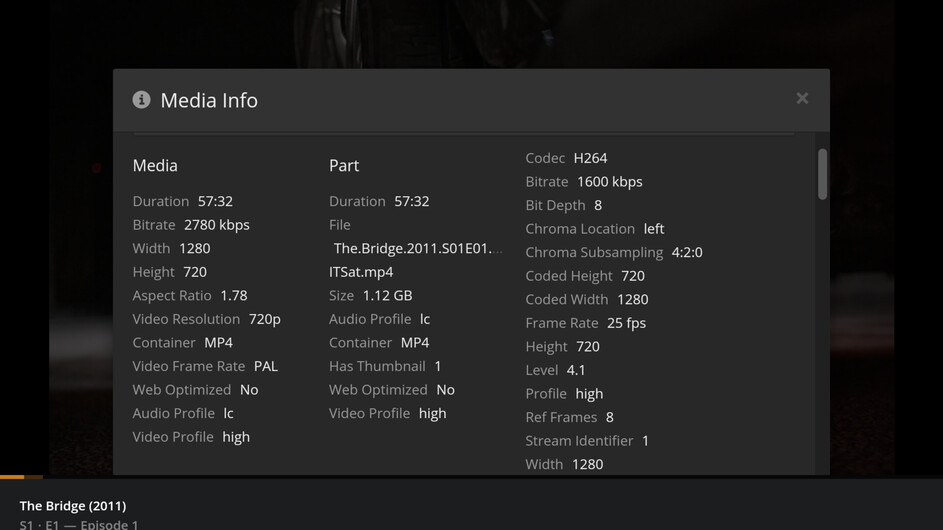
All language and subtitles settings are set up properly, (native English)
None of the settings have been changed, I am the only user.
Watching The Bridge - it has the option for English Audio, selected English however the show plays Frenchie Audio regardless of my audio selection. This just started happening with all foreign media with an English audio option. Never had this issue before.
Do you have a version of the episode that contains French audio anywhere on your system? Maybe even in the trash/recycle bin? Wondering if Plex is somehow scanning an old version.
In the Files section of the Media Info window, check the path to the file. Make sure it is correct.
Please pull the XML information for the episode (click on “View XML” in the lower left corner of the Media Info window)
Save the web page as a text file or zip it and attach to the thread. The forum does not allow .xml attachments.
Unless you’ve some secret version of Plex with a built in audio translator, there are two possibilities:
The version in the library really has French audio.
Plex found another version of the media that contains French audio.
You eliminated the first one. That leaves the second. That’s why I asked you to verify the path and to provide the XML information - to make sure Plex is picking up the correct file.
You should also check the path(s) added to the TV Library. Make sure they do not inadvertently scan an area with working copies, backup copies, etc that might have the undesired audio.
Next step is to remove the file from your system (or to an area not scanned by Plex), and re-scan the library, to see if the episode is really removed. If not, you’ve found the phantom file. If it is removed, then empty trash, clean bundles, and put the show back in the library (AKA The Plex Dance).