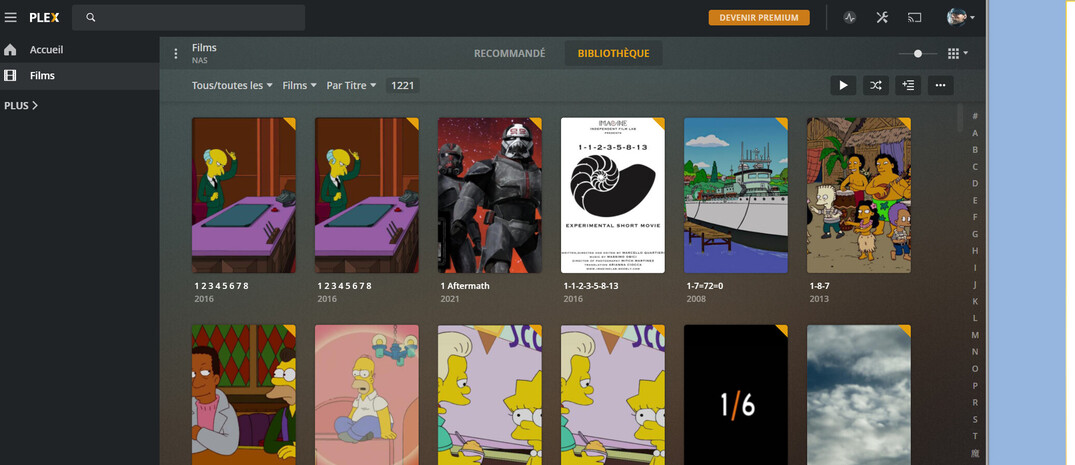
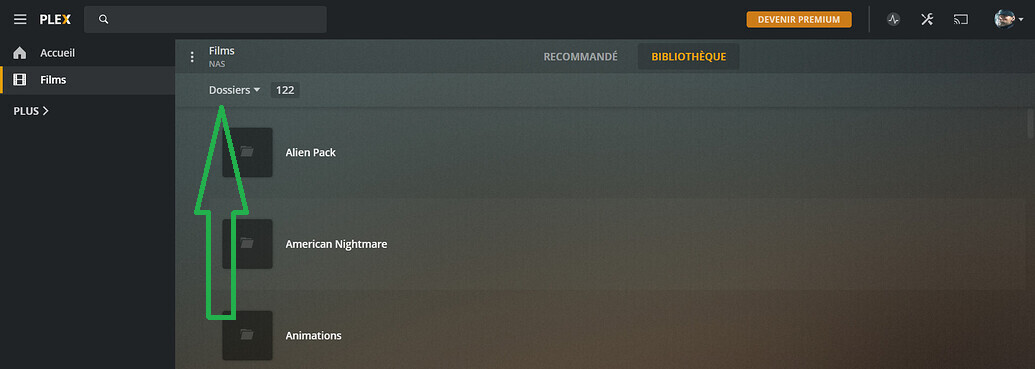
Hello, I downloaded plex on my NAS 3 weeks ago. I did an update yesterday but now my web interface changed and I don’t like it. Before I was able to see only the picture of my movies (Like my Xbox One) but now I see the movie with it informations.
How can I bring back the old interface ?
Before:
After:
Thanks
Make sure that your NAS device has accurate time and date set.
There should be a way to have it fetch date and time automatically (ntp).
Then shut down the device and restart it. Let it sit for several minutes, so it can fetch updates certificates from plex.tv
I’ll do it. I will tell you if it work.
But why it doesn’t looks since the update ?
I can only speculate:
Your server is not accessible due to an invalid certificate or due to wrong date/time.
So the interface is falling back to show only the freely accessible media from plex.tv.
It is accessible, it’s my web navigator interface who changed.
Like I said, before I had the same view as the 1st screen but now it’s the only view I got is the 2nd picture
It appears to me that your first screenshot only shows the freely accessible videos from plex.tv and not the ones on your NAS.
Your view mode is set to “Folders”. Put that back to “Movies”.
Well, the first picture is a picture I took on internet but my movies and folders was like the 1st picture while my view mode was on “Folders”
Before I had this buttom on the view mode folders : 
But on the view mode “Movies”, it doesn’t work too when I click on it
Please make a screenshot of the whole window, after setting the library to “movies” mode.
It appears that you have actually TV show episodes in this library, which are not supported in a library of the type “movies”.
Please see Why is some of my content not found? | Plex Support
But it worked yesterday and it’s been 3 weeks that’s working.
If it’s not supported, tell me why it work on my Xbox One ?
I cannot imagine that it is working on a different Plex client (i.e. your Xbox) if it is looking like that on the Plex web client. Something major is amiss here.
Can you verify how it looks like now on the Xbox?
I’m confused. Isn’t the picture you posted with the Simpsons episode what you want?
No, I just want to have the view I had before. The grid View.
I don’t have the option menu when I set the view of the library on file
Sorry English is not my native language, I do my best
That is the grid view.
Th original image you posted above is the Recommended tab.
1 Like
This is the folder view. Change it back to movies.
1 Like
I understand but I want to have the grid view within seeing my folders, I was able too before
Oh ok. You want to see folder view as a grid. I don’t use folder view so I don’t know what’s changed. I know there were reports before that having a grid was cutting off names so you couldn’t read what anything was. If it did change, my guess is because of this. I do not see a way to change it back, but I will check.
I never use folder view either but folder grid view does work on the Android client.