Server Version#: 2026.0.1 (1523h
Player Version#: 26.2.1
<If providing server logs please do NOT turn on verbose logging, only debug logging should be enabled>
Hello,
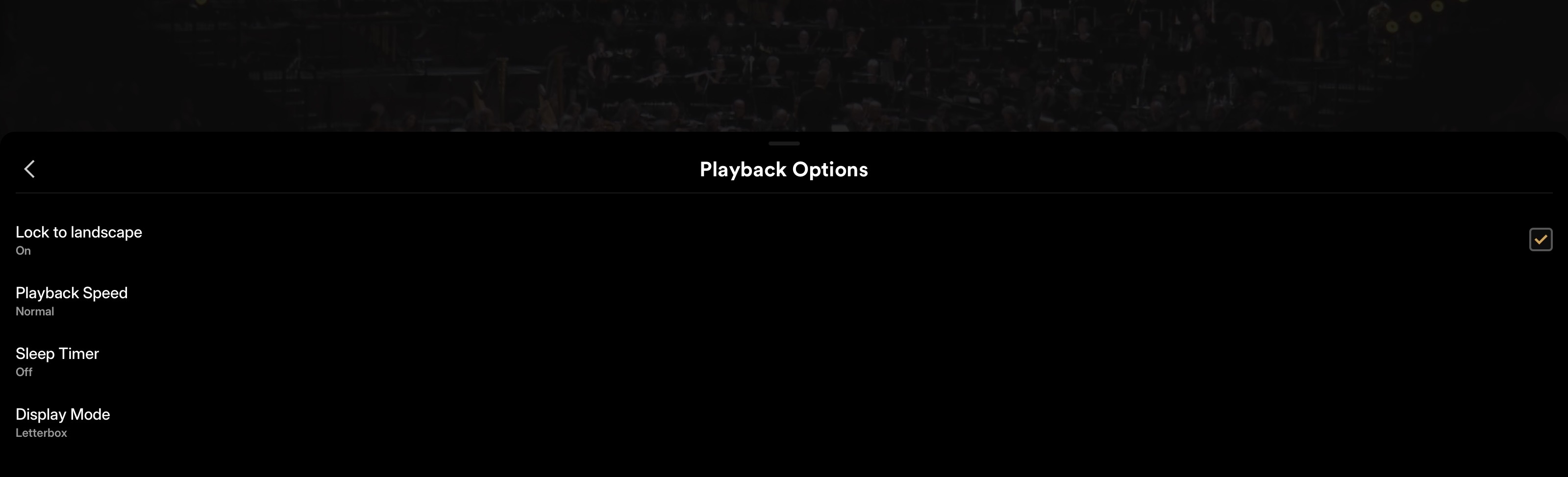
Ive subscribed to plex pass for a number of months now. 2x speed used to work, but now has disappeared from iOS. I’ve logged out and reinstalled everything, but the issue persists.it works fine on my desktop, but not mobile. Any ideas?
Nope, I swipe up and that’s as far as it’ll go. Those few things are all it’ll display for me. I have plex pass too. I’ve tried rebooting plex on my desktop, uninstalling and reinstalling, and nothing works. It works on desktop just fine though.
Agreed, the weirdest part is that it used to work fine until it didn’t. And no, it doesn’t matter what file format it is. I’ve tried it on several different movies/shows with different file formats and it does the same thing.
I did however try it through the web player and it works just fine there. And on desktop. Just not through the iOS app.