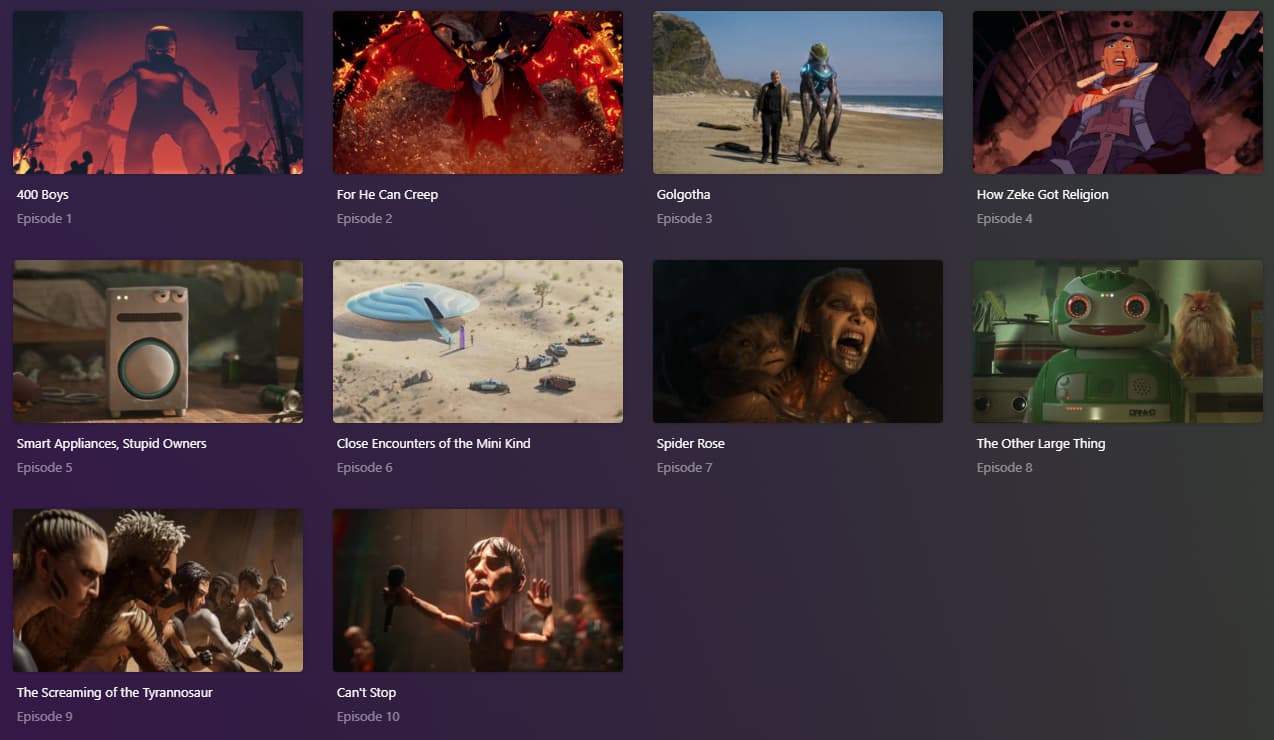
Love, Death, & Robots (2019) on TVDB just got a new season. However, Plex is IGNORING the episode order as seen for Season 04. According to that site, Episode 1 is Can't Stop. In Plex it picks 400 Boys as episode 1. Other episodes are also incorrect, not respecting the current TVDB sort order:
I AM using “TVDB (aired)” for my library, but to be sure I explicitly set the show to use it as well, seen here:
I did some looking, and all 3 metadata sites use the same (correct) episode ordering for S4, at IMDB, TMDB, and TVDB. Oddly enough, so is watch.plex.tv.
I have refreshed the metadata for this season multiple times, and it refuses to pull the correct episode ordering.
I’m not suggesting it as a permanent solution, but if you select the TMDB aired order and refresh metadata it should show the correct order now (it does here). Maybe Plex ingested the new season while it was in flux at TheTVDB? It looks like it was just modified today.
Possibly PMS is pulling from a stale cache. Looks like it was some updates to that show on TVDB today which may be part of cause. ( watch.plex does not use TVDB order generally unless there is no other)
I’ll ask metadata and server team to look into. Thanks for report.
Yeah, I figured it’s probably stale metadata. LD&R is I think one of those shows that had no consistent episode ordering, being a different order randomly per account. It could be someone submitted all the episode names from their account, someone else changed it to their own, etc etc.
For all the sites to settle on one seems to imply a master - universally accepted - order that is different than it was the previous day.
It seems kind of odd to me that PMS uses stale info, despite us using TVDB/TMDB episode ordering. I guess Plex can’t hammer their databases every time a user refreshes their server, but this one case surprised me.
I waited up until very late, refreshing the metadata every hour, still no fix. Woke up this morning to refresh it, and it had refreshed the data on it’s own overnight, and now has apparently the correct order.
Thanks for letting the metadata team know, hopefully that sped up the fix.
I did ping them but I think the cache just updated naturally.