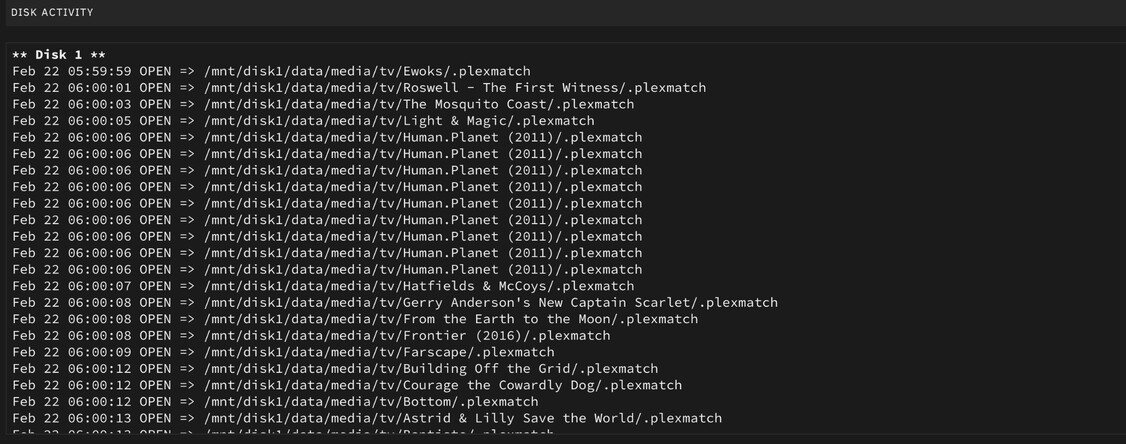
Plex is spinning up ALL drives and doing plex match at 5am.
Why?
Scheduled tasks start at 6PM & END at 11PM.
Server Version#: Version 1.40.0.7998
Player Version#:
Plex is spinning up ALL drives and doing plex match at 5am.
Why?
Scheduled tasks start at 6PM & END at 11PM.
Server Version#: Version 1.40.0.7998
Player Version#:
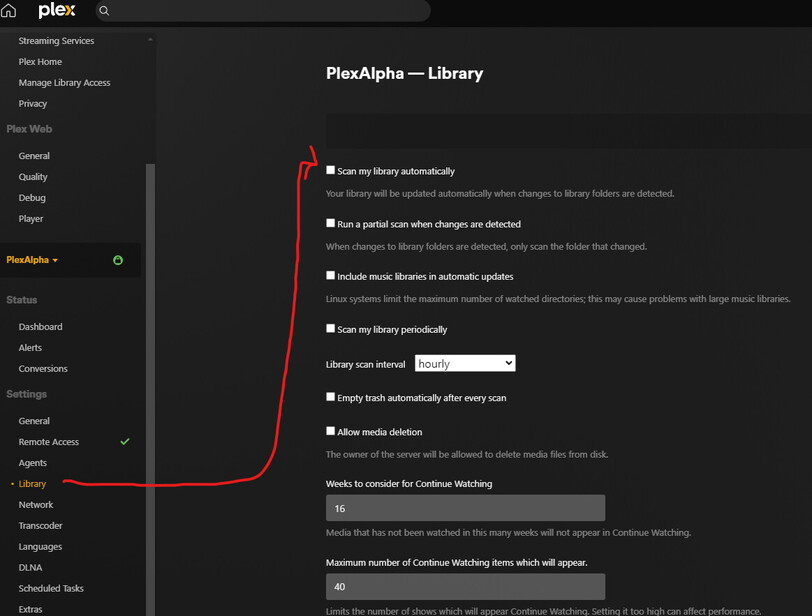
You have the “Scan my library automatically” on, which will detect changes to the underlying folders and trigger scans when a change is detected.
See: https://support.plex.tv/articles/200289306-scanning-vs-refreshing-a-library/#toc-1
From you logs:
Feb 22, 2024 05:58:51.500 [22887275207480] INFO - Library section 2 (My TV) will be updated because of a change in “/data/tv/Shōgun (2024)”
Thanks so is this plex or another app making .plexmatch files? If so I’ll try and schedule the app to pause at night.
I couldn’t find that much about where the plexmatch files come from. I just assumed it was plex sorry about that.
The .plexmatch file is not really of any importance, just the fact that the filesystem is getting changed and you’ve set PMS to scan on changes so it will scan regardless of any presence of a .plexmatch file.
It does seem to be spinning up drives randomly though so what is the cause is it plex creating them or is it another application?
“Update all libraries during maintenance” will certainly cause all drives getting spun up during server maintenance.
Why is that?
During scheduled tasks it creates thumbnail chapters etc so this should spin up 1disk at a time while it goes though the motions.
Does anyone know which application is creating the .plexmatch files? Did you mean plex is creating those files during maintenance?
This is a new thing happening.
The server has been running for about a year.
Plex does not create .plexmatch files. Must be some software on your machine.
Because you instructed it to look for new files in that time period. This checkbox is not activated by default.
one of you is saying plex doesn’t create .plexmatch files and the other is saying plex is going to spin up drives when it searches for new files.
There are no new video files. Only these .plexmatch files going into existing (& already matched) items in plex.
I’ll see if my other software can stop making these .plexmatch files as they aren’t needed anyway as everything is already in plex and matched…
Both of these are true. Plex doesn’t create .plexmatch files, and Plex is going to spin up drives when it searches for new files. It doesn’t matter that you don’t have any new content, you have ‘Update all libraries during maintenance’ checked, so Plex will scan all of your library paths to see if anything’s changed:
Scheduled Tasks | Plex Support:
Update all libraries during maintenance
(Disabled by default.) This will run a standard scan on your libraries during the maintenance period, to find new content. It will not force a refresh of metadata for existing content.
It seems like that scan also involves reading all .plexmatch files to determine if any mappings have changed. And since there isn’t any new content, Plex doesn’t have to open any of the media files, just check that they exist, which is probably why you’re only seeing .plexmatch files being opened in your activity log.
Apologies as this is a similar issue, could you please check this as well? Plex NOT respecting scheduled task settings. Keeps spinning up disks. HELP
I’m losing my mind because I have scheduled tasks to NOT do any media analysis yet it keeps doing it, spinning up all disks when scheduled tasks is run. I only checked tasks that shouldn’t be doing anything in the media folder (disk array), but it insists on trying to generate preview thumbnails on files that plex has tried over and over and just can’t. So disks are spinning up and down every single day.
It seemed to related to a sonarr / radarr program creating metadata files for plex so go turn that off.