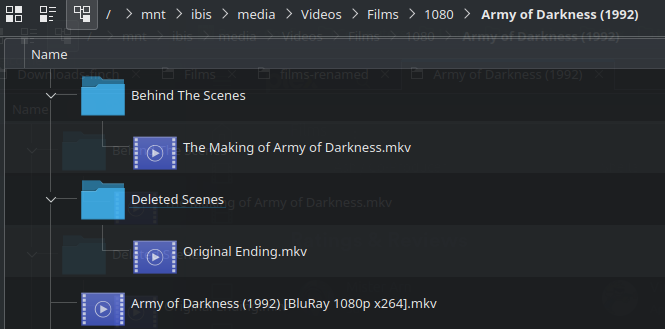
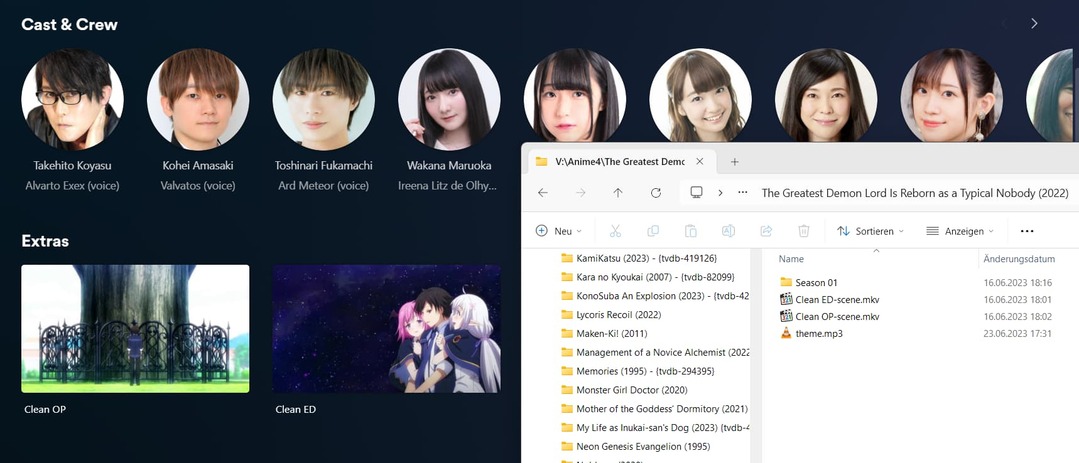
I’m following the guide for Local Files for Movie Trailers and Extras but the file “Deleted Scenes/Original Ending.mkv” with a title of “Original Ending” set in the metadata is being shown only as “Ending” instead. How can I make Plex show the correct title?
Sadly, you can’t.
It seems someone wanted to make anime library owners happy and added several keywords to identify Opening and Ending themes as extras — in a result titling them all as „Opening“ or „Ending“ respectively (keywords also include short forms for those like ED or OP).
At some point, those special extras were also assigned a separate extra type (redundantly… „Opening“ and „Ending“ again). This seems to have been reverted. If your video is tagged as an extra type, this will now prevail.
It appears that last improvement also expanded the keyword search to maintain the word „Textless“ if found in combination with „Opening“ or „Ending“.
TL;DR: sadly, the above is prioritized over all the other rules of naming/detecting local extras. So even your properly named extra titles are getting mangled (resulting in my playlist of individually named anime openings/endings to show a long list of items, all named „Opening“ and „Ending“.
You cannot currently fix this.
There’s no option to edit the titles of local extras or to inlclude/enforce titles based on nfo files or similars.
Thanks for the explanation, and for creating the feature-removal suggestion! Strange that developers would add a feature that acts more like a bug than an improvement. Maybe they should really just let us specify our metadata using NFO/JSON/XML files.