Plex Media Server is not working

Server Version#: 1.40.5.8854
Player Version#: 4.133.0
OS: Windows 11 pro

Hello guys.

So here’s my problem.

I’m running PMS for a long time, I don’t remember how many years, I think more than 5 and everything was fine until last month.

I was on vacation and wanted to watch some series in Plex, but I couldn’t connect to the server, like server wasn’t running, but when I was home everything was fine.

So the first thought came to my mind was “Server is down”.
I checked, the machine was Online and I could access it remotely, so I did.
PMS was running, at least there was a PMS icon in the tray.
When I tried to open the webapp (on the same machine) it showed like server was down or didn’t exist.
I tried to reboot the machine it didn’t help.
Then as I was far away I didn’t want to do any changes to the server machine and I just left it until I came back home.
So first I tried just uninstall and install the PMS.
And I got stuck at claiming screen, I also tried to open “setup.html” on other devices in the same network, but it didn’t work.
And I noticed 1 strange thing, that time when I got problems with the server, when I went to PMS download page it was giving an error something like “something went wrong, try later” and I couldn’t download anything.

Second thing I tried is uninstall the PMS completely (I just moved the PMS folder from %AppData%, just to have a backup of all my Library data), and I remove the plex from Windows registry.

So I proceed with installation of PMS, it went fine. I could create and claim the server.
Then I moved backed up folder back to %AppData% just didn’t replace the new “setup.html” and “localadmintoken” files.

Everything was working fine, I got my libraries back and I was happy, but not for a long time.
2 or 3 days later it happened again, I repeated the process, 2 or 3 days later it happened again, I repeated the process and 2 or 3 days later it happened again.
I became tired of this and just left it like this, I was just checking some times if I can connect to the server, and 1 day I could connect and it was working, but day after it stopped again.

2-3 weeks later (last Friday), I decided to reinstall Windows hoping that maybe something is wrong with the OS.
And again everything was working, until yesterday (Sunday).

Guys please help me, I don’t know what I can do more with this issue.

In those days when PMS was working and then stopped, I didn’t do any changes on the server machine, it was running without restarting or anything, I didn’t touch it at all.

In the task manager I can see:
Plex Media Server
Plex Tuner Service
Plex Update Service
PlexScriptHost - 10 processes with this name

When I open the WebApp and try to choose “Your Media” I see this:

But PMS is installed, and running.

Just to clarify, I cannot connect to it locally and from the internet.

Which file did you use to install Plex Media Server? Did you download fresh from plex.tv or did you use a previously downloaded file?
If you downloaded, did you pick the 64bit version? (you should)

Hi Otto

I’ve downloaded fresh files, I think now it’s been 3 different versions already. 1.40.3, 1.40.4 and today I tried to install the new 1.40.5, but today I didn’t the clean installation, I just installed on top of the previous version.

It was x64 always.

The problem started before I reinstalled the PMS, it just happened 1 day, after 1 year of installation (because I replaced the old machine around 1 year ago).

Do you use a 3rd-party anti virus software?
Is there a VPN software involved?
Did you clone your plex data folder from somewhere else, or did you restore a backed-up version of the data folder?

Nope, I’ve no antivirus installed, just Windows Defender.
I don’t use any VPN.
I backed-up my own Plex Data Folder.

After you delete the Plex registry data (which technically creates a new server “identity”), you should clear out the subfolder Cache in your Plex data folder before the first start of the server.

There is another thing:
Seeing that you are in Portugal, I highly recommend you to use a custom DNS server. Not the one which is set by your ISP.

Use 1.1.1.1 or 8.8.8.8.
Preferably set it in the preferences of your router. But if you don’t have access to its settings, put it into the network adapter settings of your server machine.

Ok, I’ll try next time to reinstall removing “cache” folder, or maybe I can remove it now and start the server?

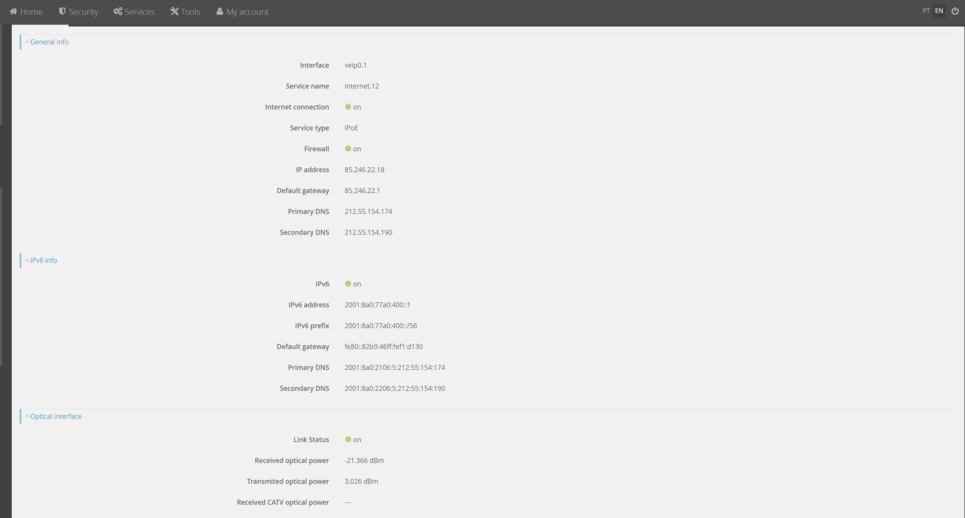
Can you please help me with DNS:

Is it the right place? If yes, which one I should change? Hostname or provider?

No, it’s not “Dynamic” DNS.
The general DNS setting for your whole home network. It should be among the basic network settings.

So looks like it’s predefined by my provider and I cannot change it.

Should I select “DNS over HTTPS”?

UPD
I set DNS for IPV4 and IPV6 (just to be sure), rebooted the machine and I still cannot connect to the server.

I’ll try to reinstall the PMS, but we will see the result just in few days.

When it will stop working again, I’ll post here.

Thank you for help Otto.

Please drag your screenshots directly into the message editor. That external service you’re using is unnecessary and not always reachable.

Hi Otto

1 week passed and the server is still running.
That time I didn’t backup whole Plex Media Server folder from %appdata%, I only backed up 2 files com.plexapp.plugins.library.db and com.plexapp.plugins.library.blobs.db from ‘/Plug-in Support/Databases/’ folder.

Maybe something was wrong with the cache or any other folder idk.

But now it’s working, let’s see if it will continue like this.

Thank you very much for your help.

This topic was automatically closed 90 days after the last reply. New replies are no longer allowed.