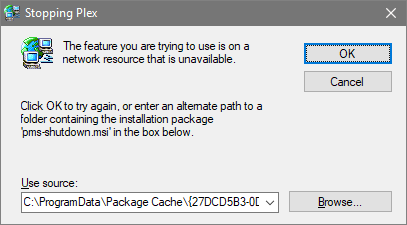
I’m having an issue with my Plex Media Server. The update through the server admin just won’t update the server, it stays on version 1.19.3.2852. I tried to update through the .exe from the Plex website but this gives an error saying:
FYI, C:\ProgramData is a hidden folder. You can make it visible in Windows Explorer by selecting the View tab then checking the box next to Hidden items.
Regarding your update issue, see the two items linked below. The first mentions using Microsoft’s Fix It tool and a procedure fixing Windows Update issues (which may also help Plex). The second mentions editing the Windows Registry and removing a specific key.