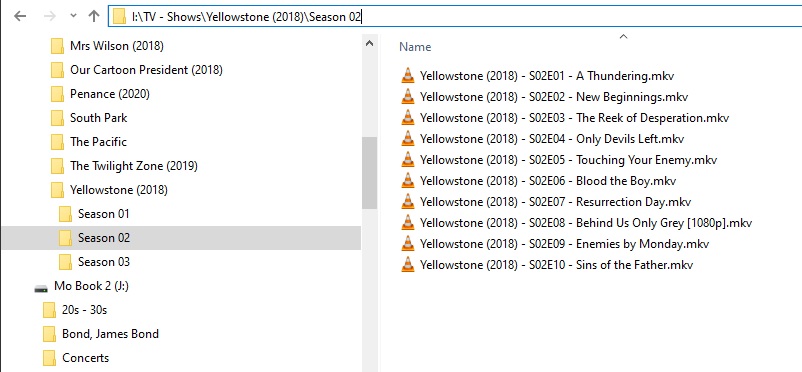
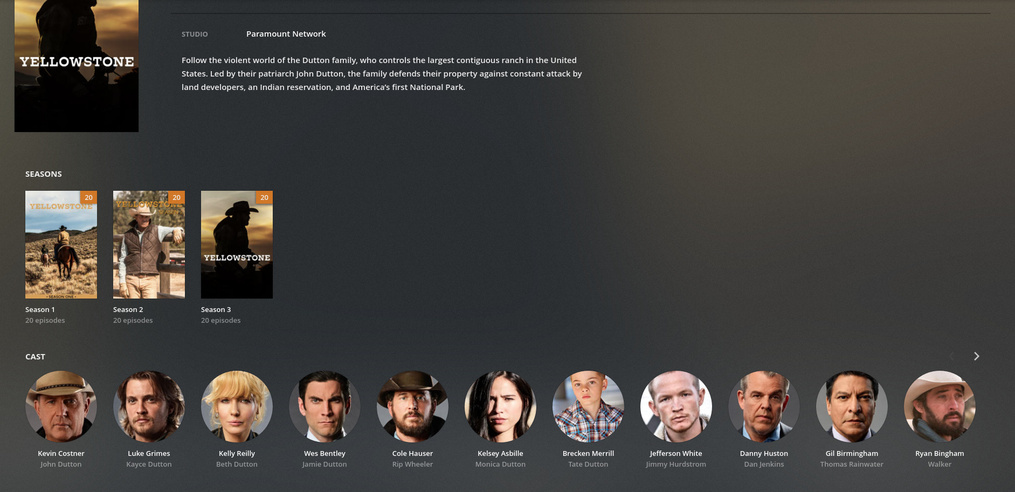
I have just added the tv show “Yellowstone” using Sonarr. According to Sonarr all of Season 1 & 2 have downloaded and processed. When I look at the files in the directory on the drive they are all there. Plex is showing that I have 2 files of Season 1 and 9 from Season 2 missing. I have rescanned 3 or 4 times and no changes.
Sonarr is doing all of the renaming and processing after nzbget downloads the files. I have looked at Plex on my laptop using chrome and also my Mi4 Box running Android 9 and also my Android phone using Plex app 8.2.0.18507 (0a3f8816).
Any help or suggestions are appreciated. If more info is needed please let know and I will provide it.
What’s in the NFO files?
Some of the scanners (legacy) will silently include the info.
I have no idea if it works correctly or not because NFO’s aren’t really supported.
basically just the name, episode and some info about the episode. Didn’t know they weren’t supported, been using them for movies and tv shows since I started in 2013. Thanks for that bit of info and I will stop getting them.
This is the one for S01E01 that plex shows
<episodedetails>
  <title>Daybreak</title>
  <season>1</season>
  <episode>1</episode>
  <aired>2018-06-20</aired>
  <plot>John Dutton, patriarch of a Montana ranching family and owner of the largest ranch in the U.S., fights to defend his land and his family from the modern-day forces that threaten his way of life; land developers, an Indian reservation and America's first National Park.</plot>
  <uniqueid type="sonarr" default="true">16082</uniqueid>
  <thumb>https://artworks.thetvdb.com/banners/episodes/341164/6507316.jpg</thumb>
  <watched>false</watched>
  <rating>7.0</rating>
  <fileinfo>
    <streamdetails>
      <video>
        <aspect>2</aspect>
        <bitrate>10792342</bitrate>
        <codec>x264</codec>
        <framerate>23.976</framerate>
        <height>960</height>
        <scantype>Progressive</scantype>
        <width>1920</width>
        <duration>92.502400000000009</duration>
        <durationinseconds>5550.1439999999993</durationinseconds>
      </video>
      <audio>
        <bitrate>640000</bitrate>
        <channels>6</channels>
        <codec>AC3</codec>
        <language>English</language>
      </audio>
      <subtitle>
        <language>English / Chinese / Chinese / Chinese / Chinese</language>
      </subtitle>
    </streamdetails>
  </fileinfo>
</episodedetails>

and this is from S01E03 which was not found by plex
No Good Horses
1
3
2018-07-11
The Duttons deal with a painful family anniversary. Kayce saves a young girl from danger. Jamie and Beth plan their respective political careers. Rainwater makes an ominous threat to the Dutton legacy.
16084
https://artworks.thetvdb.com/banners/episodes/341164/6725918.jpg
false
English / Chinese / Chinese / Chinese / Chinese
```
Don’t know what I did wrong but the second quote should be formatted just like the first one and not like it appears. They are text files.
… and why, again, are you including nfo files - that don’t do anything?
(except perhaps confuse an agent - necessary to the operation)
I’ll leave you in Chuck’s capable hands.
Filebot and I have this TV Show thing down.
Episodes 3 and 8 don’t elude us - we must be doing something right.
NFO files, for movies, if they contain tt=number, are used.
NFO files for television aren’t.
I can share, the new movie scanner is in Forum Preview stage.
The new tv scanner is close behind it. It’s undergoing testing now (we have a massive TV library and finding as many edge cases as we can before preview).
For television, I would
Remove the NFO files (move to a sub directory for test purposes)
Rename one problematic season per the spec (name - SxxExx - optional title.ext)
Plex Dance it.
See if it comes back in fully when reintroduced. It should.
If not, I will create a test series to run against my library
Sorry it took so long to respond, old people go to bed early and sleep late LOL.
I wasn’t aware that Plex didn’t use nfo files. I have always had them and have never had a problem until a couple of weeks ago when I noticed a couple of new movies wheren’t showing up and then the problem with Yellowstone caused a big problem. I just haven’t gotten around to checking the movies out.
I moved Season 1 to a different drive that is not read by Plex, removed everything except .mkv files. Then I renamed them as you suggested. Then I did Plex Dance. Then moved the files back to the orginal spot and rescanned TV Shows. Now, only 3 of Season 1 shows up, 4-6-9 are the only ones that show in plex.
That’s not old, you can’t even get SocSec. I turn 77 on Tuesday lol. Plus I have 2 Great-Granddaughters
Didn’t even have to do the Plex Dance, permissions was the problem. As soon as I changed them Plex showed all the episodes. Didn’t have time to anything. About a month ago I switched from SABnzbd to NzbGet. SABnzbd set permissions and I must have spaced that when setting up NzbGet. Just checked and can’t find anyplace to do that. The episodes were marked with permission to run as a program! Any quick way to change all of the tv permissions? This is what I’m looking at to change
So Thank you very much!! Now all I have to do is get the permissions sorted out and I will be good to go. Yellowstone is all set and everything showing but I intend to go back through everything and make sure the permissions are set correctly.
I marked this as solved by editing the first post title. I don’t use forums enough to know the correct procedure and have found different ways on different forums. Please let me know if this is wrong and how I should mark it solved. thanks
Thanks again for your help. yeah, I’m generally the old guy where ever I go in forums or other sites. Best Buy is always good for a laugh when I ask questions that they don’t understand. My oldest son, 51, gets a kick out of telling people people that I always root my phone and generally run a variety of roms on it.
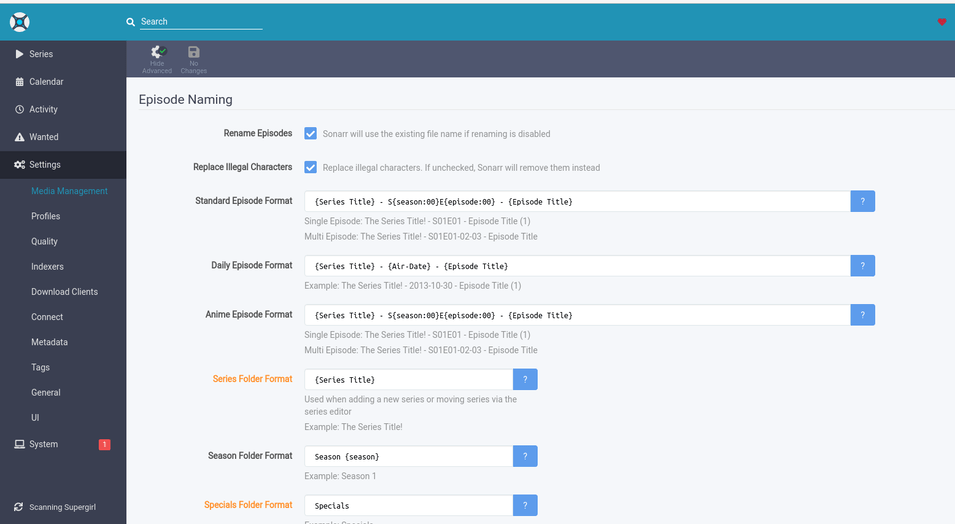
Anyway, I completely missed that in Sonarr. When I switched to NzbGet I also switched Sonarr to the newer version based on Python 3 instead of 2. It is laid out differently and I missed turning that one to advanced. They put tabs at the top and I have trouble reading them without my glasses.
again, thanks for the help. Permissions all straightened out. Cleared up several movies that weren’t showing up also. I had never looked at permissions like you displayed, generally used stat and you look at one at a time. your way shows the disparity between different folders and the error of my ways. lol
I have a scar on my butt that’s 61…
… and the Alfalfa Field where it happened is about where the Pharmacy is in a Wal-Mart now - so I can think about it when I’m getting my medications…
Sure you can - guys like we 3 have a million of 'em…
I can still walk to the Pharmacy from the front door, but one of these days - if the pills keep workin’ - that beepin’ cart and destroying Peanut Butter Displays is going to be the high point of my day.
I know two of the Greeters - they’ll keep the battery charged for me.
Well, I don’t have to walk to the Pharmacy, it’s delivered to my mail box. Love that bennie. Yep, the pills, a handful every morning and few more at dinner. Must have some kind of preservative in them. My oldest granddaughter lived with me for a few years and always tried to get me to organic and healthy. I think I finally convinced her that I had to eat the stuff I did because the chemicals and perservatives was the only reason I was still around.
I do have one scar on my head that’s about 70 years old thanks to an older sister. Most of my scars are recent, surgeries on stomach, heart, etc.