Server Version#:1.20.3.3483
Player Version#:8.8.2.21525
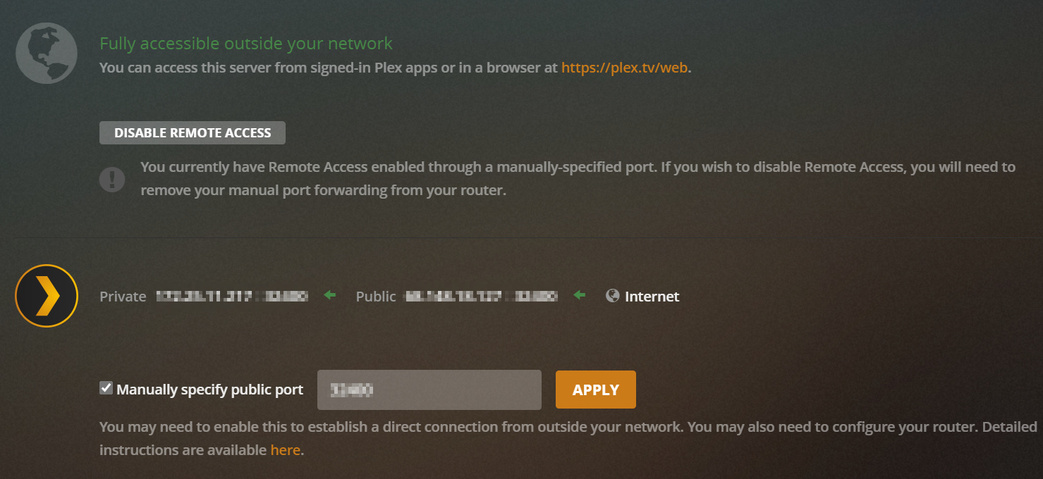
I have a PLEX server set up on my windows desktop and as of 11/5 i have not been able to access anything remotely either from my phone or roku when i try to set up remote access it says Not available outside your network i normally use the UPnP on my router but i have tried to manually forward the port neither option works please help I’m pulling my hair out
Hi and thanks for the reply, i do see this page however no mater what I seem to do reboot, log out and in delete and re make the specified port, disable and re enable remote access, it will still not stay green, it always goes red saying not available outside your local network, I have a Samsung smart tv app and a LG smart tv app, up until the latest update everything was working fine, then not I have been at this for 4 days now without any success, people are having problems connecting to the server as am I on the same network with the TV apps.
If I delete the server and download a new copy and name it the same, will it still have all the users that are already on or will I have to re invite them all? also would I have to point the server to my hard drives and make up the menus that I have spent a long time creating, I have been using plex for about 12 years now and this is the first major problem I have had, however I need help to get this sorted.
Thanks
Brett