Million thanks Anders!
It worked well, much appreciate your help 
Tusen hjertelig takk
Million thanks Anders!
It worked well, much appreciate your help
Tusen hjertelig takk
Glad it worked out for you too, Anton!
Jag hoppas det fortsätter att fungera för oss båda 
Anders
Where can i find that setting?
i have (new) al WD my home cloud setup for plex use only but plex see mij “home cloud home”
but if i click on that i get a screen that it does not see anything?
i also cant find the “add” option ?

the message “je hebt geen toegang tot deze server” is in dutch and means. you got no access to this server.
but on the WD cloud home there is no options what is can see?
i hopeyou can help me?
kind regards Andre
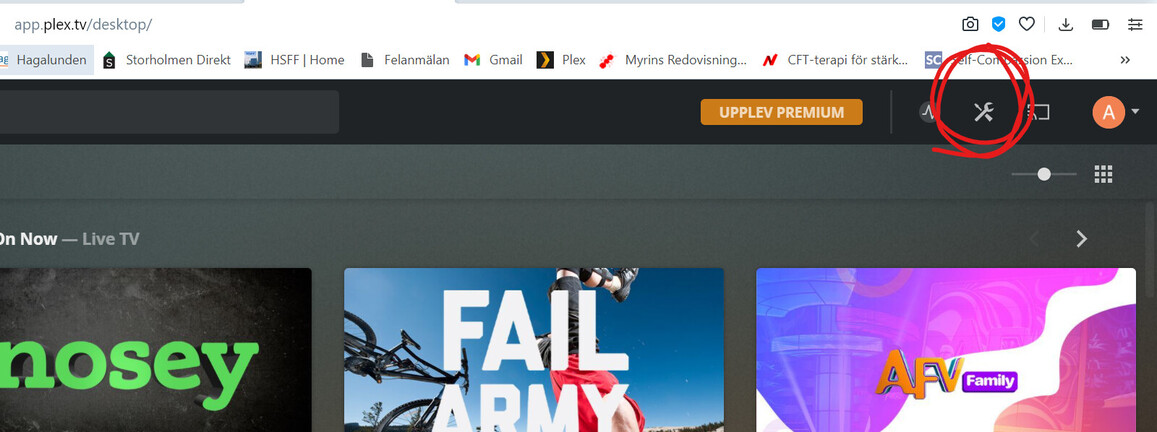
First click on the settings symbol up to the right on the home page
Next you scroll down on the menue to the left until you find DLNA, check the activate box.
As to the add-part of your question I do not understand what you meen. Test activating the DLNA first, then if it does not work try to explain a bit more.
Good luck!
Anders
This topic was automatically closed 90 days after the last reply. New replies are no longer allowed.