I attached a zip file earlier. Didn’t it contain the right logs?
I tried to follow your instructions. I told Plex to download the logs. Then, I found the latest file in the folder, compressed it to a zip file, and attached it to my reply. If that is not what you need, I am more than willing to search again. Would you mind letting me know how the file or files should be named?
Here are some files:

com.plexapp.system.log.zip (70.1 KB)
I dragged the zip file to this window. Is this not what you mean by post reply Window?
Please accept my apology, but I didn’t realize that Plex creates a zip file because I did not see the .zip.
com.plexapp.system.log (1007.6 KB)
If you have your Mac / Safari configured to open “safe” files it can happen that you end up with an entire folder of files instead a single Zip file.
If that’s the case for you… just right-click the folder and click Compress [folder name]. Then upload the resulting ZIP file here 
I see you playing Kramer vs. Kramer (1979), I do not see any attempt to play an ‘extra’ at all, so I am guessing that Plex does not see that ‘extra’ at all.
Here is a screen shot of KvK. The thumbnail for the extra appears on the lower left side.

Oddly enough, that extras file plays on my Mac. Here’s a screen shot:
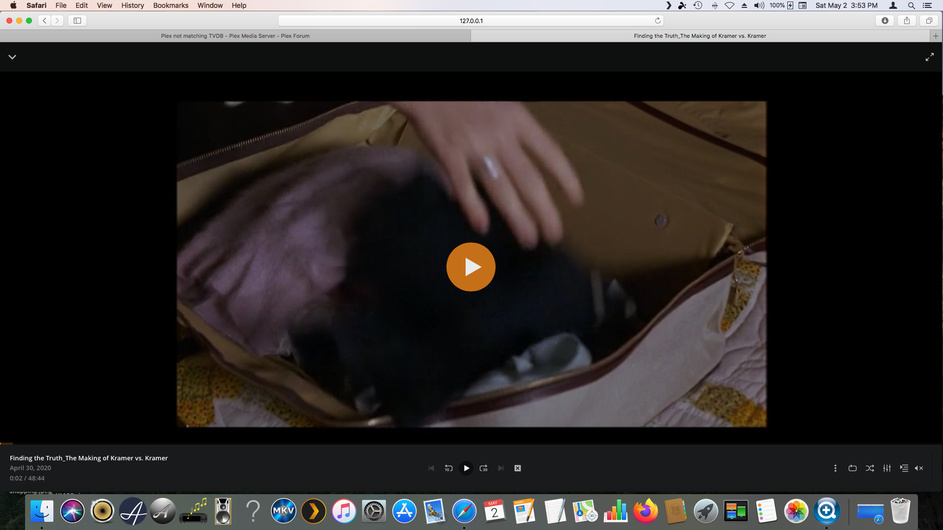
I tried to play a couple of other extras from different movies with variable success. Notice that the PMS mentioned on my Mac is my NAS:

Again, RESET the permissions for your Movie library folder. Make sure user Plex has at least R/O permissions, then set that option and click OK
I cannot complete this step at the moment. However, I will contact Synology on Monday to ask why the NAS won’t let me change permissions using Permissions Inspector if I cannot find the answer in the DSM manual. For the moment, the NAS shows Plex having R/W permission.
Refresh Metadata for Kramer vs. Kramer (1979) after doing that and try to play the extra again.
I cannot complete this step until the permissions issue is resolved.
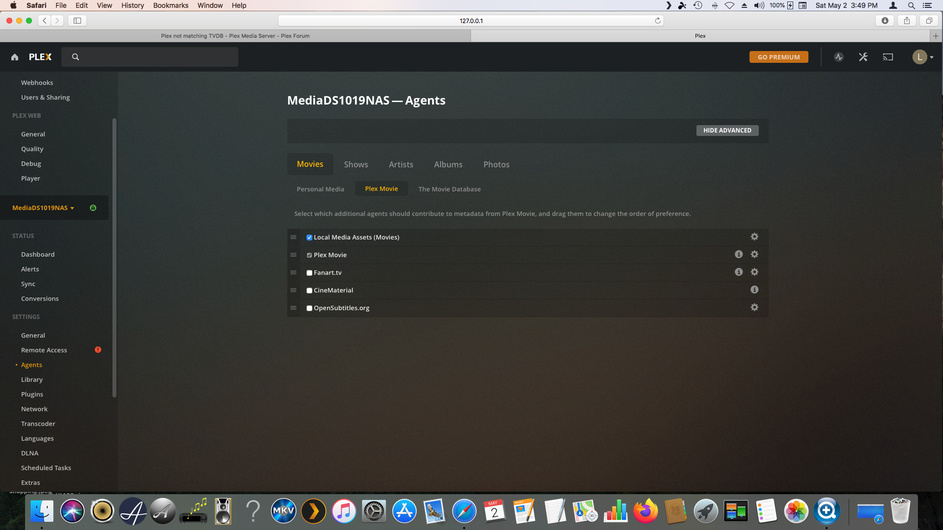
Do you have the Local Media Assets agent enabled in Plex Settings > Server > Agents > Movies > Plex Movie and is it sorted towards the top of the list?
I did not change anything. Here’s the screen shot.
Something to try if the above does not help, would be to place that extra into it’s own folder named
Behind The Scenesinside your Kramer vs. Kramer (1979) Movie folder and then Refresh Metadata for the Movie Kramer vs. Kramer (1979).
For some reason, the NAS won’t let me uncheck any of those boxes for any user. I will try again tomorrow. If I can find the solution to that problem, I can follow your earlier instructions. Thanks.
Unfortunately, the NAS changes Edit into View once I click on a user, such as Plex, so I can’t change file permissions in File Station. I called Synology to find out why. Their representative said that I can change file permissions from Control Panel-Shared Folders. After ending the call, I went into Control Panel-Shared Folders and removed R/W permission from Plex, saved the change, restored R/W permission to Plex, and saved that change. Then, I tried playing some of the extra features in my movie library. The thumbnails appear, but won’t play.
Here are the Plex Media Server Logs_2020-05-03_05-27-16.zip (5.4 MB) download logs:
Before calling Synology this morning, I tried your alternative approach of creating a subfolder under Kramer vs. Kramer for the behind the scenes extra. Again, the thumbnail appeared, but wouldn’t play.
The extras on my NAS seem to play on my computer.

Hello,
I think I have interesting news. I just disconnected my nVIDIA Shield TV and connected my Apple TV 4K in its place. With the latter streamer, Plex plays the extras files, at least the few I tested.
At one point yesterday, while checking the Plex settings on my TV screen, I noticed that the server had stopped, which seemed odd. I think I got it running again. In any event, I can’t find similar information with the Apple TV running.
I was looking to buy a new nVIDIA Shield, but won’t until I read up on the problem you mentioned. The Apple TV plays well enough these days and plays some items available only via the iTunes Store, but its remote is as bad as everyone said in those YouTube videos.
Thanks for trying to resolve this issue.
