Server Version#: 1.18.4.2171
Player Version#: 4.18.1
Hi all!
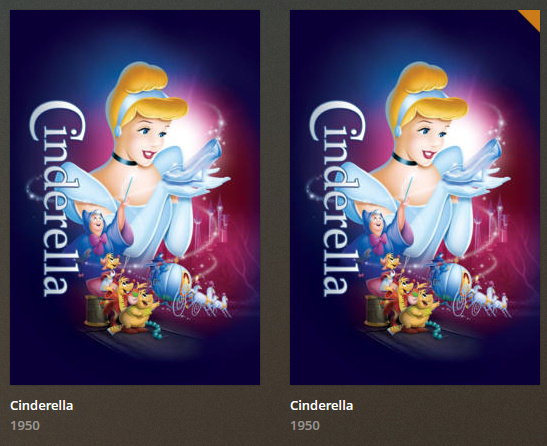
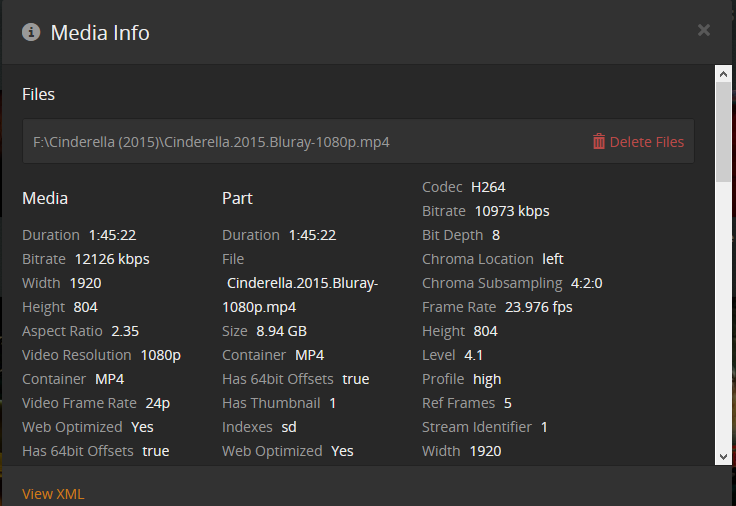
I am going through and cleaning up some odd matches/metadata in my Movies and hit a snag I can’t recall ever having an issue with. For example, I have Cinderella 1950 and 2015. Despite both having the year in the folder titles, it made them both the 1950 version. Not a huge deal, I select the 2015 and click “Fix Match”.
This correctly identifies the one I am trying to fix as the 2015, no problem, but when I select it it shows like it is refreshing metadata, the box art flips around and… it’s still 1950. Nothing changes.
What is odd is if I go to edit the metadata, I can see all the posters for the 2015 now. But all the other metadata including year released and that continues to say 1950. So my only option is to manually select the poster, type in all the data manually, etc.
I had this same issue with Back to the Future 1-3, each are in their own folders, properly named, the Fix Match properly identifies each, but no matter what I do it makes them all the first one, even though the posters show that I can select the correct one (but it doesn’t default to one of them).
I don’t have locks on the metadata fields. I have tried unmatching each then matching again. I have restarted PMS, the server, etc. I have been using Plex since the days where it was only on OSX and done countless match fixes, I don’t think I am missing anything obvious, it just seems stuck on the original matches even though when trying to fix them it clearly sees it knows the difference, just refuses to actually update anything.
Thanks in advance for the assistance, and let me know if you have any questions! I have included below screenshots showing the process, the two CInderellas, me doing the Fix Match and it correctly identifying the version, applying it, then showing how the Posters show the option for the correct one, but the metadata otherwise won’t update.