Server Version#: 1.19.4.2935
Player Version#: 4.29.2
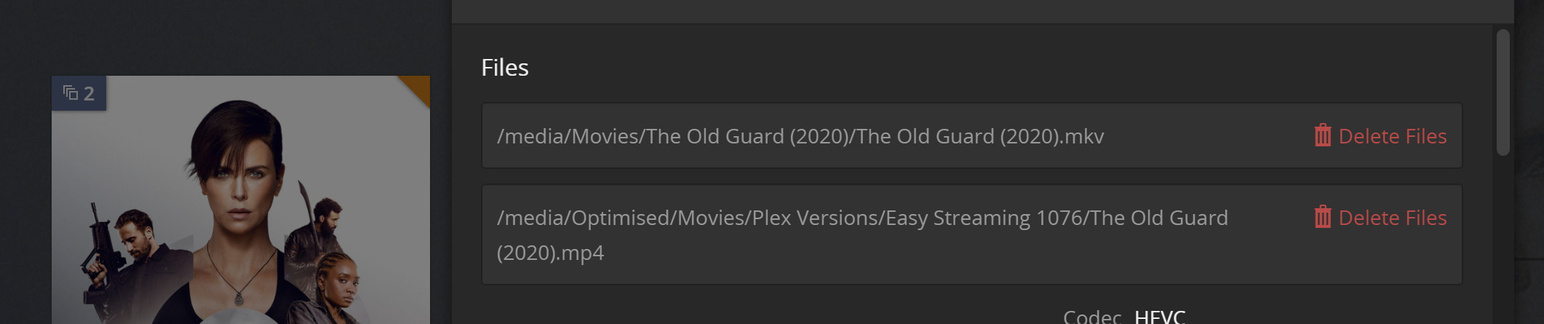
I’ve recently set up automatic optimisation of recently added movies etc. However these optimised versions are showing up as duplicates. Is there a way to fix this issue, or simply hide the duplicate icon on the movie icon? I opted for a folder to store all the optimisations to leave my root movies folder intact as I think it looks messy otherwise. Hopefully the screenshots show the relevant settings I’m using.
It looks to me like Plex is acting as it should. An optimized version is just that, a duplicate of the file re-encoded at whatever settings you have chosen.
Since they are a duplicates, it lumps them together under the same item in your library. You wouldn’t want 2 separate entries in your library for each item that has an optimized version, would you? Now that would be cluttered and messy…
I agree it would be messy to have multiple copies. I was hoping there was a feature to “hide” the duplicates only if they’re an optimised version of an existing library file. My whole thinking was that I can take some of the load off my server with smart behind the scenes tricks like pre-optimisation and have the end user none the wiser, and rely on the app to chose the best file for the user. If there is no such feature I will leave it as is, I just think an optimised version should show up only in two places: 1. Where you are able to click play version. 2. In the optimised file tab of plex.
I don’t personally use the optimized version feature, so it’s possible that someone else might have knowledge beyond my own, but based on the images above, that is what I would expect to see.
There have been occasions where I have replaced some of my older copies of a movie that were 720p (or even SD), with a 1080p version and forgotten to delete the original. When that happens, I see exactly what is shown above. The artwork indicates that there is 2 copies and when looking at the Get Info area, it lists the location of both files.
I’m going to guess that there is nothing that can be done to change this, even with just the optimized versions, but don’t take may word as set in stone. I’m sure someone with greater knowledge on that feature will jump in here and set each of us straight.
Apart from the convenience factor of letting Plex create the optimized versions, they’re fundamentally the same as if you created two versions and added them to the library yourself.
The word “Duplicate” is just a bit of a misnomer. And maybe the UI Badge for “multiple versions” isn’t necessary in “normal” library views.
Maybe I was misunderstanding you in the first place!
I’ve got my Optimized Versions set to In folders with original items.
I went back to 1.19.4.2935. Optimized versions have a badge on the item. They don’t show up in the Library “Duplicates” filter view.
I upgraded again. In both 1.19.6.3033 (preview) and 1.19.5.3112, Optimized versions show up with a badge on the item. They also DO show up in the Library “Duplicates” filter view.
yes, the badge is good to see that there are 2. But it is not truly a duplicate and has always not been shown in duplicate filter before and should be not shown in duplicate filter.
I removed the optimization from one file, and had it optimize again, thinking this may be a work around, but it popped back in under the duplicate filter. This behavior makes either the preoptimizing of videos or the duplicate filter useless, as we are now pushed to trust one or the other.