Server Version#: 1.32.5.7210
Player Version#: 4.110.1
I have uninstalled and reinstalled Plex Server. It is able to scan and detect new media that I add, but says it getting bandwidth of 0kbps.
Plex Amp works great.
This is happening on all players.
Where and how does it say that? Please provide a screenshot.
Do you experience any failures?
Hi! Thanks for the response.
I don’t think I’ve seen any failures. Below are some screenshots.
Again, Plexamp (connected to the same server) is working just fine.
The last pic I attached here shows me streaming from Plexamp from two players on my local network. One doesn’t register anything uploading at all, and the one on my phone registers as Remote.
Where does the error message on the second screenshot occur?
When trying to play the song in the web app?
The reason why Plexamp doesn’t care about the available bandwidth is because it does a download of the whole song before playing. So it’s never streaming like other clients do.
Most important would be to see the Now Playing information which appears above of the bandwidth graph during a playback.
Is this perhaps a song which was just added to the server?
Second screenshot appears when attempting to play anything from the browser or desktop app (I’m also unable to play anything on the Roku as well).
Very interesting update: I tried playing the same song on my mobile Plex app (not Plexamp) and it plays. Same song will not play from the browser or desktop app. Screenshots attached.
Did you block out some details on the screenshot? These would have been valuable for diagnosing this issue.
(P.S. oh wait, it appears you didn’t activate the detail view. Please do so.)
I wonder why all your clients are seen as “remote”.
Is your server located elsewhere?
Is this the Detail View you are talking about?
Server is on the same computer/network that I’m screenshotting from. Hardwired in.
Have had it running great for almost 3 years now.
Precisely! Very good, now we can confirm that your clients see the server as being remote. Which is why the bandwidth restrictions for remote connections are applied.
These restrictions are set on the same page that your first screenshot is showing, just further down.
Is your server running virtualized?
Do you have a DNS filter in use (Pi-Hole etc.)?
Did you set anything to non-default on the Network settings page?
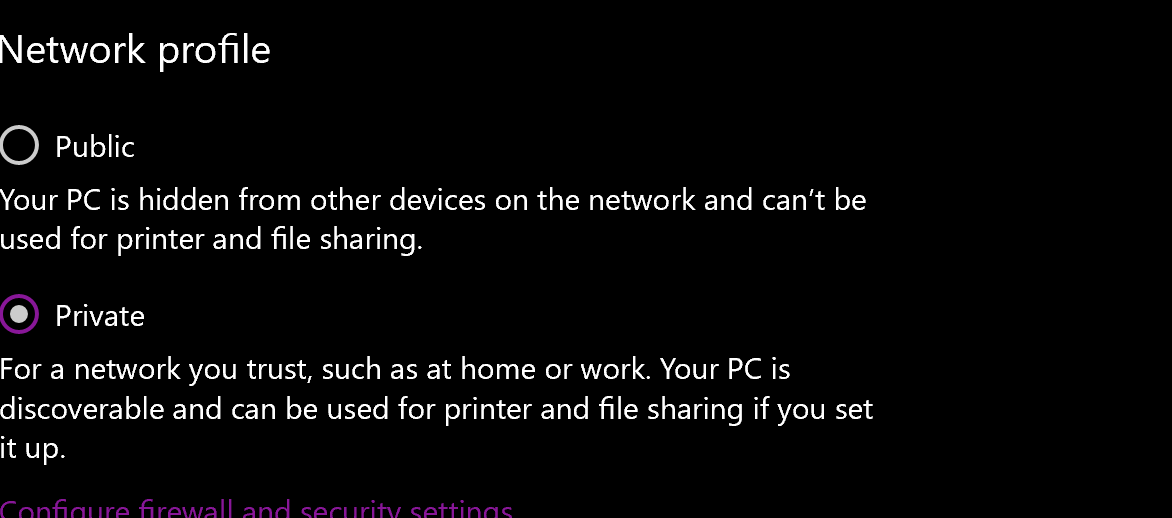
Did Windows classify your network connection as “public”? It must be set to “private”.
I do not believe the server is running virtualized.
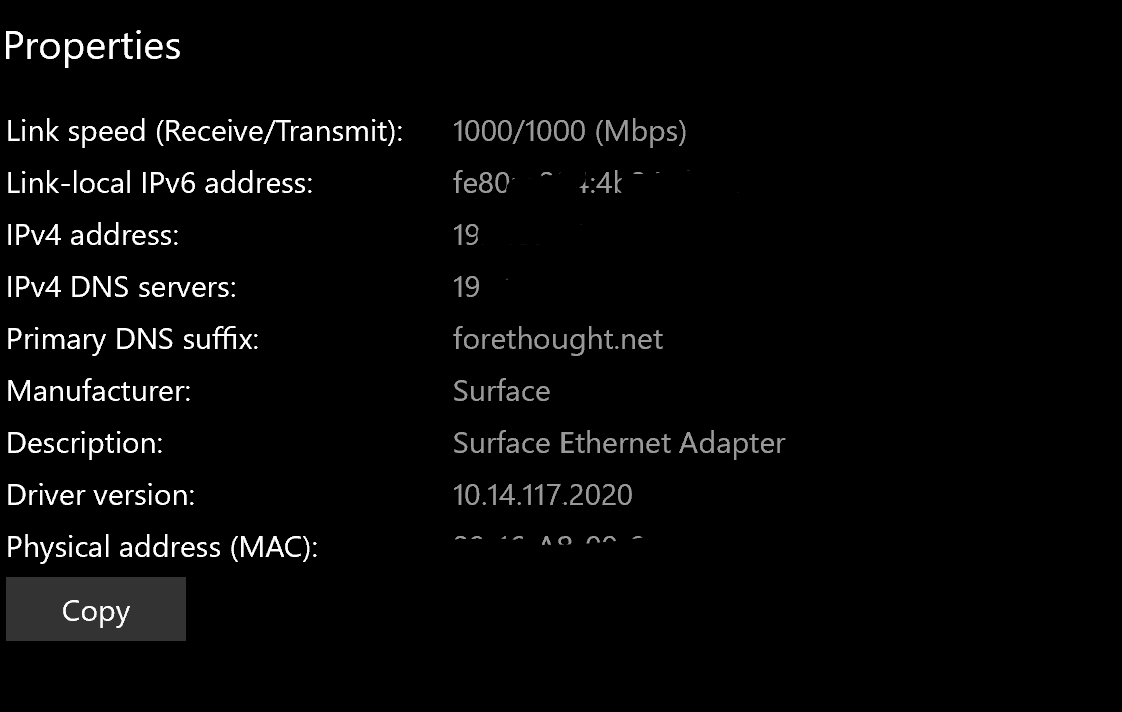
I don’t have any virtual machines. Attaching full screenshots of the Plex settings here and a few from my network connection page as we are quickly leaving my wheelhouse.
It doesn’t make sense to block out private IP adresses. They cannot be reached from outside your network.
You should however remove the page which shows your public IP.
Please put a sensible number into “Internet Upload Speed”.
Your server’s network adapter has only 1000 mbps bandwidth, so it doesn’t make sense to tell Plex that there are 99999 mbps available.
But these will not cure the issue with clients seeing your Plex server as being remote.
You might have a router which applies “DNS rebinding protection”.
While this is usually a good thing, there must be an exception for the domain plex.direct. Otherwise secure connections are not possible in your local network between clients and server.
You can sometimes tell certain Plex clients in their settings to fall back to unencrypted connections.
But this setting is not available in all client types. So the best solution is to configure the DNS rebinding protection in your router’s settings and apply the above mentioned exception.
Alright so I went to my router settings and disabled all of the optional security boxes (pic attached).
Then I re implemented them one-by-one to see which security measure was the blocker.
Eventually - I got all boxes ticked and we are still up and running which stumps me.
It’s still viewing my computer that hosts the server and my phone on the same wifi network as Remote.
None of these settings has to do with DNS rebinding protection.
Unfortunately, some routers don’t expose these settings.
In which case you can only either
- swap the router
- put a second router behind the first one (although this then puts you into a “double-NAT” situation, which needs to be dealt with separately)
- see if you can swap the router’s firmware with one of the open source alternatives, like OpenWRT, DD-WRT, Tomato etc. These all provide the necessary settings for DNS rebinding protection.