Server Version#: (sorry, at work right now)
Player Version#: (don’t have this info at the moment)
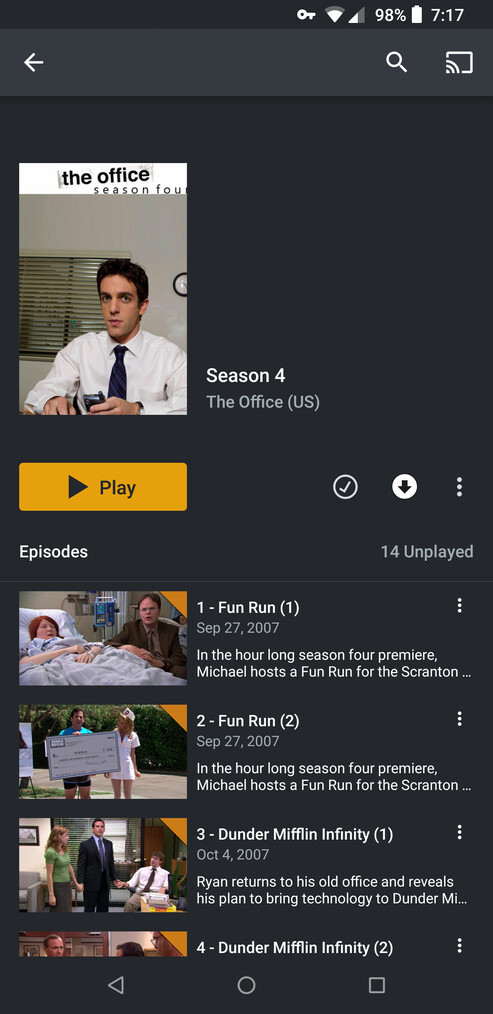
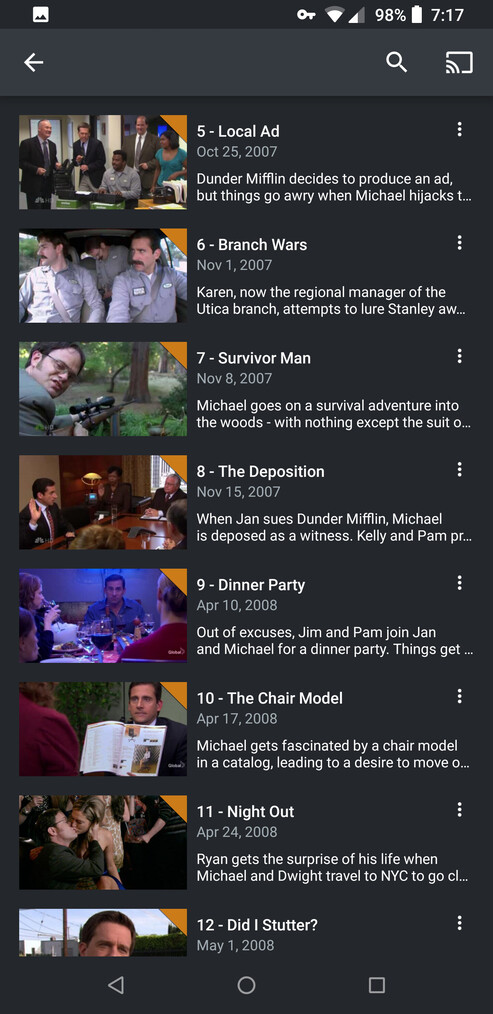
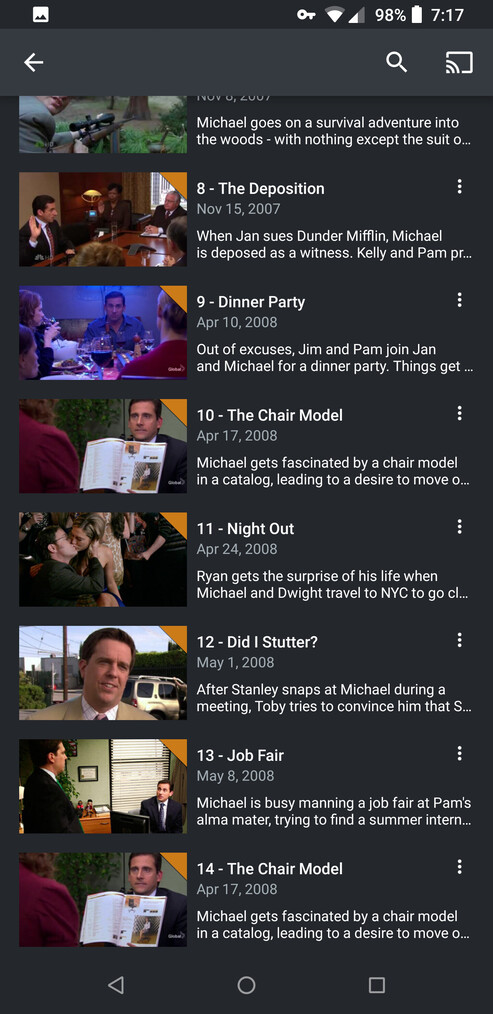
I’ve been digitizing my bluray copies of The Office for the past few weeks. Just completed Season 4, and I notice some odd behavior out of Plex. Office fans will know that the first 4 episodes of Season 4 were double episodes, as well as the season finale. TVDB aired order lists them as two separate episodes (https://www.thetvdb.com/series/the-office-us/seasons/official/4?force_isolation=true) while the DVD order lists them as single episodes, the way they are on my discs (https://www.thetvdb.com/series/the-office-us/seasons/dvd/4). However, as you can see from the screenshots, Plex appears to be attempting to use both despite being set for DVD order - Episodes 1 thru 4 are displayed as Fun Run (1), Fun Run (2), DMI (1), and DMI (2), before Episode 5 is correctly displayed as Local Ad. The correct names are displayed until Goodbye Toby, which shows up as The Chair Model instead.
My naming convention for the files is The Office (200_) S04E__ (substituting numbers as appropriate. I’ve hit refresh metadata, analyze, done the Plex dance, all to no avail. Does anytone know why this may be happening?
I have the same problem on the exact same episodes.
On TVDB ‘The Office’ has 6 different sorting lists as opposed to the usual 3 that ever other show has. In addition to the Aired, DVD and Absolute ordering, ‘The Office’ has Amazon, Netflix and Blu Ray ordering available, but the plex media agent does not show those either.
It happened on both the old metadata agent and the new one. I have followed the guide for removing the files, cleaning bundles, renaming files to clean metadata so many times it’s memorized.
I want to clarify that my entire library was painstakingly named according to the naming guide, so that is DEFINITELY NOT IT.
I’m really glad I’m not the only one with this issue. Two part episodes in general seem to be a problem - I had to do some tricky naming to get “Traveling Salesmen” and “The Return” to display correctly in Season 3, but most of my problems seem to be from Season 4 on. I’m ripping the episodes from the Bluray, but near as I can tell the TVDB info for Bluray Order is the same as DVD order, so I wouldn’t think there’d be an issue.
Hopefully there’s a fix, my Plex library looks really professional aside from this one issue.
I’ve finished ripping all episodes of The Office from the blurays. The following issues are observed:
-
Season 4 is a mess as pictured above
-
In Season 6, info is not pulled for Episode 4 “Niagara” or Episode 16 “The Delivery”
-
In Season 7, info is not pulled for Episode 11 “Classy Christmas” and Episode 24 “Search Committee”
Each episode is named correctly, there’s no explanation I can think of for these discrepancies beyond the fact that they are double episodes. Any ideas?
Check to see if the problem isn’t right here:
(you guys know your Office stuff better than I do)
… and if it is - I have to wonder why it is 'cause this is what I want (at my house):
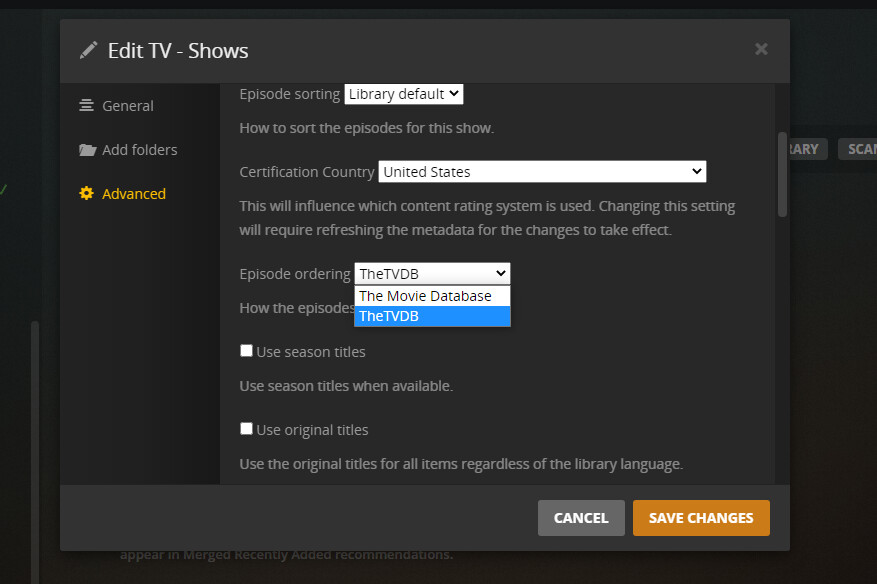
Doesn’t look like it, but that Edit TV shows box looks slightly different than mine. I have to option to select “Agent,” which is set to The TVDB
Right, I hadn’t changed mine, but it’s as you describe now.
The only other thing to check would be this:
(I hope we don’t have to edit each show - for some reason)
One last thing - while we’re checking stuff: Make sure to disable ‘Prefer Local Metadata’ (Library Edit/Advanced), just in case an MP4 has started a revolution in your Plexiverse with some embedded metadata:
If everything is set as shown and there’s still confusion about what order to use - get the tongs - we have a bug.
We’re looking at different things here, several options that are in your Plex server dialogs don’t exist on mine (for example I don’t have an order option that includes the agent - simply Aired, DVD, or Absolute)
Note that one of those screens is the Library Edit and the other is the Show Edit (How the Universe…).
I AM using the New TV Show Agent.
If you aren’t, you must upgrade. The old agents are no longer supported.
It appears that my updates are controlled by the WD Cloud software.
I know that I recently updated the last two times I opened Plex, so I’m hoping I’ll see some changes soon.
I recently have been victimized by Plex’s Blanket decision to use TMDB for TV Shows.
I match with FileBot at TVDB, so I can get a good match - then copy and paste from TVDB to a Plex Edit window when the episodes are all messed up - or non existent.
As much as I dislike that situation - I have no other choice.
Plex gonna do what Plex gonna do - I play no part other than the guy that has to fix it when it’s wrong.